
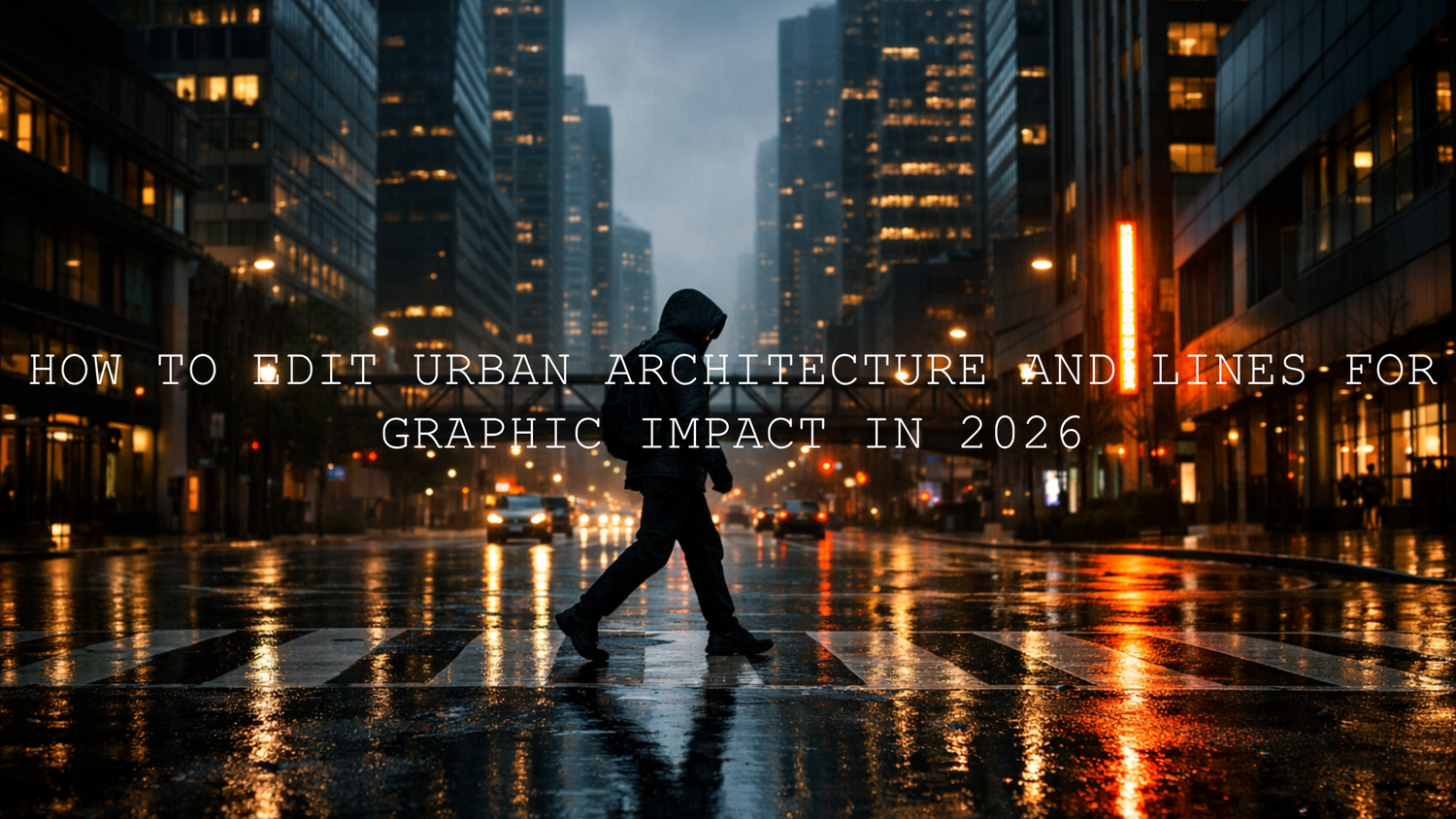
How to Edit Urban Architecture and Lines for Graphic Impact in 2026
Urban architecture editing is where composition, contrast, and color grading all come together. If you want stronger city photos in 2026, the goal is not to push every slider until the frame looks harsh. It is to shape lines, reflections, building textures, and street depth so the image feels intentional. Good urban photography editing helps roads lead the eye, skyscrapers feel taller, and city scenes carry more mood without losing realism.
If you want a fast starting point, try the AI-Optimized Cinematic Gloomy Urban Look Lightroom Presets for dark atmosphere and strong shadow structure, then explore the broader Street Photography Lightroom Presets collection to build a consistent city workflow. That combination is especially useful when you want dramatic urban edits without spending too long on every file, and it fits perfectly with Buy 3, Get 9 FREE.
Here’s why this matters. Cities already give you everything you need: repeating windows, crosswalks, stair rails, road markings, glass reflections, bridges, alley shadows, and concrete textures. The edit decides whether those elements feel flat or powerful. A strong urban edit does not just make a frame darker or more cinematic. It makes the geometry easier to read and the story easier to feel.
Why Lines Matter So Much in Urban Photography
Lines are one of the biggest reasons city photos can feel graphic and memorable. Vertical lines create strength and scale. Horizontal lines add structure and calm. Diagonals introduce motion and tension. Curves soften the scene and give contrast to rigid architecture. When those shapes are supported by the right contrast and color balance, the image starts to feel designed instead of accidental.
In practice, this means your edit should do three things well: separate important shapes from the background, guide attention through the frame, and support the mood of the location. A rainy street with neon reflections may benefit from deep blacks and restrained highlights. A modern glass tower at blue hour may need cleaner whites, cooler tones, and precise perspective correction. A gritty alley may work better with muted color and texture control than with extra saturation.
I have tested this kind of workflow on city frames where the original RAW file looked fine but still lacked impact. The biggest difference usually came from small technical choices: correcting verticals first, reducing visual clutter, and then shaping tone around the strongest lines in the scene. That is often what turns a decent city photo into an image that feels intentional.
What to Notice Before You Start Editing
- Main line direction: Are the strongest lines vertical, diagonal, curved, or layered?
- Primary subject: Is the building the hero, or is the subject a person inside the architecture?
- Light quality: Hard daylight, overcast light, neon glow, and rainy reflections all need different treatment.
- Distracting elements: Bright signs, blown highlights, or messy color patches can weaken the graphic feel.
- Final mood: Decide early whether the frame should feel clean, cinematic, gritty, modern, or dramatic.
Presets vs Manual Editing for Urban Photography
Many photographers treat presets and manual editing like opposites, but the best urban architecture editing usually uses both. A preset gives you speed, consistency, and a strong visual direction. Manual editing gives you control over perspective, local contrast, color cleanup, and subject emphasis.
The best way to think about it is simple: presets give you a smart baseline, while manual refinement makes the image yours. When I want a quick dramatic foundation for cityscapes, I start with the AI-Optimized Urban Cinematic Speed Lightroom Presets. When I want a darker, cleaner, more modern city mood, the Moody Urban Lightroom Presets are a strong choice. For broader workflow flexibility across different city scenes, the AI-Optimized Lightroom Presets collection gives you more looks to build around.
- Use presets first when you need speed, consistency, or a visual direction.
- Use manual adjustments next when lines need correcting, the subject needs separation, or the color needs balancing.
- Use both together when you want a professional result that still feels personal.
If you are learning the technical side, Adobe’s official resources are worth keeping open while you edit: Adobe’s Transform guide for perspective correction, Adobe’s guide to masking in Lightroom, and Adobe Color’s harmony tools are especially helpful when working with buildings, leading lines, and controlled color palettes.
A Step-by-Step Lightroom Workflow for Stronger Architectural Lines
Let’s break it down into a practical workflow you can repeat. This is the kind of process that works well for city streets, architecture close-ups, bridges, staircases, and layered downtown scenes.
1. Start with the Right Base
Begin with a preset or profile that supports the mood you want. If the scene is rainy, moody, or cinematic, start dark. If the scene is clean and modern, use a preset with balanced contrast and controlled highlights. The base matters because it changes how clearly your lines read before you even start fine-tuning.
For gritty city frames, the AI-Optimized Cinematic Gloomy Urban Look Lightroom Presets are a strong starting point. For faster workflow on travel, street, and city scenes, the AI-Optimized Urban Cinematic Speed Lightroom Presets are ideal.
2. Fix Geometry Before You Chase Mood
This is one of the most overlooked parts of urban architecture editing. If your verticals are leaning too far or the frame feels slightly off-balance, the whole image can feel weaker no matter how beautiful the color grade is. Use Upright, Vertical, Horizontal, or Full Transform adjustments to straighten buildings and strengthen structure.
A subtle correction is often enough. You do not need every line to be mathematically perfect. You just want the frame to feel stable and intentional. In my own testing, correcting perspective before deepening shadows almost always produces a better result than doing it the other way around.
3. Set Tonal Hierarchy
Urban lines become graphic when the tonal structure is clear. Start with exposure, highlights, shadows, whites, and blacks. Then ask yourself where the eye should go first. The strongest line in the frame should support that answer.
- Lower highlights if bright sky or glass is pulling too much attention.
- Deepen blacks carefully to give architecture more weight.
- Lift shadows only enough to keep detail in walls, roads, and textures.
- Add whites selectively so edge contrast feels crisp, not harsh.
- Use Tone Curve for cleaner, more intentional contrast.
4. Use Masking to Guide the Viewer
Global contrast is useful, but local shaping is where urban images really come alive. Use linear gradients to darken empty sky or brighten a leading road. Use radial masks to lift the main building face or a subject standing between architectural lines. Use brush masks to add texture only where it strengthens the story.
This is where urban photography starts to feel more cinematic. Instead of making the whole frame stronger, you make the important parts stronger. That difference matters. It creates direction, and direction creates impact.
5. Refine Color With Restraint
City scenes often become more powerful when the palette is reduced instead of exaggerated. Neon nights may need selective color control rather than more saturation. Brutalist architecture may look better with cooler neutrals and desaturated greens. Rainy roads often feel more dramatic when blues and cyans are deepened while warmer distractions are softened.
Adobe Color harmony tools are useful here because they remind you that great cinematic color is often about relationship, not quantity. A disciplined palette usually gives urban lines more authority.
6. Add Texture and Clarity Carefully
Texture, clarity, and dehaze can make buildings, pavements, and metal surfaces feel stronger, but this is also where city edits can become crunchy and artificial. Use them as finishing tools, not the whole recipe. Add them where they support edges, depth, and material feel. Back off when skin, sky, or shadows start to look brittle.
7. Finish With Cropping for Graphic Strength
Sometimes the most powerful edit is a tighter crop. Remove empty edges. Let repeating windows fill more of the frame. Cut out bright distractions on the side. Strengthen symmetry if the shot asks for it, or lean into asymmetry if one bold diagonal is doing the storytelling. Cropping is not just cleanup. It is part of how you turn structure into design.
Real Example: Editing a Rainy Downtown Scene
Imagine a photo shot just after rain: reflective pavement, tall buildings, dim storefronts, one bright sign, and a person crossing the street. Straight out of camera, the image might feel busy instead of dramatic. The raw ingredients are there, but the graphic impact is not.
Here is a strong workflow for that kind of frame:
- Apply a moody urban preset to set the tone quickly.
- Correct vertical lines so buildings feel taller and cleaner.
- Pull back highlights to control reflections and signage.
- Deepen blacks slightly to add weight to windows and road edges.
- Use a mask to brighten the subject just enough to separate them.
- Darken upper corners or empty sky so attention stays in the street.
- Reduce distracting color in minor signs and background lights.
- Add subtle clarity only to road texture, building edges, and wet surfaces.
The result should feel more focused, more layered, and more cinematic. The lines guide the eye instead of competing with each other. The reflections support the mood instead of overwhelming it. That is what strong urban architecture editing should do.
The edit should make the lines feel stronger, not louder.
Common Mistakes That Weaken Urban Line Work
- Overcorrecting perspective: Buildings can start to look stretched or unnatural.
- Crushing blacks too early: You lose wall texture, road detail, and subtle depth.
- Oversaturating city colors: Stronger color is not the same as stronger mood.
- Using clarity everywhere: This often makes the image feel brittle and overprocessed.
- Ignoring the brightest distraction: One uncontrolled sign or sky patch can ruin the whole composition.
- Editing without a focal point: If the viewer does not know where to look, strong lines alone will not save the frame.
Building a Consistent Urban Style Across a Full Set
If you shoot city work regularly, consistency matters almost as much as the individual edit. A single great frame is nice, but a full set with a recognizable mood is stronger for portfolios, client work, Instagram grids, and blog storytelling. That is where a curated preset system saves real time.
For a darker story-driven look, build around the AI-Optimized Cinematic Gloomy Urban Look Lightroom Presets. For flexible everyday city shooting, mix in the AI-Optimized Urban Cinematic Speed Lightroom Presets. For more modern and polished urban work, use the Moody Urban Lightroom Presets. If you want wider coverage across many genres beyond city work, the 1000+ Master Lightroom Presets Bundle gives you a broad toolkit without losing workflow speed.
That mix makes it easier to move between architecture, street portraits, rainy nights, travel scenes, and graphic black and white edits while still keeping your style coherent. Pair those products with the Street Photography Lightroom Presets collection and the Lightroom Presets for Lightroom Mobile & Desktop collection when you want more browsing continuity inside your workflow.
Related Reading
- Mastering Urban Street Fashion Photography: Achieve Cinematic Vibes in 2026
- Real Estate & Architecture: How Color Grading Shapes Perception
- Mastering Contrast in Black & White Street Photography
- Top 5 Street Lightroom Presets for Captivating Cityscapes
- How to Install Lightroom Presets in a Quick and Easy Way
If you want your urban photos to feel sharper, deeper, and more cinematic without slowing down your workflow, start with the Moody Urban Lightroom Presets or the AI-Optimized Urban Cinematic Speed Lightroom Presets, then expand into the AI-Optimized Lightroom Presets collection for more looks. If you want the widest editing range in one place, the 1000+ Master Lightroom Presets Bundle is a practical next step, and Buy 3, Get 9 FREE makes building a full urban toolkit much easier.
FAQ
How do I make architecture lines stand out more in Lightroom?
Start by correcting perspective, then build tonal separation with highlights, blacks, and the Tone Curve. After that, use masking to brighten or darken specific areas so the main lines guide the eye more clearly.
Should I use presets for urban architecture editing?
Yes, presets are excellent for speed and consistency. The best results usually come from using a preset as a base and then refining geometry, local contrast, and color manually.
What is the best Lightroom tool for fixing leaning buildings?
The Transform tools are the best place to start. Vertical, Horizontal, and Upright corrections help architecture feel cleaner, taller, and more professional.
How do I keep urban edits cinematic without making them too dark?
Protect highlight detail, avoid crushing every shadow, and use local masks instead of pushing global contrast too far. A cinematic image should feel controlled, not muddy.
Do urban architecture photos work better with muted color or vibrant color?
It depends on the scene, but many city photos become stronger with a more disciplined palette. Controlled color often gives lines, texture, and mood more room to stand out.
Written by Asanka — creator of AAAPresets (10,000+ customers).

Leave a comment
This site is protected by hCaptcha and the hCaptcha Privacy Policy and Terms of Service apply.