
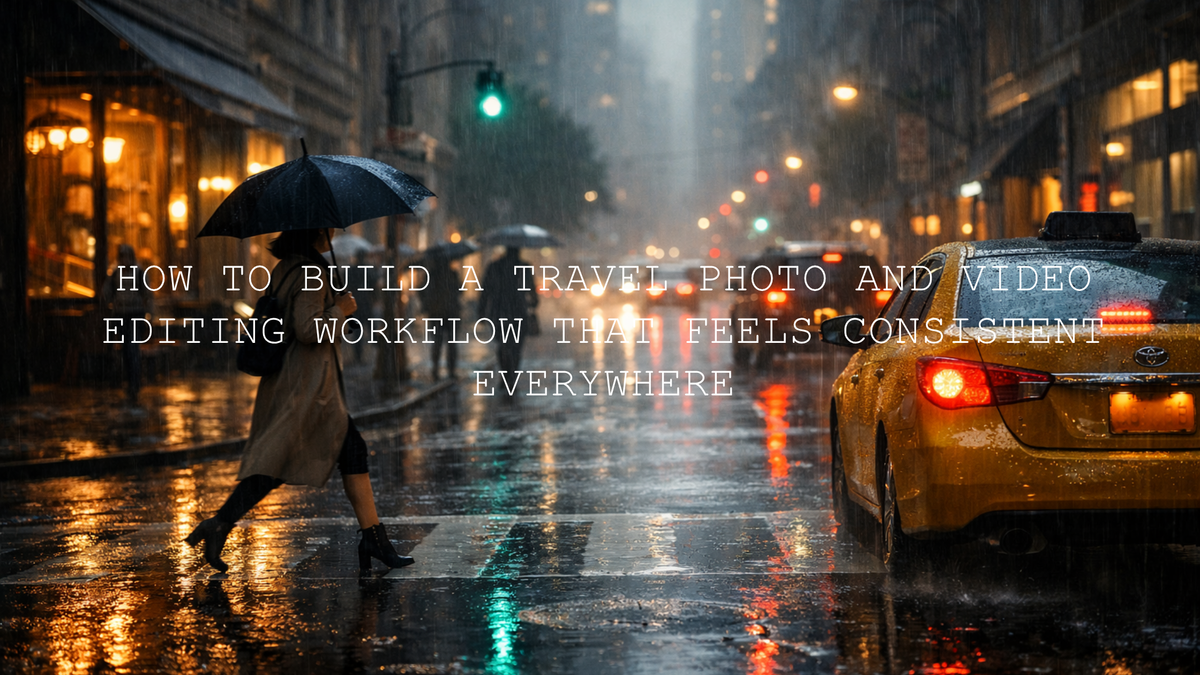
Rainy travel photo editing can create stronger mood than perfect weather
Rainy travel photo editing is not about pretending the weather was sunny. It is about using the softness of overcast travel photography, the texture of wet streets, and the atmosphere of mist, puddles, and reflections to build a more emotional frame. When you edit cloudy travel photos with intention, the result can feel more cinematic, more personal, and often more memorable than a bright postcard look. I have tested this kind of workflow on quiet city walks, drizzly roadside stops, and low-contrast travel portraits, and the biggest improvement always came from embracing the weather instead of fighting it.
If you want a fast starting point, try the AI-Optimized Overcast Glow Lightroom Presets for clean, lifted cloudy scenes, or go moodier with the AI-Optimized Moody Rainy Day Lightroom Presets. For a broader set of one-click options, browse the AI-Optimized Lightroom Presets collection. It is a simple way to keep your edit consistent while still saving time, and it fits naturally with Buy 3, Get 9 FREE.
Here is why this matters: cloudy skies flatten contrast, rain cools the color palette, and mixed urban light can make your photo feel muddy fast. But those same conditions also give you softer skin tones, reflective surfaces, richer greens, and a natural sense of atmosphere. Instead of trying to erase the scene, the goal is to shape it. That means protecting highlight detail, correcting white balance carefully, building contrast with restraint, and deciding whether your frame should feel airy, moody, or film-like.
Why rainy and overcast travel photos often look flat
Most weak edits fail for one of four reasons. First, exposure gets pushed too far and the frame loses the natural rainy mood. Second, shadows are lifted so much that the image turns gray instead of atmospheric. Third, white balance drifts too green or too blue, which hurts skin tones and makes the whole image feel accidental. Fourth, presets are applied without any local refinement, so the photo gets a strong look but not a believable one.
- Flat skies: uniform cloud cover removes natural depth.
- Low contrast scenes: buildings, roads, and foliage can blend together.
- Mixed light: rain, storefronts, car lights, and street lamps can create color chaos.
- Muted color: travel photos can feel dull if saturation is boosted in the wrong places.
That is exactly why rainy-day editing works best when you begin with the right visual direction. If your scene needs softness and brighter tonality, the Overcast Glow presets are a strong fit. If the frame needs deeper tone, cooler shadows, and more drama, the Moody Rainy Day presets or the Rainy Street Film presets usually give a much better base.
A step-by-step workflow for rainy travel photo editing
Let’s break it down into a practical editing sequence you can repeat across a full trip.
1. Decide the mood before touching sliders
Ask one simple question first: should this image feel clean and soft, or dark and cinematic? This decision changes everything. A rainy cafe portrait, a reflective city crosswalk, and a misty mountain road should not all be edited the same way. I usually sort the gallery into three directions:
- Soft overcast: natural colors, gentle contrast, brighter midtones.
- Moody rain: cooler shadows, deeper blacks, controlled highlights.
- Rainy street film: richer reflections, stronger contrast, cinematic urban color.
That first decision stops you from over-editing and helps your gallery feel intentional from frame to frame.
2. Start with exposure and highlight recovery
Rainy photos often look better when you protect the brightest parts first. Pulling highlights down helps recover cloud detail, reflections, and bright lamps without making the photo feel heavy. In Lightroom, Adobe’s guide to tone and color controls in Lightroom Classic is useful if you want a clean refresher on how highlight, shadow, white balance, and tonal controls work together.
A good rule is to keep the scene readable but not overly bright. Rain should still feel like rain. If you lift exposure too far, the atmosphere disappears.
3. Correct white balance before judging color
Overcast skies can push travel photos toward cyan, green, or dull blue. Fixing that early helps everything else make sense. For portraits, skin should still look alive. For city scenes, neutrals should feel intentional. Adobe’s Lightroom guide to adjusting lighting and color is especially helpful for quick white balance checks and basic color corrections.
In practice, I usually warm the image slightly, then fine-tune tint to remove the muddy green cast that often appears in rainy scenes. From there, I decide whether to cool the shadows again for mood.
4. Apply a preset for speed, then refine manually
This is where a strong preset really earns its place. Use the preset as your foundation, not your final answer. On bright cloudy scenes, the AI-Optimized Overcast Glow Lightroom Presets help restore life without making the image look fake. On story-driven frames, the AI-Optimized Moody Rainy Day Lightroom Presets build cooler depth and cleaner contrast. For urban rain, reflective roads, and neon spill, the AI-Optimized Rainy Street Film Lightroom Presets are the most targeted choice.
Once the preset is on, lower or raise the amount as needed by adjusting exposure, contrast, shadows, and color balance. This is usually where the image becomes believable.
5. Use masking to separate subject from atmosphere
Masking is one of the easiest ways to stop rainy travel images from looking muddy. Brighten the face slightly, darken the sky a touch, or add clarity only to the reflective street area. Adobe’s guide to masking in Lightroom is worth bookmarking because local adjustments are often what turn a decent rainy image into a professional one.
Here is a reliable masking approach:
- Select the subject and lift exposure slightly.
- Mask the background or sky and reduce highlights.
- Add a subtle brush over puddles or wet pavement to bring out reflections.
- Use local warmth or tint correction only where needed.
6. Shape contrast carefully, not aggressively
Rainy travel photos need contrast, but not harsh contrast. The goal is clean separation, not crunchy edges. Too much clarity or dehaze makes the frame feel processed. Too little makes it lifeless. I usually add moderate contrast, keep blacks controlled, then use small texture adjustments only where there is real visual payoff, like raindrops on glass, wet cobblestones, jackets, umbrellas, or roadside plants.
7. Finish with color grading that supports the story
This is where rainy travel photo editing becomes memorable. You can lean cool and cinematic, neutral and realistic, or slightly warm for a cozy rain feel. Adobe’s Adobe Color harmony wheel can help if you want to think more intentionally about how cool blues, muted greens, amber highlights, or red accents work together in a frame.
One simple trick: do not saturate everything. Let one color lead the scene. It might be a red umbrella, a warm cafe window, a green jacket, or yellow headlights reflecting on wet asphalt. That restraint makes the mood stronger.
Presets vs manual editing for rainy travel photos
Both matter. The best workflow is not presets or manual editing. It is presets first, manual refinement second.
- Presets are best for: speed, consistency, creative direction, and batch editing a full trip.
- Manual editing is best for: fixing mixed light, correcting skin tones, controlling reflections, and recovering difficult highlights.
- The strongest workflow: choose a preset that already matches the weather, then adapt the frame with local adjustments.
I have found this hybrid method especially useful when editing an entire rainy travel set. The preset gives me a repeatable base, while the manual adjustments keep each image honest to the moment.
How to edit specific rainy travel scenes
Rainy city streets
City rain is all about reflections, light spill, and shape. Look for neon, tail lights, shop windows, and slick pavement. The Rainy Street Film Lightroom Presets are the most direct match here because they deepen tone while preserving the glossy, film-like feel of wet urban surfaces.
Portraits on cloudy travel days
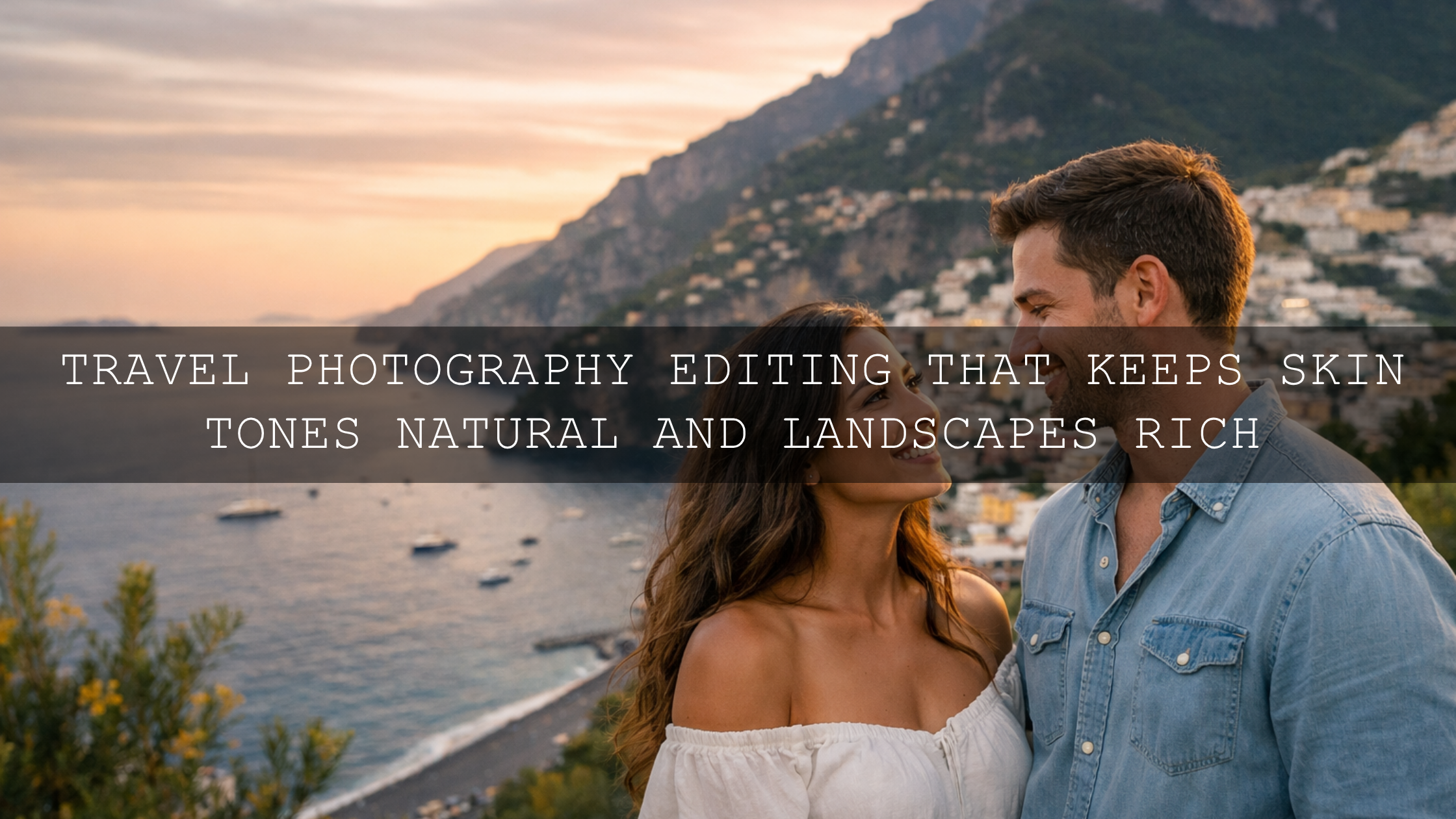
Overcast light is excellent for faces because it softens shadows. Do not over-cool the image. Keep skin believable, then let the background carry the moody atmosphere. For this, the Overcast Glow presets often work better than darker looks.
Misty landscapes and roadside stops
Fog and rain already create depth. Do not remove all haze. Instead, guide the eye with controlled contrast and subtle tonal shaping. If you want another workflow reference, read this guide to editing fog and mist in landscapes.
Low-light travel storytelling
When rain meets night, you need stronger mood control. That is where matching your stills and motion clips becomes powerful. For footage, the Cinematic Rainy Street Film LUTs Pack helps create a cohesive urban look, while the Cinematic Moody Rainy Day LUTs Pack works well for darker storytelling, emotional edits, and dramatic travel sequences.
Using LUTs to match rainy travel video with your photo look
If you are creating both stills and reels from the same trip, matching your visual direction matters. A common mistake is making the photos soft and moody while leaving the video neutral and ungraded. That disconnect weakens the whole story.
The Cinematic Rainy Street Film LUTs Pack is a strong choice for wet roads, night walks, reflective storefronts, and urban travel clips. If your footage leans more emotional and subdued, the Cinematic Moody Rainy Day LUTs Pack gives you darker tonality with subtle highlights and deeper atmosphere. If you want to browse more grading options, the Cinematic LUTs for Premiere Pro collection gives you a wider set of video looks for travel storytelling.
Common mistakes that make rainy travel edits look fake
- Overusing dehaze until fog and rain lose their softness.
- Pushing blues too hard and making skin feel cold or lifeless.
- Lifting every shadow, which removes depth and mood.
- Boosting saturation globally instead of choosing a few key colors.
- Applying one heavy preset without any scene-specific refinement.
If your edit feels washed out or low-contrast after applying a preset, this tutorial on fixing faded preset results is worth reading. For broader inspiration, you can also browse top Lightroom presets for travel photography or learn more from this rainy and low-light urban editing guide.
Related reading
- How to edit rainy and low-light urban photos
- How to fix washed-out photos and low-contrast preset results
- Top travel Lightroom presets for faster editing
- Editing fog and mist for cinematic landscapes
- How to install Lightroom presets quickly
Bring the weather into the story, not out of it
The best rainy travel photo editing keeps the emotional truth of the scene while making it cleaner, deeper, and more intentional. Use softness where the weather already gives it to you. Use contrast where the frame needs shape. Use color with restraint. And when you want speed without losing quality, start with tools designed for this exact mood.
For bright overcast scenes, start with the AI-Optimized Overcast Glow Lightroom Presets. For darker storytelling, use the AI-Optimized Moody Rainy Day Lightroom Presets. For wet streets and cinematic urban frames, go straight to the AI-Optimized Rainy Street Film Lightroom Presets. If you also edit travel video, pair them with the Cinematic Rainy Street Film LUTs Pack and explore more options in the AI-Optimized Lightroom Presets collection. It is an easy way to build a consistent rainy-day travel look across your whole set while making the most of Buy 3, Get 9 FREE.
FAQ
What is the best preset style for rainy travel photo editing?
It depends on the scene. Soft overcast presets work well for portraits and lighter travel scenes, while moody rainy presets and rainy street film looks are better for reflections, city walks, and darker storytelling.
Should I remove haze from rainy or foggy travel photos?
No, not completely. Rain, fog, and mist are part of the atmosphere. A better approach is subtle dehaze, controlled contrast, and local masking so the image keeps its mood.
Do presets replace manual editing on cloudy travel days?
Not fully. Presets give you speed and consistency, but the best results usually come from small manual refinements to exposure, white balance, masking, and color balance.
Are LUTs worth using for rainy travel videos?
Yes. LUTs help you create a consistent cinematic look across multiple clips and can match your rainy travel footage more closely to the mood of your edited photos.
How can I keep skin tones natural in rainy travel portraits?
Correct white balance early, avoid pushing blue tones too far, and use local masking when needed so the face stays believable while the background keeps its rainy atmosphere.
Written by Asanka — creator of AAAPresets (10,000+ customers).

Leave a comment
This site is protected by hCaptcha and the hCaptcha Privacy Policy and Terms of Service apply.