
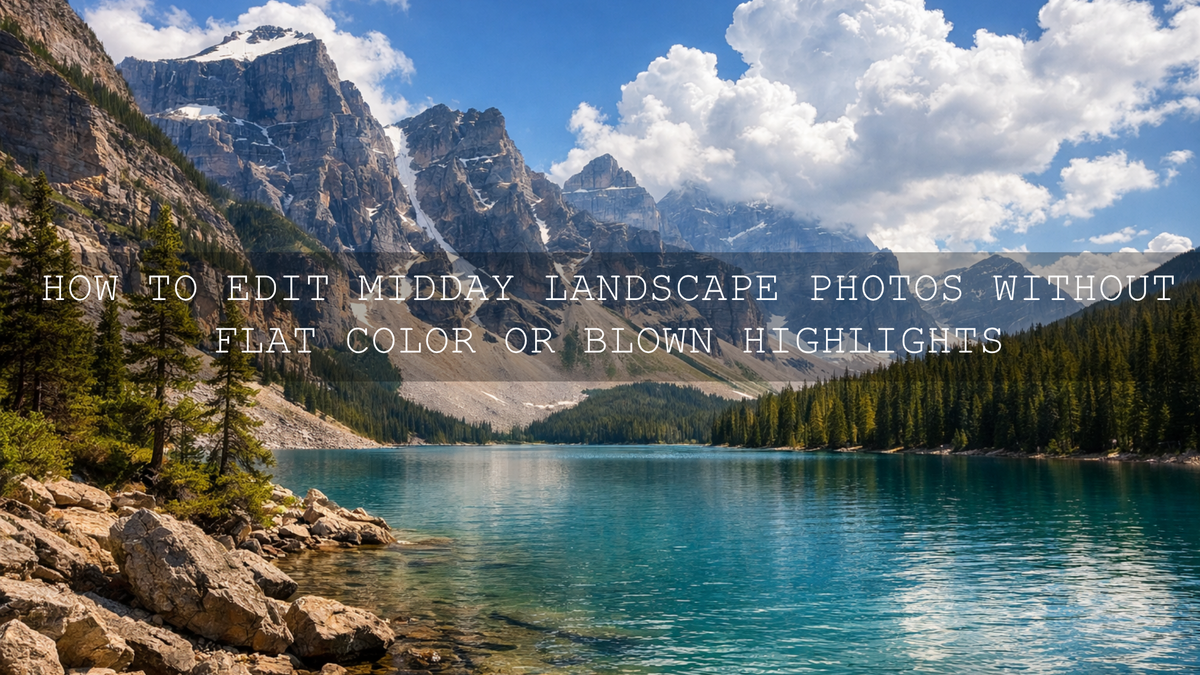
How to Edit Midday Landscape Photos Without Flat Color or Blown Highlights
Midday landscape photo editing can feel frustrating because the light is doing almost everything photographers usually try to avoid. The sun is high, shadows are hard, highlights clip fast, and the whole frame can look flatter than the real scene felt in person. The good news is that harsh midday light does not mean the image is ruined. With the right workflow, you can recover detail, rebuild depth, and turn a washed-out landscape into something clean, dramatic, and believable.
I have tested this kind of edit on mountain viewpoints, roadside travel stops, beaches, and forest trails shot close to noon, and the same pattern keeps showing up: the raw file usually looks disappointing at first, but the image improves quickly once you stop trying to fix everything globally. Separate the sky from the land, recover highlights before adding color, and shape the shadows with restraint. That is where midday landscape photo editing starts to feel professional instead of reactive.
If you want a faster starting point, try the AI-Optimized Film Cinematic Landscape Nature Lightroom Presets and browse the Professional Lightroom Presets for Landscape Photography collection. That gives you a strong base for contrast, color, and depth while still leaving room for manual refinement, and it fits naturally with Buy 3, Get 9 FREE.
Why Harsh Midday Light Makes Landscapes Look Worse Than They Felt
Here’s why this matters: your eyes adapt far better than your camera does. When you stand in front of a canyon, waterfall, coastline, or mountain ridge at noon, your brain keeps bright sky and dark ground readable at the same time. The file usually does not. That mismatch is why midday shots often feel disappointing on import.
- Highlights clip fast: clouds, pale rocks, bright sand, and reflective water can lose detail quickly.
- Shadows block up: trees, cliff faces, and foreground texture can fall into deep darkness.
- Color gets washed out: intense overhead light can bleach greens, flatten blues, and reduce the richness of earth tones.
- Depth disappears: when light hits from above instead of at an angle, the scene often loses shape and separation.
- Global contrast becomes risky: too much contrast makes the frame harsh, but too little leaves it dull.
The goal is not to force golden-hour mood onto a noon photo. The goal is to make the file look like the strongest version of the light you actually had.
Start With the Light Before You Start Styling the Image
The biggest mistake in midday landscape photo editing is reaching for a heavy preset or color grade before the exposure problems are under control. Start with the light first. Adobe’s tutorial on adjusting photo lighting and color in Lightroom is a useful reminder that white balance, exposure, highlights, shadows, and tonal balance should come before a strong look.
Once the frame feels balanced, local control matters even more. Adobe’s guide to masking in Lightroom Classic is especially helpful for midday scenes because you rarely want the sky, land, water, and shadows treated the same way. On bright landscape files, masking is often the difference between a clean edit and a muddy one.
A Step-by-Step Workflow for Midday Landscape Photo Editing
1. Set exposure for the brightest important area
Start by protecting the part of the image that would look worst if it stayed clipped. Usually that is the sky, clouds, pale rock, bright foliage, or reflective water. Lower exposure slightly if needed, then reduce highlights. Do not worry yet if the foreground gets a little darker. Recovering the bright areas first gives you room to rebuild the rest of the image with more control.
Pro tip: do not drag highlights so far down that bright clouds turn gray. Midday edits should still feel sunlit.
2. Open shadows carefully, not aggressively
Next, bring back detail in darker areas with the shadows slider, but stay restrained. Heavy shadow lifting is one of the fastest ways to make a noon landscape look flat, hazy, or fake. I get better results by lifting shadows just enough to reveal information, then using blacks to add structure back into the frame.
This is also where local masking helps. If the trees or foreground need more recovery than the rest of the frame, mask them instead of flattening the whole image.
3. Correct white balance before you chase color
Midday files often lean too cool in the shadows and too yellow in the highlights at the same time. Set a believable white balance first. Rocks, roads, clouds, sand, and neutral surfaces are useful reference points. Once the temperature feels honest, small color adjustments become much easier.
This is where many edits go wrong. If the white balance is off, boosting vibrance or saturation usually makes the photo louder, not better.
4. Rebuild color with control, not oversaturation
After the light feels balanced, bring color back in a more selective way. Midday landscapes usually respond better to vibrance than blanket saturation, and greens often need more care than people expect. Watch for neon foliage, pale cyan skies, and muddy browns in distant terrain. If you want a more intentional palette, Adobe Color’s color wheel and harmony tools can help you think about how blues, greens, warm earth tones, and highlight color should work together instead of competing.
In my own edits, I usually aim for three things here:
- cleaner sky color without electric blue tones
- richer earth and foliage tones without heavy yellow-green contamination
- enough separation between warm light and cooler shadow without making the image look split-toned
5. Use masks to create depth where overhead light removed it
Midday light often removes the natural depth that sunrise or sunset gives you for free. This is why masks matter so much. Darken the sky a little if needed, add subtle contrast to the foreground, and shape mountains, cliffs, trees, or water separately. A small local adjustment usually looks more natural than a large global one.
On mountain scenes, I often add a little contrast and texture to the ridge line while keeping the sky softer. On beach or lake scenes, I treat the water and sky independently so reflections stay bright without blowing out.
6. Refine texture, clarity, and dehaze with restraint
These sliders are powerful, but midday files can turn harsh very quickly. Clarity and texture help when the scene feels too soft, especially on rock, bark, or distant terrain, but too much makes the file feel brittle. Dehaze can help bring shape back to pale skies and distant hills, but it can also darken the frame and make color heavier than you wanted. Think of all three as finishing tools, not rescue tools.
7. Finish with sharpening and noise reduction
Once you lift shadows and add local detail, noise can become more visible than it looked at the start. Adobe’s Camera Raw sharpening and noise reduction guide is useful here because the best finish is rarely maximum sharpness. A clean midday landscape usually looks better with selective sharpening on important detail and gentle noise reduction in opened shadows.
Presets vs Manual Editing for Harsh Midday Light
A lot of photographers treat this like an either-or decision, but the strongest workflow is usually both.
When presets help most
- you need a faster starting point for batches of travel or landscape photos
- you want a consistent style across multiple locations shot in similar midday light
- you already know the mood you want and do not want to rebuild it from zero each time
When manual editing matters most
- the sky and foreground need very different treatment
- one part of the frame is clipped while another is blocked up
- color contamination in foliage, sand, rock, or water needs selective correction
- the scene needs depth rebuilt through masking, dodging, and burning
The best practical approach is simple: apply a preset for the overall direction, then manually refine exposure, masking, white balance, highlights, shadows, and local contrast. That gives you speed without sacrificing realism.
Best Presets and LUTs for Midday Landscape Edits
If your goal is a film-inspired still image with stronger mood and better tonal separation, the AI-Optimized Film Cinematic Landscape Nature Lightroom Presets are a strong fit. If you want a cleaner, more natural outdoor finish with better sky and foliage balance, the Lightroom Landscape Nature Presets are a practical choice.
For video, the same logic applies. If you need bright outdoor footage to feel richer and more cinematic without heavy grading from scratch, the New Landscape Video LUTs Pack and the Moody Landscape Cinematic LUTs Pack for Camping Footage both make sense depending on whether you want cleaner outdoor polish or more atmosphere. If you want to browse more options for footage, the Cinematic LUTs Pack for Premiere Pro, DaVinci & Final Cut Pro and More collection is the easiest place to continue.
A Practical Before-and-After Example
Let’s say you photographed a mountain lake at noon. The sky is bright, the water reflections are patchy, the trees are dark, and the distant hills look pale. A strong workflow would look like this:
- Lower exposure slightly so the brightest clouds and water highlights are not clipping.
- Reduce highlights and adjust whites until the sky has shape again.
- Lift shadows selectively so the tree line and shoreline regain detail without flattening the whole scene.
- Correct white balance so the lake, sky, and vegetation feel believable together.
- Mask the sky, water, and land separately to rebuild depth and keep each area under control.
- Add small texture and contrast adjustments where the scene needs definition, then finish with sharpening and noise cleanup.
I have found that midday files improve the most when I stop chasing dramatic color too early. Once the light feels believable, even a modest preset can suddenly look far better because the image has structure again.
Common Mistakes That Make Midday Landscape Photos Look Worse
- Over-recovering shadows: this removes the feeling of strong sunlight and makes the frame look flat.
- Overusing dehaze or clarity: detail becomes crunchy and unnatural.
- Pushing saturation first: color problems multiply when the tonal balance is still off.
- Ignoring local adjustments: sky, land, and water rarely need the same correction.
- Sharpening too early: you will often sharpen problems that tonal fixes would have solved first.
Related Reading
- How to add depth and drama to mountain landscape photos and videos
- How to edit sunrise and sunset landscape photos for richer color and depth
- How to edit waterfalls, rivers, and lakes without losing motion or detail
- How to edit beach and island photos for teal water and warm sand
- How to build a faster travel preset workflow for mixed lighting
Keep the Workflow Fast, But Keep the Result Believable
Midday light is hard, but it is not hopeless. Some of the best landscape files simply need a calmer workflow: recover highlights, open shadows carefully, fix white balance, separate the scene with masks, and style the image only after the light feels right. That is what turns a flat noon frame into something polished, dimensional, and shareable.
If you want to speed up your midday landscape photo editing, start with the AI-Optimized Film Cinematic Landscape Nature Lightroom Presets for stills or the New Landscape Video LUTs Pack for footage, then continue exploring the Professional Lightroom Presets for Landscape Photography collection for more outdoor-ready looks. If you need help choosing the right pack for your workflow, you can also reach out through the contact page.
FAQ
Can midday landscape photos still look cinematic?
Yes. The key is not forcing golden-hour color onto the frame. A cinematic midday edit comes from highlight control, depth through masking, believable color, and selective contrast.
What should I adjust first in harsh midday light?
Start with exposure and highlights. Recover the brightest important areas first, then open shadows carefully and correct white balance before adding stronger color or style.
Are Lightroom presets enough for midday landscape photo editing?
They are an excellent starting point, especially for speed and consistency, but the best results usually come from combining presets with manual masking and local tonal refinement.
Why do my noon landscape photos look too flat after editing?
That usually happens when shadows are lifted too much or contrast is applied globally instead of selectively. Midday images need structure, not just brightness.
Do LUTs work well for bright outdoor landscape video?
Yes, especially when you use them as a starting point. Apply the LUT, then fine-tune exposure, white balance, and contrast so the grade supports the footage instead of overpowering it.
Written by Asanka — creator of AAAPresets (10,000+ customers).

Leave a comment
This site is protected by hCaptcha and the hCaptcha Privacy Policy and Terms of Service apply.