
Vintage Old CRT Screen Effects for Premiere Pro
👇 Scroll down Learn more about License
🔥 Buy 3 Get 9 Free Save $135
🔥 107 items sold in last 14 days
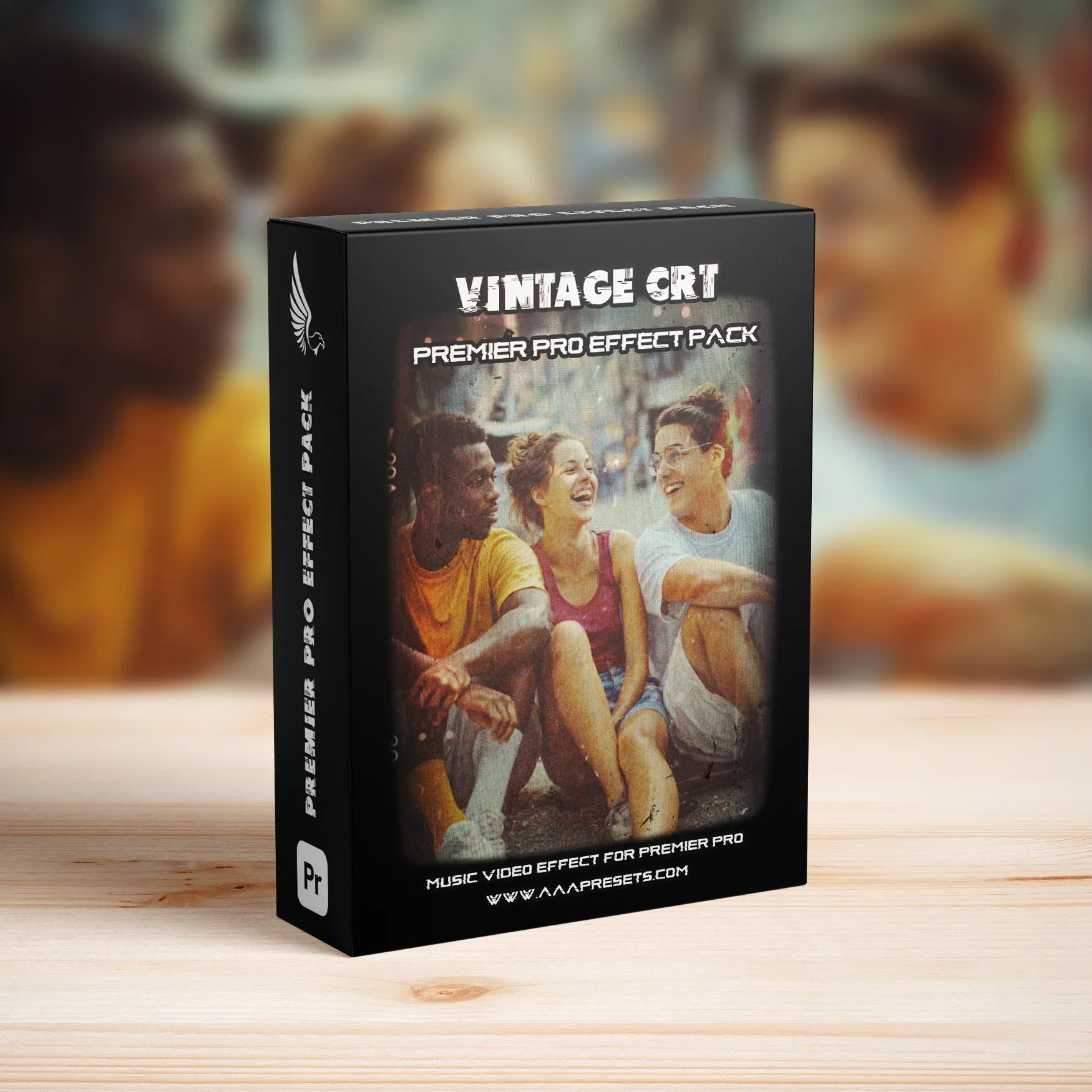
Vintage CRT Screen Effects for Premiere Pro (4K & Full HD + 18 Vintage LUTs)
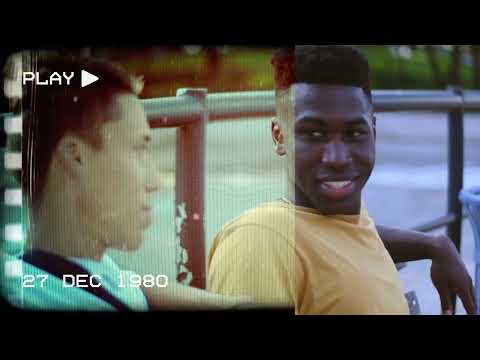
Bring back the classic old-TV look with the Vintage CRT Screen Effects for Premiere Pro. This pack is built to simulate real vintage CRT screens, with scanlines, glow, distortion, and soft blur, plus 18 retro LUTs to complete the analog film look.
Authentic Vintage CRT Screen Look
These effects are designed to make your footage look like it is playing on an old CRT television. Add screen curvature, subtle noise, scanlines, flicker, and glow to create a nostalgic aesthetic for music videos, edits, and retro-style projects.
Key Features
- Vintage CRT screen effects for Adobe Premiere Pro
- Includes 18 vintage color LUTs for retro grading
- Supports both 4K (3840×2160) and Full HD (1920×1080) sequences
- Classic CRT-style details: scanlines, glow, soft blur, and subtle distortion
- Drag-and-drop workflow directly inside Premiere Pro
Perfect For
- Music videos with a retro or lo-fi look
- TikTok, Instagram Reels, and YouTube Shorts
- Gaming edits and VHS/old TV-style montages
- Nostalgic intros, title screens, and credit sequences
- Experimental, analog, and film-inspired edits
What You Get
- Vintage CRT screen effects compatible with 4K and Full HD timelines
- 18 vintage LUTs (retro color looks) to match the CRT aesthetic
- Project-friendly setup so you can quickly drop your footage into the CRT look
- Flexible design suitable for widescreen videos and social media content
Compatibility
- Software: Adobe Premiere Pro
- Resolutions supported: 4K (3840×2160) and Full HD (1920×1080)
- Works with standard footage, music videos, gaming clips, and more
- No third-party plugins required
How to Use the Vintage CRT Screen Effects
- Create or open a 4K or Full HD sequence in Adobe Premiere Pro.
- Place your footage on the timeline.
- Apply the CRT screen effect layer or preset on top of your clip.
- Apply one of the included vintage LUTs for retro color grading.
- Adjust intensity, opacity, and blend modes to match your style, then export.
Why Choose This CRT Pack?
- Instantly adds a believable old-TV / CRT look to your footage
- Includes matching vintage LUTs so the color grade fits the screen style
- Great for nostalgic, lo-fi, and analog-inspired edits
- Optimized for both 4K and Full HD projects
Technical Details
- Effect type: Vintage CRT screen effects + retro LUTs
- LUTs included: 18 vintage looks
- Resolutions: 4K (3840×2160) and Full HD (1920×1080)
- Platform: Adobe Premiere Pro
FAQ – Vintage CRT Screen Effects for Premiere Pro
Do these effects work in both 4K and 1080p?
Yes. The CRT effects and LUTs are designed to work in both 4K (3840×2160) and Full HD (1920×1080) sequences.
Do I need any plugins?
No. All effects and LUTs are made to work directly inside Adobe Premiere Pro without third-party plugins.
Can I combine the CRT effects with other color grades?
Yes. You can use the included LUTs or add your own grading on top. Adjust opacity and blend modes to fine-tune the final look.
Give your edits a nostalgic analog feel with the Vintage CRT Screen Effects for Premiere Pro – 4K & Full HD Pack + 18 Retro LUTs.
Introducing Our Licensing Options
Discover the various licensing options available for our products at AAA Presets. We offer three main licenses: Personal, Commercial, and Extended, each tailored to different usage scenarios. To find the perfect fit for your needs, explore the detailed descriptions below.
Personal License
The Personal License is designed for individual users seeking to enhance their personal projects with our digital products and assets from AAAPresets. This license provides:
- An ongoing, non-exclusive, non-transferable, worldwide license for your purchased filter, preset, effect, template, or digital file.
- Installation on one personal computer or device, which can include mobile devices and smartphones.
Commercial License
If you're looking to incorporate our products into both personal and commercial endeavors, the Commercial License is the ideal choice. This license allows:
- Usage in both personal and commercial works.
- Installation on any of your computers or devices.
- Unlimited usage for web and digital advertisements, business social media accounts, and local market physical advertisements. For worldwide usage in physical formats, consider the Extended License.
- Creation of up to 100,000 combined total Physical or Digital End Products (edited photos, designs, graphics, videos, etc.).
- Selling of End Products created using our products to any number of people, provided the original filter, preset, effect, template, or digital file is not included in the sold product.
Extended License
For those with broader commercial needs, the Extended License offers extensive permissions, allowing you to use our digital products in a wide range of applications. This license provides:
- Usage in personal and commercial works, similar to the Commercial License.
- Installation on an unlimited number of your team's computers/devices.
- Unlimited usage for web and digital advertisements, business social media accounts, and worldwide physical advertisements.
- Usage in one browser tool, game, or mobile app with up to 1,000,000 end users.
- Creation of up to 1,000,000 combined total Physical or Digital End Products.
- Selling of End Products created using our products to any number of people, with the same restriction as mentioned in the Commercial License.
Please note that all licenses prohibit redistribution, incorporation, or distribution of the original files in End Products, but you are encouraged to direct users to our AAAPresets page for licensing. Keep in mind that failure to comply with the terms of the license may result in termination. If you have questions about our licensing and terms, don't hesitate to contact us at info@aaapresets.com.
Our Premiere Pro transition packs include .prproj files, which are project files specifically created for Adobe Premiere Pro. These files are preloaded with professional-quality transitions that you can easily integrate into your video projects.
- Import the .prproj File:
Open Adobe Premiere Pro and import the provided .prproj file into your workspace. - Access Pre-Built Transitions:
The .prproj file contains ready-to-use transitions. Drag and drop them directly onto your timeline between two clips. - Customize the Effects:
Adjust duration, intensity, and other settings through the Effect Controls panel to suit your creative needs. - Seamless Integration:
These files are designed to work with most video formats and resolutions, ensuring a smooth workflow.
- Ease of Use: No complicated setup—simply import and use.
- Professional Quality: Designed by experts for seamless and stylish transitions.
- Time-Saving: Skip the manual creation process and focus on editing.
Works with Your Favorite Editing Tool

500K
500K+ Downloads Worldwide
Trusted by creators globally, our Premiere Pro transitions have been downloaded over 500,000 times on our website, Creative Market, Envato and FilterGrade.
50%
Save 50% Editing Time
Streamline your workflow and achieve stunning results in seconds, reducing your editing time by half with our easy-to-use transitions.
10,000+
Trusted by 10,000+ Creators
Our Premiere Pro transitions are the go-to choice for over 10,000 filmmakers and editors, helping them achieve professional-grade videos effortlessly.
Smooth and Professional Transitions
Create seamless and cinematic edits with transitions designed to deliver smooth cuts, dramatic effects, and engaging visuals effortlessly.
Time-Saving Workflow
Apply transitions in just a few clicks, significantly reducing editing time and allowing you to focus more on your creative vision.
Optimized for High Resolutions
Perfectly optimized for 4K and above, these transitions maintain stunning quality and sharpness across any video project.
Trusted by Thousands of Creators
With over 500K downloads, our transitions are a favorite among filmmakers and video editors for their ease of use and professional-grade results.
FAQ
Everything You Need to Know About Our Lightroom Presets
What are Premiere Pro transitions?
Premiere Pro transitions are visual effects used to connect two clips seamlessly. They enhance the flow of your video and can include effects like zoom, spin, glitch, and more.
What file format do you provide for the transitions?
We provide transitions in the .prproj file format, which is fully compatible with Adobe Premiere Pro.
How do I install and use the transitions?
Simply import the provided .prproj file into Adobe Premiere Pro, and drag and drop the transitions onto your timeline between clips. A detailed installation guide is included with your purchase.
Are these transitions beginner-friendly?
Yes! Our transitions are easy to use, with no advanced skills required. Just drag, drop, and adjust for professional results.
Are these transitions compatible with other video editing software?
No, our transitions are specifically designed for Adobe Premiere Pro and are not compatible with other software.
Can these transitions be used with 4K or higher resolution footage?
Absolutely! Our transitions are optimized for 4K, 6K, and even 8K resolutions, ensuring high-quality results for any project.