
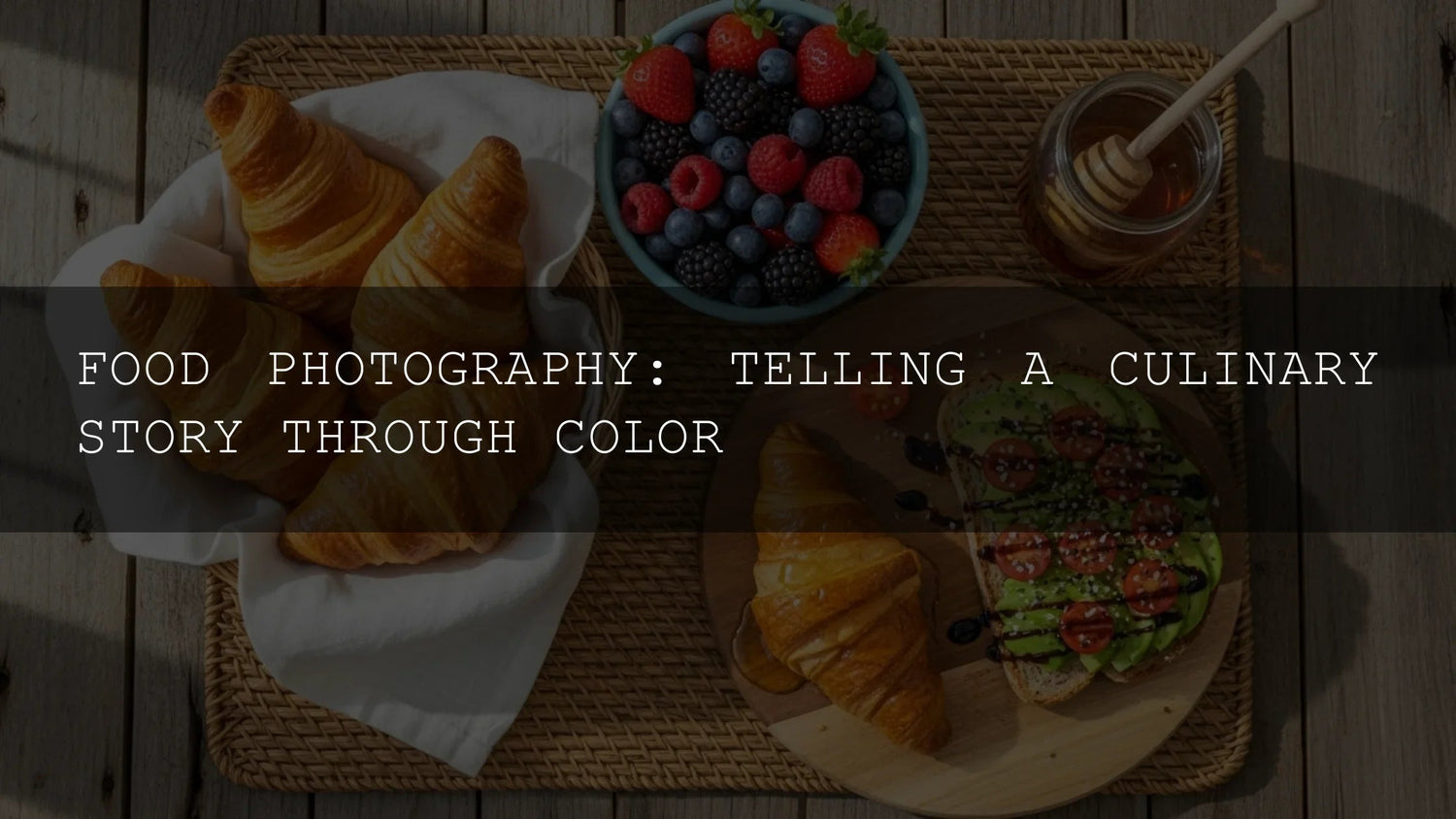
Make Food Pop with Lightroom Presets for Food Photography
When I first tried editing food photos in Lightroom, I kept asking, “Why does my lemon tart look dull and my curry look flat?” Once I understood how color psychology and a few smart Lightroom presets for food photography work together—plus a simple workflow for food photography color grading and food video LUTs—my visuals started getting saved, shared, and most importantly, clicked.
This human, hands-on guide shows you how to shape appetite-boosting color, build a fast workflow with AI-optimized presets, and grade food video with cinematic LUTs. I’ll share real before/afters, step-by-steps, and the exact tools I use.
If you want a shortcut, you can jump right in with the AI-Optimized Food Lightroom Presets and keep browsing the Lightroom Presets collection. Try them today—Buy 3, Get 9 FREE.
Why Color Sells Food (and How to Use It)
Here’s why this matters: color triggers emotion faster than captions. Use it with intent.
- Red = ripeness & appetite (strawberries, tomato sauce, medium-rare steak).
- Orange = warmth & comfort (pumpkin soup, roasted carrots).
- Yellow = brightness & joy (lemon tart, omelets).
- Green = freshness & health (herbs, salads, avocado toast).
- Blue/Purple = rarity & luxury (blueberries, purple cabbage).
- Earthy browns = richness & coziness (artisan bread, dark chocolate).
Mini case: A plain sponge cake looked “okay” under kitchen lights. After a warm highlight tone and a touch of magenta to counter green cast, the frosting looked creamy—not grey—and saves on Instagram jumped noticeably.
Light, Balance, and Harmony: The Foundation of Food Color
Let’s break it down: appetite appeal = accurate white balance + intentional contrast + believable light.
- Light direction: Side or backlight reveals steam, glaze, and crumb. Avoid flat overhead office light.
- White balance first: A slightly warm balance (around daylight) flatters desserts and breads. Neutral for seafood/salads.
- Color harmony: Complementary pairs (red/green) pop; analogous palettes (yellow/orange) feel cozy and unified. Explore harmonies with Adobe Color’s harmony wheel.
- Backgrounds & props: Matte neutrals keep the hero color dominant; one accent color guides the eye.
- Selective saturation: Boost reds/yellows slightly; protect greens from neon. Use HSL, not global saturation. See Adobe’s overview of the Color Mixer (HSL).
Fast, Consistent Edits with AI-Optimized Presets (Photos)
Editing shouldn’t take hours per dish. I build my food workflows around smart, one-click bases that I tweak in seconds. I test everything on real shoots—from home kitchens to night markets—so you can get repeatable color without guesswork.
Cakes, Pastries & Desserts
Start with the AI-Optimized Cake Photoshoot Lightroom Presets. They enhance glossy glazes, creamy frostings, and pastel tones without crushing texture.
- 8 presets (DNG/XMP) for Mobile & Desktop
- Subtle highlight glow + pastel richness
- Great for macarons, cheesecakes, mousse & buttercream
Everyday Food (Salads, Bowls, Entrées)
Use AI-Optimized Food Lightroom Presets for vivid, true color and clean contrast across mixed ingredients—especially greens.
- AI-guided tonal balance keeps herbs natural
- Non-destructive; Desktop & Mobile ready
- Ideal for bloggers, restaurants, and menus
Street Food & Market Shoots
Markets are high-contrast with mixed light. AI-Optimized Street Food Photography Lightroom Presets add punch without clipping shadows.
- One-click warmth and saturation for crave-worthy shine
- Handles tungsten + daylight gracefully
- DNG/XMP for a consistent look across devices
Five-Step Photo Workflow
- Set white balance (eyedropper on neutral plate/linen). Reference: Adobe’s tone & color guide for Lightroom Classic.
- Apply the preset that matches cuisine/lighting.
- Tweak exposure/contrast, then fine-tune HSL (protect greens).
- Add a subtle radial mask for a highlight “kiss” on the hero bite.
- Export for web in sRGB and sharpen for screen.
Cinematic Food Video in Minutes (with LUTs)
Photos stop the scroll; video wins watch time. To keep color consistent across clips, use LUTs (Look-Up Tables)—pre-built looks you apply in Premiere Pro, Final Cut, After Effects, or DaVinci Resolve.
Bright, Clean Food Vlogs
Reach for the Cinematic Bright Food LUTs when you want fresh, airy color that flatters salads, bowls, and bakery shots.
- 8 .cube LUTs + quick user manual
- One-click base, then fine-tune intensity & WB
- Works with or without an Adobe CC subscription
Versatile, Filmic Kitchen Scenes
Cinematic Food Videography LUT Color Preset Pack adds rich, filmic options from stovetop b-roll to moody dinner plates.
- 8 .cube LUTs compatible with Premiere, FCP, After Effects, Resolve
- Non-destructive; easy to dial per clip
- Great companion to the Bright Food LUTs
Four-Step Video Workflow
- Expose correctly in-camera; avoid crushed blacks.
- Balance color temperature; neutralize green LED casts.
- Apply LUT at ~60–80% intensity; adjust contrast/saturation.
- Export in Rec.709 for social; keep bitrate high for crisp textures. Learn how to load LUTs in Premiere via Adobe’s guide to LUTs in Lumetri.
Presets vs Manual Editing: Which Should You Use?
Presets are your repeatable starting point—especially useful when you batch-edit a menu, a recipe series, or a market photo set. They get you 80% there in one click, then you fine-tune WB, exposure, and HSL. Manual editing is where you finesse: isolate herbs with masking, protect skin/hand tones, or balance a tricky LED cast. Most pros combine both—presets for speed, manual tweaks for polish.
- Use a preset when: lighting is consistent, you need a cohesive look, or you’re editing dozens of images.
- Edit manually when: there’s mixed light, reflective sauces, or delicate tones (whites, greens, skin).
- Best of both: preset → adjust WB/exposure → HSL tweaks → local mask for highlights. For reference on tools, see Adobe’s Color Mixer (HSL) overview.
Before → After: Real Food Fixes
Lemon Tart in Cloudy Window Light
- Problem: Greyish tart; powdered sugar dull.
- Fix: Warm WB slightly, apply Cake preset 03, lift highlights, HSL yellow + a touch of saturation.
- Result: Golden warmth, sugar sparkle, flaky crust texture visible.
Night-Market Noodles Under Tungsten
- Problem: Mixed light turned greens muddy.
- Fix: Street Food preset 02, add +magenta tint, reduce green saturation, local clarity on noodles.
- Result: Sauce sheen pops; herbs look natural, not neon.
Pro Tips You Can Apply Today
- Plate smaller: Extra negative space amplifies your hero color.
- Grey card once: A quick reference makes future white balance edits effortless.
- One color pop per frame: Let basil or chili be the star; mute competing props.
- Soft highlights sell freshness: Add a tiny radial mask to the “hero bite.”
- Export smart: sRGB for web; size 1080×1350 for Instagram posts; 4K vertical for Reels/Shorts if the source allows.
Grab the Exact Tools I Use
Ready to color-grade faster with consistent results? Explore these hand-picked tools I use on real food shoots:
- AI-Optimized Food Lightroom Presets
- AI-Optimized Cake Photoshoot Presets
- Street Food Photography Lightroom Presets
- Cinematic Bright Food LUTs and Food Videography LUT Pack
Or browse everything in one place: Lightroom Presets and LUTs for video. Try a few looks today—Buy 3, Get 9 FREE.
Related Reading
- How to shoot food in window light
- Presets vs manual editing for food photography
- A simple, consistent color workflow for food video
- Urban Street Photography Presets: A Guide to the Best Looks
- Mastering Lightroom Mobile Presets: Adapting to Any Lighting
Helpful References
- Adobe Color harmony rules (complementary, analogous, triadic)
- Adobe’s guide to Color Mixer (HSL) in Lightroom
- Adobe’s tutorial: add and manage LUTs in Premiere Pro
FAQ
What’s the fastest way to color grade food photos?
Start with a purpose-built preset that matches the dish and light, then fine-tune white balance, exposure, and HSL. It keeps color accurate and editing time low.
How do I keep greens from looking neon?
Lower green saturation slightly, raise luminance a touch, and add a hint of magenta in Tint to counter LED casts. Presets tuned for greens help a lot.
Do I need LUTs for food video?
No, but LUTs save time and keep clips consistent. Apply around 60–80% strength, then adjust exposure and skin/hand tones.
Should I warm every food image?
Not always. Warm highlights flatter desserts and breads; seafood and salads often benefit from neutral or slightly cool whites.
Will my look match between Mobile and Desktop?
Yes—use DNG on Mobile and XMP on Desktop from the same set. Keep white balance consistent and export in sRGB.
Need more? 1000+ Master Lightroom Presets • Lightroom Presets Collection • How to Install Lightroom Presets
Written by Asanka — creator of AAAPresets (10,000+ customers). I test every preset and LUT on real shoots—from home kitchens to bustling night markets—so you can edit faster and publish with confidence.

Leave a comment
This site is protected by hCaptcha and the hCaptcha Privacy Policy and Terms of Service apply.