
Wedding Lightroom Presets & LUTs: A Practical Guide to Faster, Consistent, and Emotional Edits
Your wedding day coverage deserves a look that feels timeless and emotionally true. Wedding Lightroom presets help you grade hundreds of photos consistently, while wedding LUTs bring cinematic depth to your films. In this guide, I’ll show you how to combine presets, targeted adjustments, and simple color theory so your galleries and videos feel cohesive—from morning prep to the final dance. If you want a head start, explore our curated Wedding Lightroom Presets collection and try a best-match product like the 150+ Gorgeous Lightroom Presets for Wedding Photography. You can also browse the full Lightroom Mobile & Desktop Presets—and remember, you can stack your cart with our offer: Buy 3, Get 9 FREE.
Why presets are essential for wedding photographers
- Speed with control: One-click starting points cut hours from editing while keeping room to fine-tune each image.
- Consistency across the day: From bright midday vows to moody receptions, a unified tonality keeps your storytelling seamless.
- Better client experience: Faster delivery and a signature aesthetic that couples can recognize as “your look.”
- Non-destructive workflow: Lightroom lets you tweak or roll back any step as needed.
I tested several looks on a recent wedding where the ceremony was outdoors at noon and the reception indoors at dusk. A warm, soft highlight preset handled the ceremony’s high contrast beautifully, and with a few target masks I lifted faces without flattening the scene. The gallery felt cohesive, and delivery time was cut by nearly half.
Build a dependable photo workflow (step-by-step)
- Calibrate your base: Choose an appropriate camera profile, then set white balance and exposure.
- Apply your wedding preset: Start with a look tailored to skin tones and soft highlights. A curated set like 50 Must-Have Lightroom Presets for Wedding Photography keeps options focused and consistent.
- Target your subject: Use AI-powered or manual masks to lift faces, refine the dress, or darken a busy background. See Adobe’s Masking guide for Lightroom for quick, local adjustments.
- Shape the color: Nudge Color Mixer and Color Grading for subtle mood shifts; Adobe’s tone & color guide is a great reference.
- Unify the set: Sync settings across similar scenes; then spot-adjust hero images.
Presets vs Manual Editing: when to use each
- Presets for speed & cohesion: Best for baseline color, contrast, and tone across large sets (ceremony, portrait session, reception).
- Manual for precision: Great for hero shots—skin tones, dress highlights, mixed lighting fixes, or flare control.
- Hybrid flow: Apply a preset, then refine with masks and Color Mixer. This keeps your style consistent while honoring each scene’s lighting.
Color in changing wedding light (practical fixes)
- Harsh midday sun: Lower highlights, raise shadows slightly, and warm the white balance by a touch. Add a subject mask to lift faces without flattening the dress.
- Golden hour portraits: Preserve warmth, but keep skin natural—reduce orange saturation/luminance if needed.
- Indoor reception (mixed light): Neutralize green/magenta casts with Tint, then use Color Mixer to tame problematic hues. For fundamentals, see Adobe’s color adjustment basics.
Suggested wedding photo looks (and when they shine)
- Bright & airy: Clean whites, soft pastel skin tones; perfect for outdoor ceremonies. Learn more in our breakdown of the style: Bright & Airy Presets for Wedding Photography.
- Warm cinematic: Gentle contrast and golden highlights for sunset portraits.
- Moody romantic: Balanced shadows with lifted skin luminance for intimate indoor moments.
Ready to trial a few looks? Explore the dedicated Wedding Lightroom Presets collection or start broad with the 1000+ Master Lightroom Presets Bundle—add your favorites and leverage Buy 3, Get 9 FREE for maximum value.
Bring cinematic romance to wedding films with LUTs
LUTs (Look-Up Tables) are to video what presets are to photos—reliable starting points for color and mood. For wedding editors, they’re invaluable when juggling multiple cameras and lighting changes. To apply LUTs in Premiere Pro, open Lumetri Color and choose an Input LUT; Adobe’s walkthroughs are concise and current (Add Look-Up Tables in Premiere Pro, and a high-level color grading workflow overview).
Fast, consistent video workflow (Premiere Pro)
- Normalize exposure & WB: Fix the basics first (white balance, contrast).
- Apply a wedding LUT: Use Lumetri’s Input LUT as your base, then fine-tune Contrast, Highlights, and Saturation.
- Match cameras: Apply the same LUT family across angles, then adjust per-clip intensity.
- Skin tone check: Keep saturation natural—reduce orange saturation or push magenta slightly for lifelike skin.
- Scene continuity: Ensure your ceremony-to-toast transitions don’t jump in warmth or contrast.
For turnkey options, try 150+ Wedding LUTs for Final Cut, Premiere Pro & Resolve. If you prefer a bright, uplifting palette for daytime ceremonies, the eight-look Bright Cinematic LUTs Pack is a great companion for speeches and outdoor receptions.
Pro tips for natural, elegant wedding color
- Protect skin first: In photos, mask faces and lift exposure or reduce orange saturation as needed. In video, ease LUT intensity on close-ups.
- Unify with subtle split toning: A soft warm push in highlights and cooler shadows can add depth; see Adobe’s tone & color tips.
- Check neutral points: Eyedrop a gray suit or a white dress area to quickly judge your balance.
- Mind the venue lighting: Tungsten and LEDs can skew magenta/green—Tint is your friend.
- Anchor your palette: If you’re exploring palette ideas, experiment with Adobe Color harmony rules before fine-tuning in Lightroom or Lumetri.
From capture to delivery: a simple end-to-end plan
- Cull & baseline: Star your keepers, apply a wedding preset globally.
- Refine sets: Group by lighting (ceremony, portraits, reception) and sync adjustments.
- Polish heroes: Manual tweaks for album-worthy frames—skin, veil detail, bouquet color.
- Export and QC: Keep settings consistent; spot-check prints and mobile viewing.
Related reading
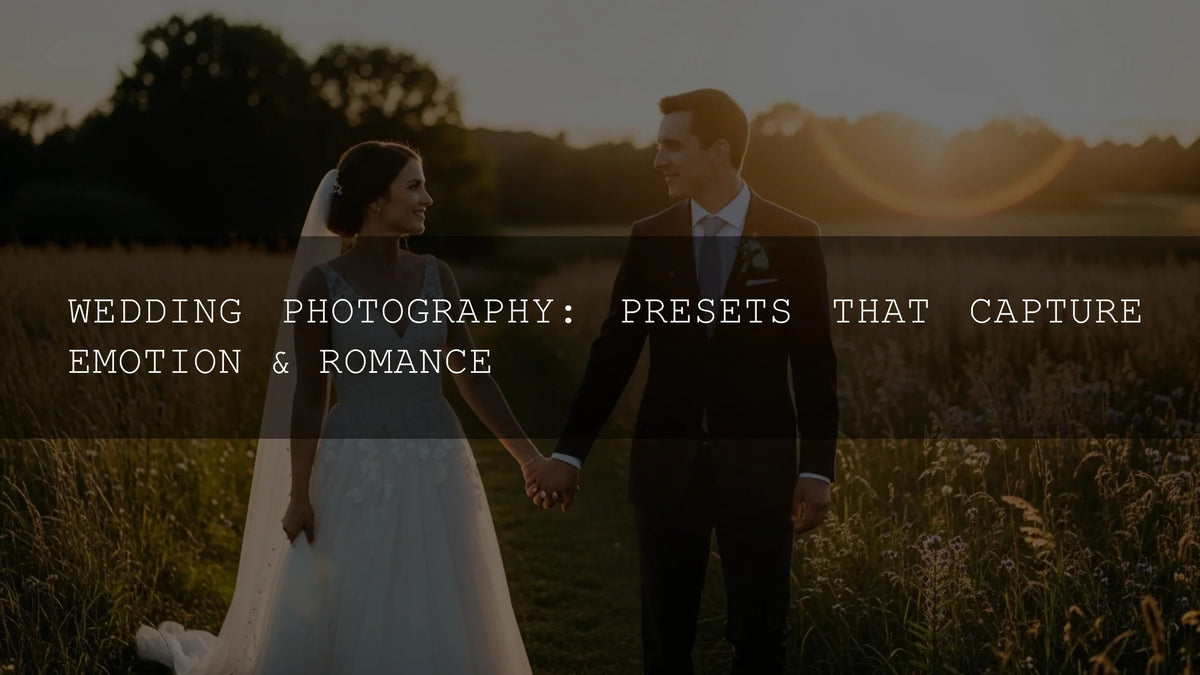
- Wedding Photography: Presets That Capture Emotion & Romance
- Bright & Airy Presets for Lifestyle & Wedding Photography
- Why Every Photographer Needs a Presets Bundle
- How to Install Lightroom Presets (step-by-step)
- How to Import & Apply LUTs in After Effects
- Lightroom Mobile Blog Series: Tips & Guides
Quick answers (FAQ)
What’s the fastest way to keep a wedding gallery consistent?
Apply one wedding Lightroom preset per lighting scenario (ceremony/portraits/reception), sync settings, and refine with masks on key images.
How do I keep skin tones natural with warm, cinematic looks?
Lower orange saturation slightly, raise orange luminance, and add a face mask to fine-tune exposure and warmth.
Can I use the same look across multiple cameras?
Yes—use the same preset/LUT family, then adjust white balance and tint per camera to match.
Where can I learn the exact Lightroom tools?
Start with Adobe’s guides to Masking and Tone & Color/Color Grading for quick, targeted edits.
Which products should I start with?
For photos, try 150+ Gorgeous Wedding Lightroom Presets or the compact 50 Must-Have set. For video, go with 150+ Wedding LUTs. If you want breadth, explore the 1000+ Master Bundle.
Before you go—dial in your toolkit
Lock in a cohesive wedding look with one of our most popular options: 150+ Wedding Lightroom Presets for photos and 150+ Wedding LUTs for films. If you’re still exploring, browse the Wedding Presets collection or the broader Lightroom Mobile & Desktop collections—and make the most of our Buy 3, Get 9 FREE offer.
If you need help with installation or licenses, check our FAQ & Help page.
Suggested image alt texts
- “wedding lightroom presets – soft bright ceremony edit”
- “wedding presets before and after – golden hour portraits”
- “cinematic wedding video LUTs – natural skin tones indoors”
- “lightroom mobile wedding edit – moody reception lighting”
- “color grading for weddings – warm highlights and clean whites”
Written by Asanka — creator of AAAPresets (10,000+ customers).


Leave a comment
This site is protected by hCaptcha and the hCaptcha Privacy Policy and Terms of Service apply.