
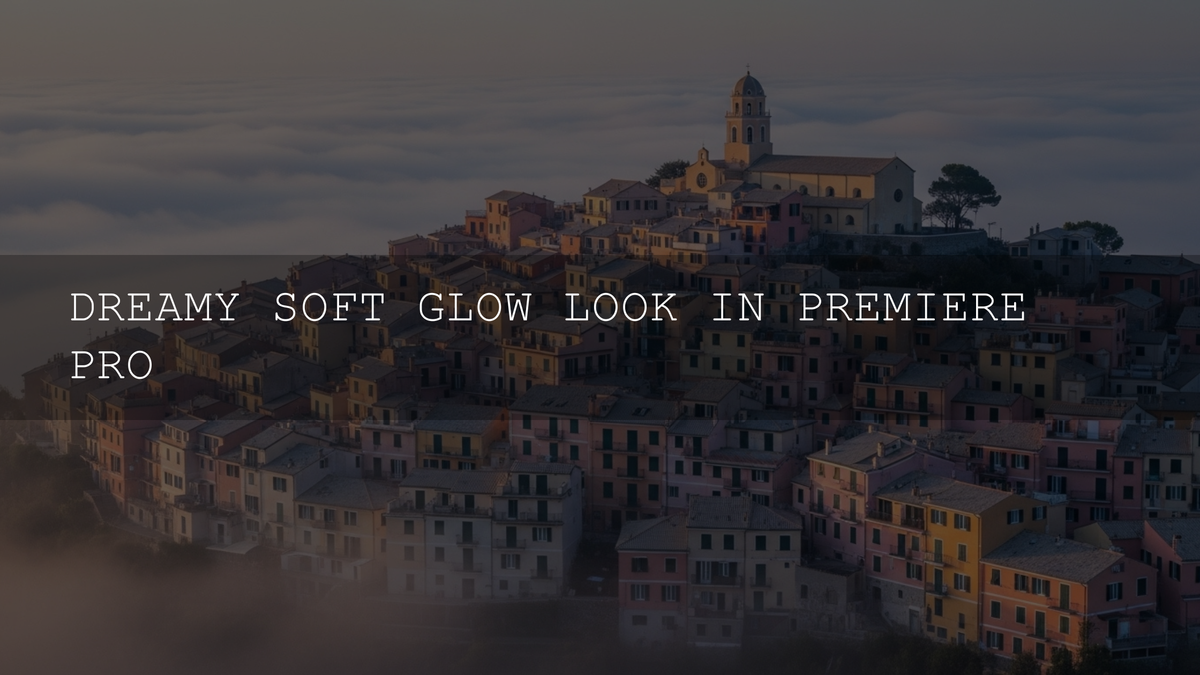
Dreamy Soft Glow LUTs for Premiere Pro: Turn Ordinary Footage into Magical Cinema
If you’ve ever paused a video because the image felt soft, glowing, and almost otherworldly, you’ve seen the dreamy soft glow look in action. In Adobe Premiere Pro, you can build that aesthetic with a smart mix of color grading, subtle diffusion, and carefully chosen LUTs—without needing a fog machine or a bag full of expensive filters. In this guide, we’ll walk through what makes a dreamy soft glow work, how to build it step by step in Premiere Pro, and how to use dedicated dreamy soft glow LUTs for a fast, consistent workflow.
Instead of fighting your footage one slider at a time, you can treat dreamy soft glow LUTs for Premiere Pro as a creative shortcut: they give you a cinematic base look in one click, then you refine exposure, contrast, and softness to taste. That combination—LUT + gentle manual tweaks—is where the real magic happens.
If you want to jump straight into grading, you can start experimenting with packs like the Cinematic Soft Bright LUTs Pack or the Anime Dreamy Film Look LUTs Pack, then keep exploring more options inside the Premium LUTs for Premiere Pro collection. With the Buy 3, Get 9 FREE offer, you can test multiple dreamy looks on the same project and still keep your budget under control.
What Exactly Is the Dreamy Soft Glow Look?
The dreamy soft glow aesthetic is more than just “blurring your footage.” It’s a combination of three core ingredients:
- Gentle diffusion of detail so hard edges and skin texture feel smoother and more flattering.
- Soft, glowy highlights that bloom slightly around bright areas—lamps, windows, sun flares, neon signs.
- Warm, inviting color palettes that guide the viewer into an emotional space: romantic, nostalgic, peaceful, or fantastical.
In practice, dreamy soft glow LUTs lighten mids and highlights, soften contrast, and nudge your color balance toward warm golden tones or pastel hues. You still control exposure and contrast in Lumetri Color, but the LUT takes care of the heavy lifting so your grade feels cohesive across an entire sequence.
This aesthetic shines in:
- Wedding films and elopement reels
- Travel vlogs shot at sunrise, sunset, or in forests
- Soft lifestyle and fashion content
- Fantasy, anime-inspired, or dreamy story-driven edits
When I’m grading my own dreamy projects, I like to start from a LUT that already “leans” into glow and softness, then refine the look with white balance and a touch of local contrast control. That way I’m shaping an emotion, not just chasing technical perfection on scopes.
Why Use LUTs for Dreamy Soft Glow Instead of Grading From Scratch?
A LUT (Look-Up Table) is essentially a saved color transform. In Premiere Pro, you apply it through the Lumetri Color panel and it remaps the tones and colors of your clip based on a predesigned recipe. Think of it as a high-end preset that understands your color space and responds consistently across shots.
Dreamy soft glow LUTs are especially powerful because they are built to:
- Lift highlights without destroying dynamic range.
- Protect skin tones while pushing backgrounds toward warmth or pastel color casts.
- Add subtle tonal curves that feel cinematic instead of hazy or washed out.
If you want a deeper technical explanation of how LUTs interact with color transforms in Premiere Pro, Adobe’s official documentation on Looks and LUTs in the Lumetri Color panel and their Lumetri Color panel overview are both worth bookmarking.
Presets vs Manual Editing: Which Approach Wins?
There’s always a debate: should you rely on LUTs, or manually grade every clip from scratch? In reality, the best results often come from combining both.
-
Using Dreamy Soft Glow LUTs
Great for speed, consistency, and exploring looks. You can audition multiple cinematic styles quickly and see how they feel across a timeline. LUTs are also easier to hand off to clients or collaborators—“apply this LUT, then lower the intensity to 60%.” -
Manual Color Grading Only
Gives you full control over every parameter, but it’s slower and easier to break consistency, especially on long projects. Newer editors can also get lost in the controls and end up with muddy results. -
Hybrid Approach (Highly Recommended)
Use LUTs as a creative starting point, then refine exposure, contrast, color temperature, and saturation manually. A resource like LUTs vs. Manual Color Grading dives deeper into why this workflow works so well in 2026.
Think of dreamy soft glow LUTs for Premiere Pro as an “art direction in a box.” They put you in the right ballpark, and your manual adjustments finish the look.
Meet Your Dreamy Soft Glow LUT Packs
Here’s a closer look at a few LUT packs that are perfect for dreamy soft glow color grading in Premiere Pro. Each one can live on its own, but they become incredibly powerful when you mix and match them across different projects and lighting conditions.
Amber Cinematic Forest Dreams LUTs Pack: Warm, Lush, Storybook Forests
If your footage lives in nature—forest paths, mountain trails, rivers, and tree-lined sunsets—the Amber Cinematic Forest Dreams LUTs Pack is a gorgeous starting point. These LUTs wrap your highlights in golden amber, give greenery a richer cinematic feel, and introduce a gentle glow that feels like late-afternoon sun cutting through the trees.
They’re ideal for travel films, hiking vlogs, moody outdoor B-roll, and any sequence where you want viewers to feel warmth, depth, and a sense of quiet magic. In my own tests on forest footage, applying an Amber LUT and then slightly lowering contrast instantly turned flat daytime clips into dreamy, storybook scenes.
Anime Dreamy Film Look LUTs Pack: Pastel Fantasy and Emotional Glow
When you think “dreamy,” anime visuals often come to mind: pastel skies, luminous skin, and emotional, romantic lighting. The Anime Dreamy Film Look LUTs Pack is built to bring that feeling into your live-action or stylized footage. It softens overall contrast, enhances pastel color relationships, and adds a gentle glow that feels like a moving illustration.
This pack works beautifully for cosplay films, fantasy shorts, dreamy fashion content, and vlogs where you want the world to feel slightly elevated and surreal. Pair it with shallow depth of field and a touch of Gaussian Blur on an adjustment layer, and you’ll get an almost painterly softness that still feels crisp enough for modern platforms.
Cinematic Soft Bright LUTs Pack: Clean, Elegant, and Universally Flattering
If you want a dreamy soft glow look that stays clean, bright, and premium, the Cinematic Soft Bright LUTs Pack is an excellent all-rounder. These LUTs gently lift exposure, polish skin tones, and add a soft, airy luminance without turning everything into haze.
They shine in wedding films, high-end brand videos, bright lifestyle vlogs, and indoor scenes with natural window light. On many projects, you can apply a Soft Bright LUT, pull back the intensity to around 60–70%, and just tweak white balance and shadows—your grade will already feel cohesive and cinematic across the entire edit.
Cinematic Bright Soft Film LUTs Pack for Video Editing: Filmic Punch with a Dreamy Edge
The Cinematic Bright Soft Film LUTs Pack for Video Editing is perfect when you want a dreamy look but still need a bit of filmic punch and clarity. These LUTs add subtle grain-like character, balanced contrast, and a soft glow that works across narrative shorts, commercial work, and music videos.
Because the pack is designed for a non-destructive workflow, you can push them aggressively on certain shots and dial them back elsewhere using the Lumetri “Amount” or opacity on adjustment layers. This makes it easy to keep a unified filmic identity across different cameras and lighting situations.
Cinematic Sunset Glow LUTs Pack: Pure Golden Hour Dreaminess
Finally, if golden hour is your love language, the Cinematic Sunset Glow LUTs Pack is your secret weapon. These LUTs intensify warm highlights, deepen soft shadows, and make skies feel richer and more cinematic without going radioactive. They’re ideal for travel films, lifestyle content, and romantic B-roll shot at sunset.
One of my favorite workflows is to combine a Sunset Glow LUT with a slight vignette and a touch of glow focused on the brightest areas—suddenly, even a simple handheld walk on the beach looks like it belongs in a feature film trailer.
To browse more cinematic options that pair well with these dreamy packs, explore the broader Cinematic LUTs Pack for Premiere Pro, DaVinci & Final Cut Pro collection—you can mix soft glow looks with moodier, darker styles and still keep your color pipeline consistent.
Step-by-Step: Applying Dreamy Soft Glow LUTs in Premiere Pro
Here’s a practical workflow you can reuse on almost any project to get a dreamy soft glow LUT working inside Premiere Pro.
-
Organize your LUTs
Create a dedicated “Dreamy LUTs” folder on your system and keep all your purchased packs there. Group them by mood (warm glow, pastel anime, bright soft film, sunset, etc.) so you can quickly audition different ideas. -
Open the Color workspace and select your clip
In Premiere Pro, switch to the Color workspace so the Lumetri Color panel is visible. Select the clip (or adjustment layer) you want to grade on the timeline. -
Apply your dreamy soft glow LUT
In the Lumetri Color panel, go to the Basic Correction or Creative section and choose your custom LUT from the dropdown, or use the “Browse” option to point to one of your .CUBE files. Premiere Pro will instantly preview the look on your clip. -
Dial in the intensity
Use the LUT “Amount” slider (in Creative) or reduce the opacity of the adjustment layer to fine-tune how strong the effect feels. Most dreamy soft glow looks feel best somewhere between subtle (40–60%) and moderate (70–80%) intensity, depending on your footage. -
Balance exposure and contrast
Adjust exposure, highlights, shadows, and contrast to keep important details visible. Dreamy doesn’t mean flat; you still want a clear subject and readable image. Adobe’s quick tutorial on basic color adjustments in Lumetri Color is a great refresher here. -
Tune white balance and color temperature
Small shifts toward warm or cool can dramatically change the emotional tone. For romantic or nostalgic scenes, try a little extra warmth; for ethereal fantasy, a slightly cooler, pastel direction can work beautifully.
If you want an even deeper, step-by-step walkthrough, check out How to Use LUTs in Premiere Pro and the broader guide How to Install and Use LUTs in Premiere Pro, DaVinci Resolve & Final Cut Pro.
Advanced Tricks to Enhance the Dreamy Soft Glow
-
Layer LUTs carefully
You can stack a creative LUT on top of a base conversion or film-emulation LUT, but do it on separate adjustment layers so you can fade each one independently. Always check skin tones and whites after layering to avoid color contamination. -
Add controlled bloom
Use a glow or blur effect on an adjustment layer above your grade. Mask it to highlights or around practical light sources, then lower opacity until it feels more like atmosphere than a filter. -
Use Gaussian Blur as soft-focus
A tiny amount of blur (often just 1–3) on an adjustment layer, with a mask around the background, can separate your subject and enhance the glow without making the whole frame feel smeared. -
Shape color harmonies intentionally
If you’re experimenting with pastel palettes or split-tones, tools like Adobe Color’s harmony rules can help you build complementary color combinations that look pleasing instead of chaotic. -
Calibrate for consistency
For professional client work, it’s worth learning the basics of color management so your dreamy glow doesn’t look wildly different on other screens. Standards bodies like the International Color Consortium (ICC) explain how color profiles keep things consistent across devices.
If you’re brand new to grading, pairing this with a structured workflow like The Ultimate Color Grading Workflow for Absolute Beginners in 2026 will give you a solid foundation.
Real-World Workflows for Different Types of Creators
Dreamy soft glow LUTs are flexible enough to support multiple niches. Here are a few example setups you can borrow.
-
Wedding & elopement filmmakers
Base grade with a soft, romantic LUT like Cinematic Soft Bright LUTs, then layer in golden flare shots using Cinematic Sunset Glow during portrait and ceremony sequences. For more ideas, read Best Wedding LUTs to Create a Romantic and Dreamy Look. -
Travel vloggers and outdoor creators
Use Amber Cinematic Forest Dreams for forest and mountain shots and swap to Cinematic Sunset Glow for coastlines and city sunsets. Add a subtle Gaussian Blur on wide shots to dial up the “wish you were here” feeling. -
Anime, cosplay & fantasy storytellers
Start with the Anime Dreamy Film Look LUTs Pack, slightly lower contrast, and add a gentle glow around practical lights. Combine this with slow camera movement and soft music to push your scenes into pure dreamland. -
Music video editors
Mix filmic punch from the Cinematic Bright Soft Film LUTs Pack for Video Editing with dreamy glow for choruses or emotional breakdowns. For exporting those grades cleanly to social platforms, Exporting Video After LUTs: Best Settings for Instagram, YouTube & TikTok is a must-read.
As you test different combinations, remember that LUTs are starting points. I often apply a LUT, take a quick break, and then revisit the grade with fresh eyes—small tweaks to highlights and saturation can be the difference between “nice” and “cinematic.”
To keep exploring new styles beyond dreamy glow, you can also dive into the broader LUTs library via the Cinematic LUTs for Premiere Pro collection and follow the guidance in the FAQ and How to Use LUTs page if you ever get stuck installing or troubleshooting files.
Related Reading to Level Up Your Dreamy Grades
- LUTs vs. Manual Color Grading: A Deep Dive into 2026’s Workflows
- Best Wedding LUTs to Create a Romantic and Dreamy Look
- Exporting Video After LUTs: Best Settings for Instagram, YouTube & TikTok
- Unlocking Cinematic Brilliance: Color Grading Workflow for Absolute Beginners
- How to Install and Use LUTs in Premiere Pro, DaVinci Resolve & Final Cut Pro
Frequently Asked Questions
Do I need to shoot in LOG to get a dreamy soft glow look?
No. Shooting in LOG gives you more flexibility, but you can still achieve a dreamy soft glow look with standard Rec.709 footage. Many dreamy soft glow LUTs are designed to work on Rec.709 clips—just be gentle with exposure and contrast adjustments, and always check skin tones.
How strong should I set my dreamy soft glow LUT in Premiere Pro?
There’s no single “correct” value, but a good starting point is around 50–70% intensity on the LUT amount or adjustment layer opacity. From there, adjust by eye. If your highlights are clipping, your shadows are mushy, or skin tones look unnatural, lower the strength and re-balance the grade.
Can I combine different LUT packs in one project?
Yes—as long as you stay consistent within each scene. For example, you might use a soft bright LUT for daytime interiors and a sunset LUT for golden hour shots in the same film. Just avoid mixing radically different styles in the same sequence, or your project can start to feel visually fragmented.
What’s the difference between a dreamy soft glow and a hazy, washed-out image?
A dreamy soft glow still has a clear subject, readable contrast, and controlled highlights. A washed-out image usually has lifted blacks, blown highlights, and low midtone contrast with no intentional color shaping. If your image feels “foggy,” try adding a bit of contrast back and tightening your blacks while keeping the glow in the highlights only.
How can I keep my dreamy grades looking consistent across screens?
Use a calibrated or at least well-adjusted reference monitor when grading, avoid extreme saturation, and export using standard color spaces (like Rec.709). When possible, test your renders on a second device—a phone and a laptop, for example—and make small global corrections if the look feels too warm or too cool on most displays.
Written by Asanka — creator of AAAPresets (10,000+ customers).

Leave a comment
This site is protected by hCaptcha and the hCaptcha Privacy Policy and Terms of Service apply.