
Lightroom vs. Photoshop: Which Photo Editor Reigns Supreme in 2025?
The age-old question for photographers of all levels: Lightroom or Photoshop? In 2025, both remain photography titans, but their strengths lie in different arenas. Choosing between them isn't about declaring a winner, but understanding which tool best aligns with your workflow, photographic style, and desired level of control. This in-depth guide will dissect their features, benefits, and drawbacks, helping you make an informed decision that propels your photo editing journey to new heights. We'll even sprinkle in some inspiration with our fantastic Lightroom presets, just to add a little extra zest to your editing adventure!

Lightroom: Your Everyday Editing Companion
Adobe Lightroom has become synonymous with efficient photo editing for photographers of all skill levels. Its intuitive interface makes it incredibly user-friendly, perfect for beginners and seasoned professionals alike. Lightroom’s strength lies in its non-destructive editing capabilities. This means your original images remain untouched, allowing you to experiment freely and easily revert to previous versions. This feature is a game-changer, particularly for those who like to explore multiple editing styles without the fear of permanently altering their original photos.
Beyond its ease of use, Lightroom excels at organizing and managing vast photo libraries. Its cataloging system is a powerhouse, enabling you to tag, rate, keyword, and meticulously sort your images, making retrieval a snap. Imagine effortlessly finding that perfect shot from a year’s worth of photos – that’s the power of Lightroom’s organizational prowess. The ability to batch-process edits is a monumental time-saver, especially when you're juggling hundreds or even thousands of images. Batch editing can shave hours off your post-processing time, allowing you to dedicate more time to capturing stunning images.
Lightroom’s capabilities extend far beyond simple organization. It boasts a robust suite of editing tools, ranging from basic adjustments like exposure and contrast to advanced features such as color grading, split toning, and precise local adjustments. This means you have a wide array of tools at your disposal, from subtle refinements to dramatic transformations.
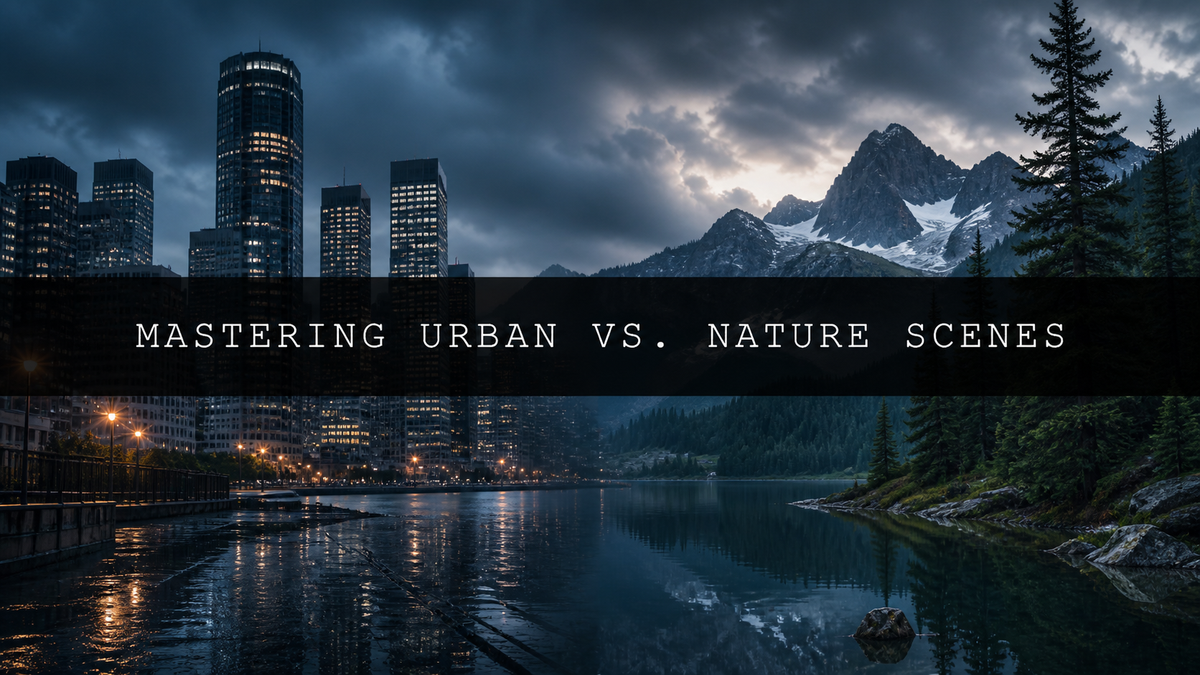
And let's not forget the transformative power of presets! Want to instantly elevate your travel photography with a touch of cinematic magic? Our AI-Optimized Deep Jungle Tones Lightroom Presets are designed to inject rich, earthy tones and deep natural contrast into your images, transporting your viewers to the heart of lush jungles and vibrant rainforests. Or perhaps you're looking for a sleek, modern aesthetic for your architectural shots? Our AI-Optimized Desk Setup Studio Lightroom Presets will instantly elevate your workspace photos with clean, crisp edits that are perfect for showcasing modern design elements.
Lightroom’s mobile app is another compelling advantage, allowing you to seamlessly edit and organize your photos anytime, anywhere. This means you can stay connected to your creative flow, even when you're on the go. This level of accessibility makes Lightroom a versatile and indispensable tool for photographers who value flexibility and efficiency.

Photoshop: The Pixel-Perfect Powerhouse for Advanced Editing
Adobe Photoshop remains the undisputed king of advanced photo editing and manipulation. While it demands a steeper learning curve compared to Lightroom, its capabilities are unmatched. Photoshop grants you pixel-level control, allowing for intricate edits and adjustments that are simply beyond the reach of Lightroom.
Photoshop's true prowess lies in its ability to perform advanced image manipulation tasks. Need to remove distracting elements from a landscape shot? Photoshop's content-aware fill tools make it remarkably simple. Want to create breathtaking composite images by seamlessly blending multiple photographs? Photoshop's sophisticated layering system and masking capabilities provide the ultimate flexibility for image manipulation. Dreaming of applying meticulous retouching techniques to achieve flawlessly smooth skin tones or enhance textures? Photoshop's tools are designed to help you transform your vision into reality.
Beyond photo editing, Photoshop is a versatile powerhouse for creating graphics, illustrations, and digital artwork. Its extensive plugin support enables you to customize and extend its functionality even further, making it a true all-in-one creative hub. The sheer versatility of Photoshop allows it to cater to a broader range of creative needs, solidifying its position as an indispensable tool for a wide variety of creative professionals.
However, Photoshop's power comes with a caveat: complexity. Mastering its tools and techniques requires a substantial time commitment, patience, and dedicated practice. Unlike Lightroom's non-destructive editing, Photoshop's edits directly alter your original images. This requires a thoughtful workflow, using layers and smart objects to maintain the integrity of your originals. This added complexity is balanced by its unrivaled power and flexibility. For seasoned professionals who regularly tackle complex projects, this tradeoff is often seen as worthwhile.
Lightroom vs. Photoshop: A Side-by-Side Comparison
| Feature | Lightroom | Photoshop |
|---|---|---|
| Interface | Intuitive and user-friendly | Steeper learning curve |
| Editing Style | Non-destructive | Destructive (unless using layers and smart objects) |
| Workflow | Streamlined and efficient | More complex and time-consuming for some tasks |
| Organization | Exceptional cataloging and management tools | Lacks built-in organization features |
| Retouching | Basic retouching capabilities | Advanced retouching and manipulation tools |
| Compositing | Limited compositing capabilities | Powerful compositing features |
| Mobile App | Yes | No |
| Price | Subscription-based | Subscription-based |
| AI Integration | Growing AI features for intelligent adjustments | Increasingly sophisticated AI features for automation and retouching |
| Presets | Extensive library of presets available, including our Cinematic and Jungle presets | Custom presets can be created, but not as centrally featured |
Choosing the Right Tool to Fuel Your Creativity
The decision between Lightroom and Photoshop ultimately depends on your individual needs and photographic goals. Let's delve into the specifics to help you navigate this critical choice:
Choose Lightroom if:
- You value efficiency and a user-friendly experience above all else.
- Your primary focus is on basic photo adjustments, meticulous organization, and minor retouching.
- You work with a substantial volume of photographs and require efficient batch processing.
- You appreciate the convenience of editing photos on the go with Lightroom’s mobile app.
- You want to harness the power of AI-driven editing with consistent results, effortlessly achieving a captivating vintage aesthetic with our AI-Optimized Cinematic Vintage Lightroom Presets, or injecting high-energy vibrancy into concert photos using our AI-Optimized Concert Music Festival Lightroom Presets.


Choose Photoshop if:
- You require advanced retouching and manipulation capabilities that exceed Lightroom’s limitations.
- You need pixel-level control for the most precise edits and adjustments.
- You regularly create complex composite images or digital artwork.
- You are a professional photographer or graphic designer needing industry-standard tools for the highest level of creative control.
- You are a serious photographer or graphic designer seeking the highest level of creative control.
- You need a tool to perform intricate tasks such as advanced masking, retouching, and complex compositing.

The Power of Synergy: Combining Lightroom and Photoshop
Many professional photographers leverage the combined strengths of both Lightroom and Photoshop, employing a synergistic workflow. They might use Lightroom for organizing, basic edits, and initial color grading, then move to Photoshop for fine-tuning, advanced retouching, and creating complex composites. This hybrid approach allows for the efficiency of Lightroom’s streamlined workflow combined with the power and precision of Photoshop's advanced capabilities.
Ultimately, the optimal photo editing software depends on your unique creative needs and preferences. The best way to discover the right tool (or combination of tools) is to experiment with both Lightroom and Photoshop, thoroughly explore their features, and determine which best helps you to seamlessly translate your artistic vision into stunning images. Happy editing!


Leave a comment
This site is protected by hCaptcha and the hCaptcha Privacy Policy and Terms of Service apply.