
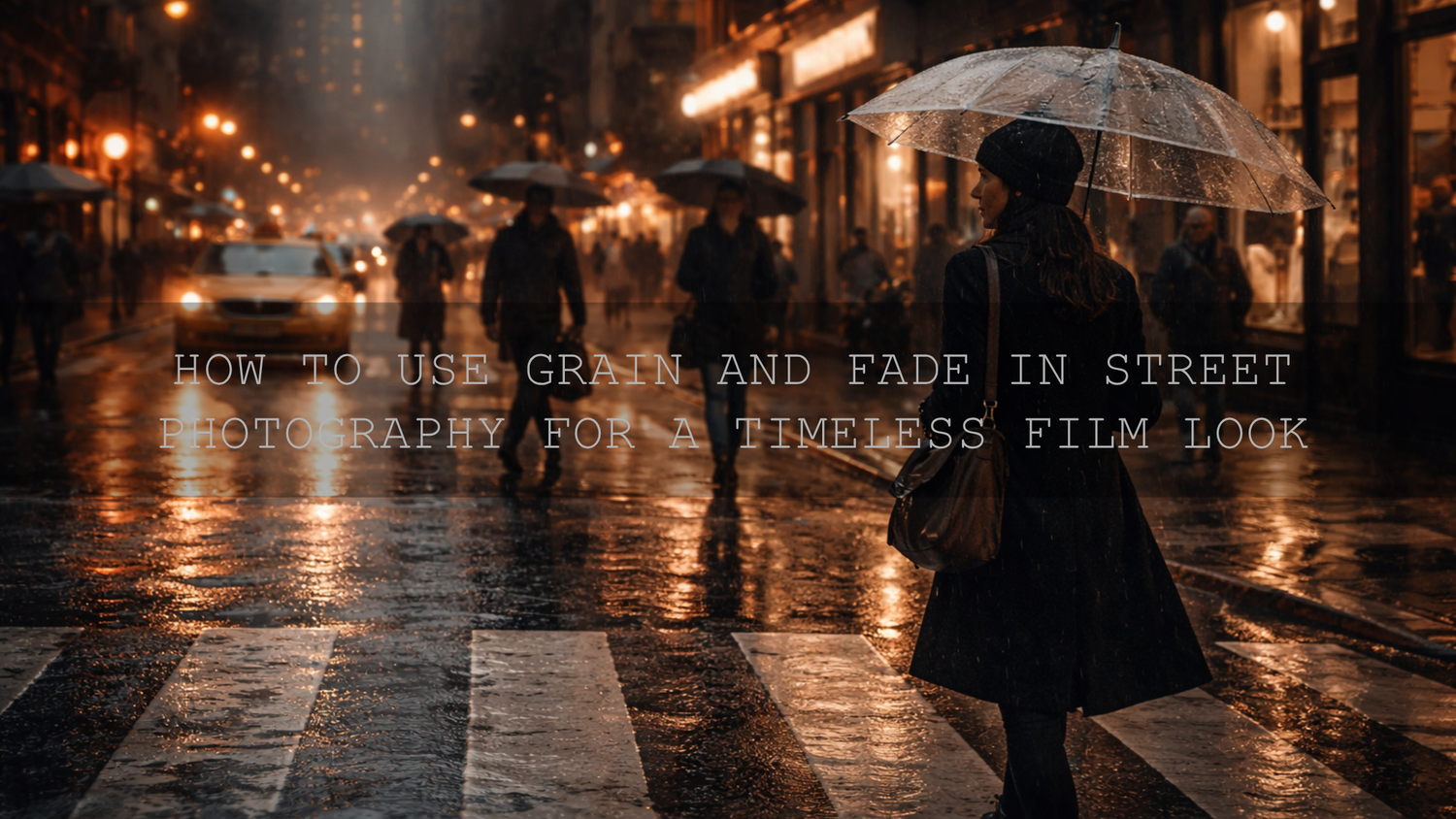
How to Use Grain and Fade in Street Photography for a Timeless Film Look
Street photography grain and fade techniques can completely change how a frame feels. A clean digital file can document a moment, but grain, faded blacks, and thoughtful color shaping can turn that same frame into something more emotional, cinematic, and memorable. In 2026, street photography editing is not about making every image overly sharp or aggressively contrasty. It is about choosing the right texture, softness, and mood for the story in front of you.
If you want a fast starting point, try AI-Optimized Retro Film Grain Lightroom Presets and browse the Street Photography Lightroom Presets collection. That combination gives you a strong base for analog-inspired street edits, and it fits naturally with Buy 3, Get 9 FREE.
The reason grain and fade work so well in street photography is simple: the genre already carries movement, texture, unpredictability, and emotion. Sidewalk reflections, train stations, crosswalk shadows, storefront light, rainy pavement, old walls, and fleeting expressions all respond beautifully to a film-inspired edit. Instead of making the frame feel artificial, the right amount of film grain Lightroom texture and a soft fade effect can make the image feel more lived-in.
Why Grain and Fade Work So Well in Street Photography
Grain adds texture. Fade softens the black point. Together, they help street images feel less clinical and more human. That matters in a genre built on imperfect, real-world moments.
- Grain adds tactile realism. It introduces a subtle surface that can make concrete, clothing, signage, rain, and skin tones feel less sterile.
- Fade softens harsh contrast. Lifted blacks can reduce that overly digital punch that sometimes makes a street frame feel hard instead of atmospheric.
- The combination supports storytelling. Gritty grain can make a frame feel documentary-like, while gentle fade can make it feel nostalgic, reflective, or cinematic.
- It helps unify a series. If you are editing a full walk, city set, or travel sequence, consistent grain and tonal softness can tie the collection together.
I have tested this kind of look on late-evening city walks where the original RAW files felt technically strong but emotionally flat. A small grain layer and a slight lift in the blacks made the shadows feel less harsh and the whole sequence more cohesive. On rainy street frames, the effect was even stronger because reflections and pavement suddenly felt more tactile.
What Grain Actually Does in an Edit
Good grain is not just “noise added on top.” It changes the perceived texture of the frame. In street photography, that is useful because city images often have many hard surfaces and repeating patterns. Grain can make those patterns feel more organic.
It works especially well when your image includes:
- wet roads and reflections
- brick, concrete, metal, and painted walls
- subway platforms and low-light stations
- busy pedestrian scenes
- black and white edits with strong mood
If you want a faster analog look, Vintage Retro Grain Film Look Lightroom Preset is a strong option for adding film character quickly. If you want a more modern street mood with softer tones, AI-Optimized Warm Pastel Cinematic Street Film Lightroom Presets can create a calmer, more atmospheric look without losing the street feel.
What Fade Actually Does in an Edit
Fade is really about the black point. Instead of leaving shadows fully crushed, you lift them slightly so the darkest parts of the frame become soft charcoal rather than deep black. That one change can shift the mood from sharp and modern to reflective and timeless.
Fade works best when:
- your shadows are too heavy after the preset
- the image feels aggressive instead of emotional
- you want a film-like or memory-like look
- you are editing overcast, dawn, dusk, or rainy scenes
The key is restraint. Too much fade makes a photo look washed out. Just enough fade makes the photo breathe.
For street photography, I usually prefer a subtle fade that softens the blacks but still keeps shape in coats, hair, walls, and pavement. That balance is what makes the image feel intentional rather than filtered.
Presets vs Manual Editing for Grain and Fade
Both approaches work. The best choice depends on speed, consistency, and how much control you want.
- Presets are faster. They are ideal when you want a repeatable street photography editing workflow and a consistent mood across many images.
- Manual editing gives you precision. It is better when one image needs custom shadow control, a different grain size, or a more selective tone curve.
- The smartest workflow is often both. Start with a preset, then refine exposure, black point, grain amount, and color balance manually.
If you want a practical reference point, this guide to the best street photography Lightroom presets and this cinematic street photography editing guide are useful next reads.
A Step-by-Step Workflow for Grain and Fade in Street Photography
1. Start with exposure and white balance
Before adding style, fix the foundation. Make sure the frame is balanced enough that shadows, highlights, and color temperature make sense. If your exposure is off, grain and fade will only exaggerate the problem.
For Lightroom users, Adobe’s guide to adjusting effects in Lightroom is a helpful reference for understanding how grain interacts with the rest of the image.
2. Build the base mood first
Choose whether the frame should feel gritty, soft, nostalgic, or cinematic. This decision should come before you touch grain sliders. A moody night street scene and a pastel morning sidewalk scene should not get the same treatment.
For a classic analog direction, start with AI-Optimized Retro Film Grain Lightroom Presets. For a softer urban mood, start with AI-Optimized Warm Pastel Cinematic Street Film Lightroom Presets.
3. Add grain with intention
Zoom in. Look at how the texture sits on faces, signs, building edges, and shadow transitions. If the grain becomes the first thing you notice, it is probably too strong.
- Use lighter grain for portraits and close street moments.
- Use moderate grain for wide urban scenes with lots of texture.
- Be careful in low-light files that already have digital noise.
A good rule is this: grain should support the image, not cover it.
4. Lift the black point carefully
This is where the fade effect becomes useful. A slight tone curve lift can make the frame feel more film-like and less harsh. If you want to understand the underlying tonal logic, Adobe’s Tone Curve and tone workflow in Lightroom Classic is worth reviewing.
When I test faded-black edits on crosswalk shots or backlit alley scenes, I usually stop as soon as the shadows feel softer but still readable. If jackets, hair, or dark storefronts lose too much definition, the fade has gone too far.
5. Refine contrast after the fade
Once you lift the blacks, reassess the full frame. Sometimes you need a small boost in midtone contrast or clarity to keep the image from feeling flat. This is where many photographers make mistakes. They add fade, then forget to rebuild separation in the middle tones.
If your files keep looking dull after presets, this washed-out preset troubleshooting guide and this guide to exposure, contrast, and whites can help you fix the problem quickly.
6. Shape color around the mood
Street photography grain and fade look best when the color palette also feels intentional. Warm highlights, muted blues, restrained reds, and soft greens often pair well with analog-inspired edits. If you want help building balanced color combinations, Adobe Color harmony tools are a simple way to think about palette direction before you push sliders too far.
7. Finish with restraint
At the end, compare your edited image to the original. Ask:
- Did the mood improve?
- Does the subject still stand out?
- Do the shadows still hold detail?
- Does the grain feel believable?
If the answer is yes, you are close. If the image feels overly soft, muddy, or fake, back off the fade, reduce grain, and rebuild the edit more gently.
Practical Pro Tips That Make a Big Difference
- Do not add heavy grain to every file. Clean daylight shots with simple backgrounds often need less.
- Protect faces and key subjects. If the grain distracts from expression, lower it.
- Fade is not a replacement for good contrast. It is a mood tool, not an excuse for flat editing.
- Use different strengths for day and night. Night street frames usually need more restraint because noise is already present.
- Edit in sequences, not only singles. Grain and fade are most powerful when a whole series feels visually connected.
When to Use Presets, LUTs, and Collections from AAAPresets
If your focus is still photography, start with Street Photography Lightroom Presets, AI-Optimized Retro Film Grain Lightroom Presets, or Vintage Retro Grain Film Look Lightroom Preset depending on whether you want a cleaner street look, a stronger analog texture, or a more retro finish.
If you also work with motion, Retro Vintage Film Grain LUTs Pack is a practical match for maintaining that same analog mood in video. You can also browse Vintage Lightroom Presets for Mobile and Desktop or Retro and Vintage LUTs if you want a broader film-inspired toolkit.
That is where presets become valuable: not because they replace skill, but because they help you get to a strong base faster. Then you can spend your energy shaping the story instead of repeating the same technical moves on every image.
Related Reading
- Film emulation, grain, fade, and soft highlights
- The best street photography Lightroom presets
- Mastering contrast in black and white street photography
- How to elevate your street photography with cinematic Lightroom presets
Bring More Character Into Your Street Edits
If your street photos feel too clean, too digital, or too emotionally flat, grain and fade are two of the fastest ways to add character without losing authenticity. Start with AI-Optimized Retro Film Grain Lightroom Presets, explore the Street Photography Lightroom Presets collection, and test the look across a full city sequence rather than one photo at a time. That is usually where the visual consistency really shows up, and it is an easy way to take advantage of Buy 3, Get 9 FREE.
If you are unsure which look fits your workflow best, you can also contact the AAAPresets team for help choosing the right editing direction.
Frequently Asked Questions
Should grain be visible in every street photo?
No. Grain should be visible enough to add texture, but not so strong that it distracts from the subject or makes the file look damaged.
How much fade is too much?
If the shadows lose shape and the image starts looking gray or washed out, the fade is too strong. The best fade softens blacks without removing depth.
Do presets work better than manual editing for grain and fade?
Presets are faster for consistency, while manual editing gives more control. Most photographers get the best results by combining both.
Can I use grain and fade for black and white street photography?
Yes. In black and white work, grain can add classic film texture and fade can soften harsh contrast for a more timeless look.
Are grain and fade useful for video too?
Yes. A film-inspired LUT workflow can create the same nostalgic character in motion, especially for city scenes, travel footage, and cinematic short edits.
Written by Asanka — creator of AAAPresets (10,000+ customers).


Leave a comment
This site is protected by hCaptcha and the hCaptcha Privacy Policy and Terms of Service apply.