
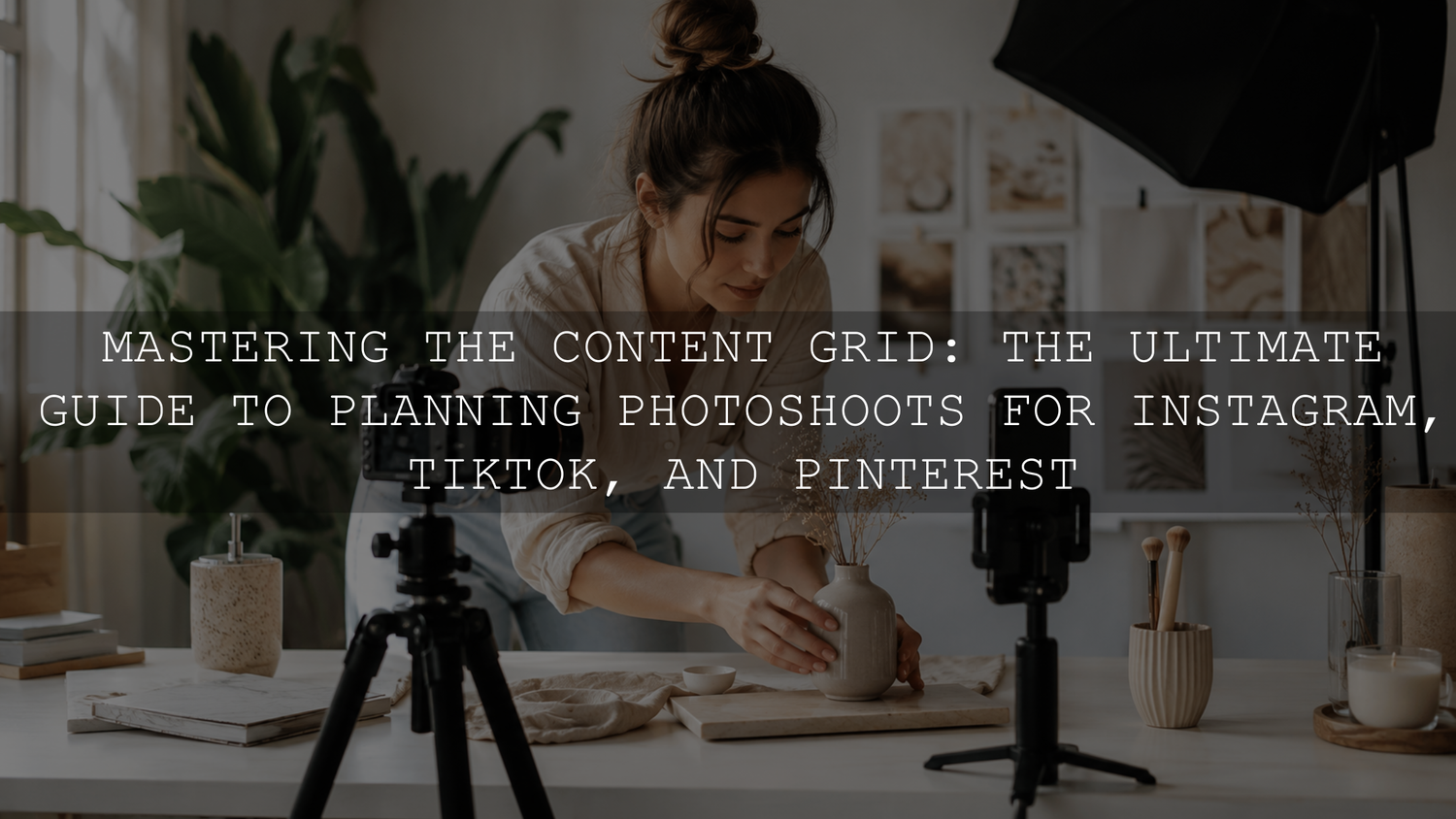
A useful social media photoshoot starts with deliverables, not poses. Before choosing outfits, props, or locations, decide what the finished content needs to communicate, where it will be published, and which photo and video formats each platform requires.
This planning process helps you capture a varied visual asset library instead of returning home with dozens of similar photographs and several missing clips. The goal is not to force a specific number of posts from one session. It is to capture the right combination of hero images, supporting photographs, vertical video, details, process footage, and text-ready compositions that can be edited and published over time.
Define the Goal Before Building the Mood Board
Start with one campaign, product, lesson, announcement, or brand story. A shoot becomes difficult when every planned post has a different audience and creative direction.
Write down four decisions before collecting visual inspiration:
- Audience: Who should understand or respond to this content?
- Purpose: Should it educate, demonstrate, build trust, entertain, introduce a product, or encourage an action?
- Core message: What is the one idea that should remain clear across every asset?
- Destinations: Will the material be used on Instagram, TikTok, Pinterest, a website, an email campaign, or several of these?
A single shoot can support several platforms, but each piece of content should still have one clear purpose. A product demonstration, founder portrait, tutorial clip, and Pinterest image may come from the same session while performing different jobs.
Create a Platform-Aware Deliverables List
Different platforms display and crop media differently. Plan the required outputs before the shoot instead of trying to rescue every format during editing.
Instagram Photos and Carousels
Capture strong vertical photographs with enough room around the subject for alternative crops. Instagram’s current photo guidance supports several aspect ratios, including portrait images up to 3:4, and recommends an upload width of at least 1080 pixels. Review the current Instagram photo requirements before a major campaign because platform specifications can change.
For a carousel, plan a visual sequence rather than several unrelated photographs. A useful sequence might include a hero image, a wider context photograph, a process image, a detail close-up, and a final result.
Reels and TikTok
Record dedicated 9:16 vertical video instead of assuming that horizontal footage will crop correctly. Capture actions rather than only static poses: entering the scene, arranging a product, changing a camera setting, walking, turning toward the light, packing an order, or completing part of a creative process.
TikTok’s official creative guidance recommends vertical 9:16 production, clear sound, sufficient resolution, and keeping important content within the interface-safe area. These are useful capture constraints even when the clips are intended for organic content rather than advertising. See the TikTok creative best practices for current guidance.
Record each important action for a few seconds longer than you think you need. Leaving a clean moment before and after the movement gives the editor space for cuts, transitions, captions, and voice-over timing.
Pinterest should not be treated as another 9:16-only destination. Pinterest’s business guidance recommends a 2:3 image ratio, commonly 1000 by 1500 pixels, because excessively tall images may be cropped in the feed. Check the Pinterest creative best practices when preparing campaign specifications.
Capture vertical photographs that communicate a recognizable subject or useful idea immediately. Include several compositions with uncluttered negative space where a title can be added later, but do not rely on text to make an unclear photograph understandable.
Websites, Email, and YouTube
Take several deliberate horizontal photographs even when social media is the main priority. A vertical portrait cannot always be cropped into a convincing website banner, blog feature image, email header, or YouTube thumbnail. Capture dedicated horizontal frames with the subject placed both centrally and off-center.
Turn the Mood Board Into a Production Brief
A mood board should guide decisions, not become a collection of attractive but unrelated photographs. Convert the visual references into a short production brief containing:
- The primary color palette
- The lighting direction and softness
- The preferred background and textures
- The intended mood
- The essential props
- Wardrobe or product-color restrictions
- Two or three reference compositions for each setup
Separate the elements that must remain consistent from those that can change. For example, the overall color palette and lighting style may stay consistent while the camera angle, crop, action, prop placement, and expression vary.
Avoid copying another creator’s photograph exactly. Use references to clarify lighting, composition, pacing, or styling, then adapt those ideas to your own subject and brand.
Build a Master Social Media Shot List
A strong shot list covers different storytelling functions, distances, orientations, and movements. Mark each item as either essential or optional so the most important assets are completed first.
- Hero image: The strongest photograph for the campaign, announcement, cover, or opening carousel slide.
- Wide establishing shot: The subject within the complete environment.
- Medium lifestyle shot: A person naturally interacting with the product, workspace, or location.
- Detail close-up: Texture, materials, controls, hands, packaging, ingredients, accessories, or workmanship.
- Process sequence: Several frames showing how something is created, used, prepared, or transformed.
- Portrait variations: Looking toward the camera, looking away, working, walking, sitting, and interacting.
- Negative-space frame: A clean composition with room for a title, offer, or call to action added later.
- Flat-lay or overhead view: Useful when it genuinely explains the products or materials involved.
- Vertical motion B-roll: Short actions that can support Reels, TikToks, Stories, or voice-over videos.
- Opening and closing clips: Clean movements that can begin or end a short-form video.
- Horizontal alternatives: Website, blog, email, advertisement, and thumbnail compositions.
- Behind-the-scenes material: Lighting setup, styling adjustments, mistakes, resets, and genuine work moments.
For important photographs, capture both clean and contextual versions. One frame might show the product alone, while another shows it being held or used. This creates variety without requiring a completely new setup.
Organize the Schedule by Setup, Not by Post
Do not photograph one complete Instagram post, rebuild the room, and then begin a TikTok post from the beginning. Group shots that share the same lighting, background, outfit, model, and props.
A simple shoot order could be:
- Complete all clean product photographs while the set is untouched.
- Capture detail and macro views using the same lighting.
- Add the model and photograph the lifestyle interactions.
- Record vertical process footage and talking clips.
- Move props or furniture for a visibly different second setup.
- Capture horizontal website and blog images before dismantling the location.
This method reduces repeated setup work and makes continuity easier to maintain. Include short buffer periods for changing batteries, clearing memory cards, adjusting wardrobe, checking focus, and correcting anything that was missed.
Before the session, confirm the permissions your project requires for identifiable people, private locations, music, artwork, or branded materials. It is much easier to resolve permission questions before content has been photographed and scheduled.
Use a Practical Technical Checklist
For Photographs
- Clean the camera or phone lens before beginning.
- Use RAW capture when available and when the extra editing flexibility is useful.
- Use JPEG or HEIF when fast delivery and smaller files are more important than extensive correction.
- Check focus at full size during the shoot instead of relying only on the small preview.
- Protect important highlights, especially on skin, reflective packaging, windows, and light-colored clothing.
- If the light remains stable, use a consistent white balance to reduce color shifts between frames.
- Capture enough surrounding space for alternative crops without placing the subject unnecessarily far away.
For Video
- Record dedicated 9:16 footage for vertical platforms.
- Use one consistent frame rate within each planned sequence unless a slow-motion shot has a specific purpose.
- Choose a resolution that supports the required crop and delivery quality without creating unnecessary storage or overheating problems.
- Lock exposure and focus when changing brightness or autofocus would distract from the subject.
- Monitor spoken audio and reduce background noise before recording the full take.
- Record several seconds of room tone for smoother audio editing.
- Keep faces, products, and essential actions away from areas likely to be covered by captions or interface controls.
For Lighting and Color
Use one controllable dominant light source whenever possible. A large window, diffused continuous light, or softbox can all work. What matters is that the light is flattering, repeatable, and suitable for the subject.
Watch for mixed color temperatures. Daylight from a window combined with warm ceiling lights can create blue highlights and orange shadows that are difficult to match across a batch. Turn off conflicting lights, modify them, or deliberately balance the scene before continuing.
RGB lighting can add depth or a branded accent, but it should support the subject rather than create difficult skin tones or inaccurate product colors. Capture a clean, neutral version before experimenting with strong colored light.
Compose for Reuse Without Depending on One Universal Crop
Leaving extra space around a subject provides flexibility, but one photograph will not always work in every orientation. A frame composed for a 2:3 Pinterest Pin may lose important information when converted into a horizontal banner.
For each major setup, capture:
- A close vertical composition
- A wider vertical composition
- A horizontal composition
- A centered version
- An off-center version with negative space
- A clean frame without text, stickers, or temporary graphics
Keep essential details away from the extreme edges. Hands, products, logos, faces, and important environmental details are frequently lost when a photograph is adapted for a different ratio.
Batch Content Without Making Every Post Look Identical
Batching works best when the content shares one theme but includes meaningful visual variation. Change one or two variables at a time instead of rebuilding the entire visual identity for every shot.
You can vary:
- Camera distance and height
- Subject position
- Expression or movement
- One wardrobe layer
- Background styling
- Prop arrangement
- Lighting direction or intensity
- The stage of the process being demonstrated
Do not force an arbitrary number of posts from the session. Ten useful, clearly differentiated assets are more valuable than thirty repetitive files that require significant effort to make publishable.
Organize the Files Before Editing
Back up the original files before making selections or deleting duplicates. A simple folder structure might include the shoot date and campaign name, followed by separate folders for photographs, video, audio, selects, project files, and exports.
Use descriptive names or ratings for the strongest files. Organizing the original material first makes it easier to follow a reliable creator editing workflow without repeatedly searching through memory cards and download folders.
Complete basic corrections before applying a strong creative style. Check exposure, white balance, highlights, shadows, skin tones, and unwanted color casts. The same preset can look different across photographs because the original lighting, camera profile, exposure, and subject colors are different.
A consistent preset can provide a useful visual starting point after those basic corrections. The Instagram presets collection for content creators offers a range of styles for social photography, while the Vibrant Blogger Lightroom Presets pack includes eight preset looks supplied as eight XMP files and eight DNG files for Lightroom Desktop and Mobile workflows. Adjust the selected preset for each photograph rather than assuming identical settings will suit the entire shoot.
Create separate final exports from the edited master files. Avoid downloading a compressed image from one social platform and uploading that same copy elsewhere. For Pinterest and web-focused preparation, use the Shopify and Pinterest image export guide.
Common Social Media Photoshoot Planning Mistakes
- Planning only poses: A list of poses does not replace a list of deliverables, actions, details, and platform formats.
- Using one composition everywhere: Every orientation needs enough visual information and a deliberate focal point.
- Forgetting video: Record movement and process clips while the photograph setup is already complete.
- Changing the lighting constantly: Too many unrelated setups slow production and make the final campaign difficult to harmonize.
- Ignoring audio: Strong visuals cannot rescue dialogue that is difficult to understand.
- Leaving no negative space: Titles and calls to action become difficult to place without covering the subject.
- Overshooting without priorities: Finish every essential asset before experimenting with optional ideas.
- Applying identical edits blindly: Review exposure, white balance, skin, and important product colors after applying a preset.
- Skipping file organization: Unnamed folders and mixed exports make future repurposing unnecessarily slow.
A Simple Photoshoot Planning Checklist
- Choose one campaign goal and audience.
- List every required platform and final format.
- Create a concise visual production brief.
- Separate essential shots from optional ideas.
- Group the schedule by location, light, wardrobe, and props.
- Prepare vertical, horizontal, close, wide, clean, and text-ready compositions.
- Test exposure, focus, white balance, audio, and storage.
- Capture photographs first when the set must remain clean.
- Record actions, process footage, and behind-the-scenes B-roll.
- Back up, organize, select, correct, style, and export from the original files.
Frequently Asked Questions
How many posts should one social media photoshoot create?
There is no ideal fixed number. The useful output depends on the campaign, publishing schedule, number of setups, and variety of required formats. Prioritize a complete set of strong, differentiated assets instead of trying to reach an arbitrary total.
Can I plan a professional content shoot using only a smartphone?
Yes. Many current smartphones can produce strong social media photographs and videos when the lens is clean, the light is controlled, the composition is deliberate, and the audio is clear. A dedicated camera may offer more lens choice, RAW flexibility, low-light performance, and depth-of-field control, but it does not replace careful planning.
Should I use the same photograph on Instagram, TikTok, and Pinterest?
You can reuse the same concept or source material, but each platform may need a different crop, cover, caption area, or edit. Capture enough variations during the shoot so the final assets feel native to their destination instead of visibly recycled.
Build a Reusable Content Library
A well-planned social media photoshoot should reduce repeated setup work while improving the usefulness of every captured file. Begin with the final deliverables, organize the session by setup, capture dedicated vertical and horizontal material, protect technical consistency, and create a file system that supports future reuse.
For a connected visual style across your selected photographs, explore the AAAPresets Instagram preset collection. Presets remain fully adjustable, so refine exposure, white balance, and color for each photograph. Try these presets today with the Buy 3, Get 9 FREE offer.
Written by Asanka — creator of AAAPresets, serving more than 10,000 customers.

Leave a comment
This site is protected by hCaptcha and the hCaptcha Privacy Policy and Terms of Service apply.