

Mastering Cinematic Photography: A Deep Dive into AI Dark Aesthetic Lightroom Presets
In the ever-evolving world of digital photography, achieving that perfect cinematic look is a constant pursuit. Gone are the days of spending hours painstakingly adjusting sliders and meticulously crafting the perfect mood. 2026 has ushered in a new era: the era of AI-powered Lightroom presets. These intelligent tools allow photographers of all skill levels to instantly transform their images, injecting them with the dark, moody aesthetic so popular today. This comprehensive guide will delve into the art of using AI dark aesthetic Lightroom presets, providing you with the knowledge and resources to elevate your photography to cinematic heights. We'll explore different styles, delve into technical aspects, and offer practical tips to help you master this captivating aesthetic.
Understanding the Cinematic Look
Before we jump into the specifics of AI presets, let's define what constitutes a 'cinematic' look in photography. It's more than just a dark aesthetic; it's about evoking a specific mood, telling a story, and creating a visually compelling narrative. Key elements include:
- Deep Shadows and Highlights: A strong contrast between light and shadow is crucial. This isn't about harsh, jarring contrast, but rather a nuanced balance that creates depth and drama.
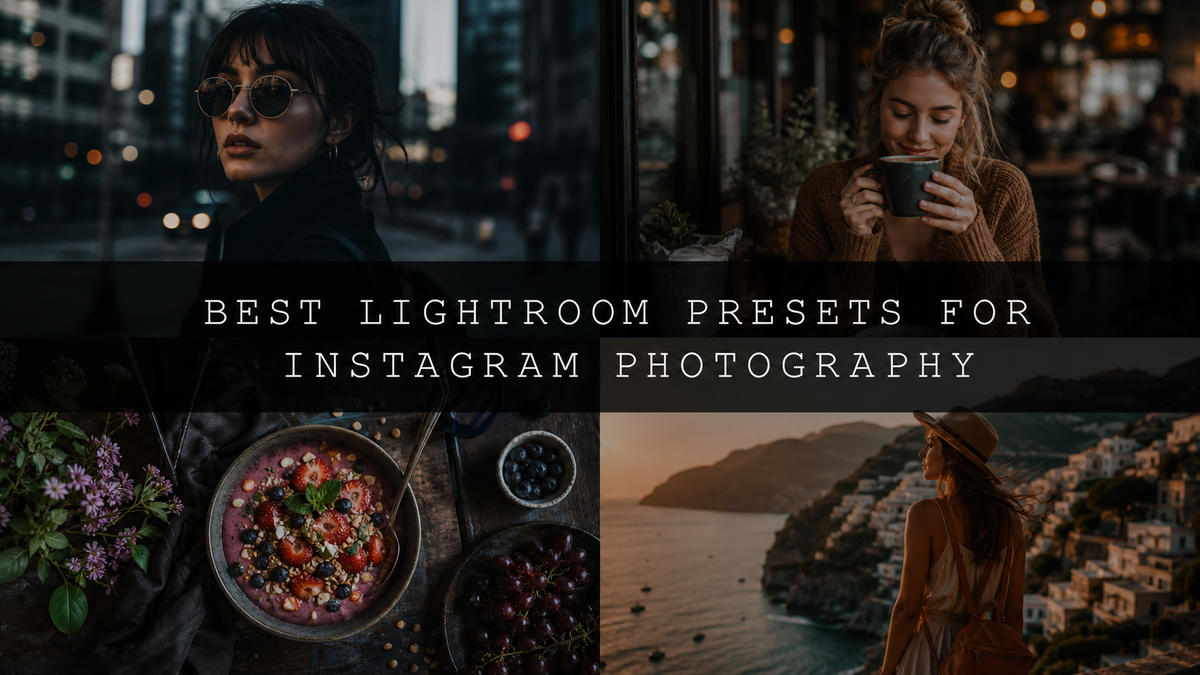
- Moody Color Grading: Often featuring cool tones (blues, purples, teal), cinematic color grading enhances the overall mood. Warm tones can be strategically used as accents to draw attention to specific elements.
- Film Grain and Texture: Subtle film grain adds a nostalgic and authentic feel, reminiscent of classic film photography. Adding texture can enhance the image's visual richness.
- Atmospheric Depth: Cinematic images often possess a sense of depth and atmosphere. This is achieved through careful composition, lighting, and post-processing techniques.
- Narrative Storytelling: A cinematic image should tell a story. The composition, subject matter, and mood should all contribute to a cohesive narrative.
The Power of AI in Lightroom Presets
AI-powered Lightroom presets have revolutionized the process of achieving a cinematic look. Unlike traditional presets that simply apply a uniform filter, AI presets intelligently analyze your image. They consider various factors—lighting conditions, subject matter, color balance, composition—to apply nuanced adjustments tailored to each individual photo. This precision ensures consistency and minimizes the guesswork involved in manual editing. The result? Professional-quality edits in a fraction of the time, allowing you to focus on the creative aspects of your photography.
Choosing the Right Preset: A Dark Aesthetic Journey
Numerous AI-optimized preset packs offer unique takes on the dark aesthetic. The ideal choice depends on your style and the type of photography you specialize in. Let's explore some leading options:
- AI-Optimized Aesthetic Moody Lightroom Presets: This pack excels in creating a specific mood. Its 10 presets (XMP & DNG formats) balance deep shadows with rich, muted tones, perfect for portraits, street photography, and fashion. They're versatile and ideal for storytelling.
- AI-Optimized Dark Aesthetic Lightroom Presets: For a bold, cinematic dark aesthetic, this pack is unmatched. With 8 DNG and 8 XMP presets, it offers diverse options for experimentation. The presets expertly manage contrast and shadows, ensuring detail while maintaining a dramatic mood. These are perfect for photographers aiming for consistent darkness across their work.
- AI-Optimized Street Aesthetic Lightroom Presets: Capture the gritty reality of urban life with this specialized pack. These presets enhance textures and shadows, offering a less intense dark aesthetic that balances moodiness with realism. Ideal for photographers seeking a balance between dark and realistic street photography.
- AI-Optimized Tokyo City Lightroom Presets: Immerse your viewers in Tokyo's vibrant yet dark nightlife. These presets capture the interplay of neon lights and shadows, creating a futuristic, cyberpunk feel. They are ideal for cityscapes and street photography at night.
- Dark Aesthetic Lightroom Presets Pack: For a comprehensive collection, this pack provides 8 distinct presets, offering versatility for various styles and subjects. It's excellent for photographers seeking a broad range of dark aesthetic options to experiment with.
A Step-by-Step Guide to Applying Your Presets
Applying your chosen preset pack is straightforward:
- Download and Install: Download your pack and follow the instructions to import presets into your Lightroom catalog (compatible with desktop and mobile versions).
- Import Your Image: Import the photo you wish to edit into Lightroom.
- Select Your Preset: Browse the presets and choose the one best suited to your image.
- Apply and Refine: Apply the preset. Observe the changes and adjust sliders (exposure, contrast, shadows, highlights) to fine-tune the results for your desired look.
- Export and Share: Once satisfied, export your image and share your cinematic creation!
Advanced Techniques for Mastering the Dark Aesthetic
While AI presets offer a great starting point, true mastery involves understanding the underlying principles:
- Selective Adjustments: Use masking or brush tools to apply adjustments to specific areas of your image, creating more control and impact.
- Graduated Filters: These are invaluable for subtly adjusting the exposure and contrast in specific parts of your image, enhancing the mood and depth.
- Radial Filters: Similar to graduated filters, radial filters allow you to adjust the exposure, contrast, and other settings within a circular area, useful for focusing attention on a particular subject.
- Color Mixing and Split Toning: Experiment with advanced color techniques like split toning to refine the overall color scheme and achieve more intricate and nuanced effects.
- Noise Reduction and Sharpening: Pay attention to detail. Subtle noise reduction and sharpening can greatly enhance the final look of your image without making it appear artificial.
Beyond the Presets: Mastering the Dark Aesthetic
Understanding the fundamental elements of a dark aesthetic is essential:
- Contrast: The interplay of light and shadow is critical. Intensify contrast to create drama without making the image harsh or unappealing.
- Color Grading: Experiment with cool tones to enhance moodiness, strategically using warm tones for accents.
- Texture and Detail: Maintain detail even while embracing darkness. Avoid over-processing that crushes shadows or obscures important elements.
- Composition: Strong composition enhances storytelling. Carefully consider subject placement, leading lines, and overall balance to strengthen your narrative.
Conclusion: Unleash Your Inner Cinematic Artist
AI-powered Lightroom presets have transformed cinematic photography. They provide an efficient way to create a dark, moody aesthetic. Experiment with the presets, master the techniques, and unleash your creative vision. The world of cinematic photography is at your fingertips!

Leave a comment
This site is protected by hCaptcha and the hCaptcha Privacy Policy and Terms of Service apply.