
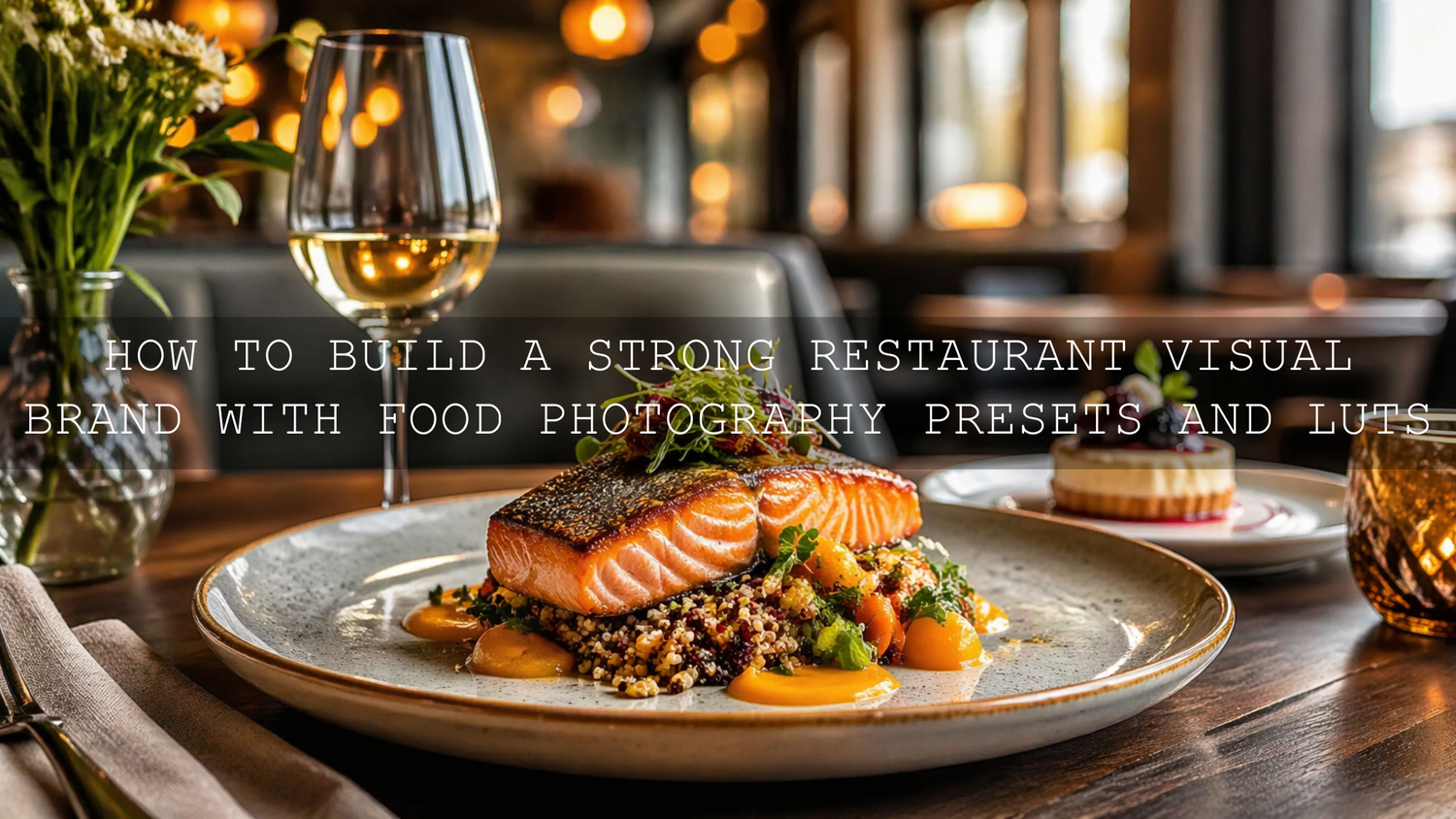
How to Build a Strong Restaurant Visual Brand With Food Photography Presets and LUTs
In 2026, food photography presets are not just a convenience for restaurant owners. They are one of the fastest ways to create a recognizable visual identity across menus, social posts, delivery apps, website banners, and short-form video. When your restaurant photography editing style stays consistent, your brand feels more polished, more trustworthy, and more memorable. That matters because most diners see your food online before they ever taste it in person.
If you want a faster way to make plated dishes, café drinks, desserts, and kitchen videos look more refined, start with Food Photography Presets For Lightroom and explore Lightroom Presets for Lightroom Mobile & Desktop. It is an easy way to create a cleaner editing workflow, and you can naturally build your toolkit with the Buy 3, Get 9 FREE offer.
Your visuals do more than show what is on the plate. They communicate atmosphere, quality, pricing confidence, and attention to detail. A warm café with soft highlights, a modern restaurant with clean whites, and a lively street-food concept with punchy contrast all need different moods, but they still need consistency. That is what makes people recognize your brand in a crowded feed.
Why Visual Consistency Matters So Much for Restaurants
Here’s why this matters. Most customers do not discover restaurants through a printed flyer or a walk-by anymore. They find them through Instagram, Google, maps listings, delivery platforms, reels, and websites. That means your food photos and short videos often become your first sales pitch.
When your images shift from dark and muddy to overly bright to heavily saturated, the brand feels random. Even if the food is excellent, inconsistent editing can make the whole business feel less reliable. On the other hand, when your gallery has a clear visual style, people assume the same level of care exists in your kitchen, service, and presentation.
A consistent editing approach helps you:
- Build trust before a customer visits.
- Make your menu items look like they belong to the same brand story.
- Improve recognition across social media, website pages, and ads.
- Speed up content production for seasonal promotions and daily posting.
- Keep your visuals strong even when different team members shoot the content.
I have tested preset-first workflows on mixed café lighting, window-lit brunch plates, and darker indoor dinner scenes, and the biggest win was not just speed. It was how much easier it became to keep white plates, wood tables, skin tones, and food colors feeling connected from one shoot to the next.
Food Photography Presets vs Manual Editing
Let’s break it down. Manual editing gives you maximum control, but it also takes more time and creates more room for inconsistency, especially when different images are shot on different days and under different lighting conditions.
Manual editing is useful when you need precise adjustments for difficult files, strong color correction, or campaign hero shots. But if you are editing dozens of menu images, drink photos, chef portraits, and social posts every week, starting from zero every time can slow your whole marketing process down.
Food photography presets give you a repeatable base. They help standardize exposure balance, tone, color mood, contrast, and texture so every image starts closer to your brand look. You still fine-tune each image, but the heavy lifting happens much faster.
The best workflow for most restaurants is not presets or manual editing. It is presets plus manual refinement. Apply the right preset first, then make small corrections for white balance, highlights, shadows, crop, and masking.
How Lightroom Presets Help Restaurants Work Faster
For restaurants, speed matters. Seasonal dishes change. Limited-time drinks launch. Promotions go live fast. You do not always have time to custom-edit every image from scratch. A preset-based workflow lets you batch edit efficiently while still keeping quality high.
Food Photography Presets For Lightroom are especially useful when you want bright, appetizing images with cleaner whites, better detail, and more natural food color. That makes them a strong match for plated dishes, pastries, drinks, desserts, breakfast menus, and café interiors.
If your brand relies on a polished, modern look, these presets help build a cleaner visual baseline. If your restaurant style is more warm and intimate, you can still use them as a foundation and then soften contrast or warm the tone slightly.
For a more intelligent one-click starting point, AI-Optimized Food Lightroom Presets can be a smart fit. They are useful when you want fast tonal balancing, richer texture, and a more refined color grade without spending too much time on each file.
I tested this kind of workflow on food images shot under mixed window light and indoor tungsten light, and the best results came from using the preset first, then correcting only the parts that were scene-specific. That usually meant softening highlights on plates, lifting shadows in dark table areas, and slightly warming the final color balance.
Creating a Signature Look for Different Restaurant Styles
Not every restaurant should edit the same way. A luxury dining brand, a casual café, and a street-food concept each need a different visual personality. The goal is not to copy one universal food trend. The goal is to make your editing reflect your actual brand.
Clean and modern restaurants
Use brighter exposure, controlled contrast, clean whites, and accurate color. Focus on plates looking crisp and premium, not overprocessed.
Warm cafés and bakeries
Lean into softer warmth, natural wood tones, cozy shadows, and gentle contrast. Drinks, pastries, and window-light scenes usually benefit from a slightly inviting tone rather than harsh brightness.
Street-food and high-energy brands
Use stronger contrast, deeper color, and sharper texture to capture motion, heat, atmosphere, and bold ingredients. AI-Optimized Street Food Photography Lightroom Presets can work well for this kind of look.
That street-food style is especially useful for food trucks, pop-up concepts, outdoor festivals, and fast-paced social content where energy matters just as much as polish.
A Simple Restaurant Editing Workflow That Actually Scales
If you want consistent results across a team, use a repeatable workflow:
- Shoot with consistency in mind. Try to keep lighting, angles, lens choice, and backgrounds somewhat controlled. Editing becomes much easier when capture is already close.
- Apply one core preset family. Choose a preset pack that fits your brand, then use it across menu, social, and campaign images.
- Correct white balance first. Food can quickly look unappetizing when whites go green, blue, or orange.
- Refine exposure and highlights. Protect details in sauces, plate edges, cream, foam, and reflective surfaces.
- Use masking for local control. Brighten the subject, soften distracting backgrounds, or recover texture in specific areas. Adobe’s guide to masking in Lightroom Classic is useful for this step.
- Sync similar edits in batches. Once one image from a set looks right, sync those settings across related images and fine-tune only where needed.
- Preview on mobile. Most customers will see your content on a phone, so always check whether the image still looks clear, bright, and appetizing on smaller screens.
If you edit on mobile, Adobe’s official guide to editing photos in Lightroom for mobile is a helpful reference for quick adjustments and on-the-go workflow.
Why LUTs Matter for Restaurant Video Branding
Photos are not enough anymore. Restaurants now rely on reels, behind-the-scenes clips, kitchen action, pouring shots, plating moments, and short promo videos. If your photos have one visual identity but your videos have another, the brand starts to feel split.
That is where LUTs help. LUTs are the video equivalent of presets. They create a faster, more consistent color grade across clips so your restaurant video content feels connected to your photography.
For lively, dramatic video with bold atmosphere, Cinematic Street Food LUTs Pack is a strong option for social reels, food market scenes, sizzling grill footage, and energetic promo cuts.
For a more timeless and polished look, Film Food Videography LUTs Pack can help create richer tones and a more premium feel across interviews, chef storytelling, product close-ups, and restaurant atmosphere footage.
When choosing color mood for both photos and video, Adobe’s Color Wheel and harmony tools can help you think more intentionally about warm tones, contrast, and how your brand palette translates across menus, interiors, and content.
Expert Tips for Better Restaurant Editing Results
- Do not over-saturate reds and oranges. Food should look rich, not artificial. Overdone reds can make meat, sauce, or skin tones look unnatural.
- Protect whites carefully. Plates, napkins, cups, and table linens should feel clean without losing detail. Blown highlights can make expensive food look cheap.
- Keep greens believable. Herbs, salads, and garnish need freshness, but too much saturation makes them look fluorescent.
- Use texture selectively. Texture can make crusts, coffee foam, grilled surfaces, and pastry layers look amazing, but too much will make soft food look harsh.
- Match photo and video mood. If your stills are bright and airy but your reels are dark and cinematic, the brand starts to feel inconsistent.
- Create a visual reference folder. Save five to ten finished images that represent your brand perfectly and compare every new edit to them.
Related Reading
- Food photography editing tips for cleaner restaurant images
- How to edit café and coffee shop photos with a warmer mood
- Product photography preset ideas for menus, packaging, and table details
- How cinematic LUTs improve food reels and restaurant promos
Bringing It All Together for a Stronger Restaurant Brand
The strongest restaurant visuals are not always the most dramatic ones. They are the ones that feel intentional, repeatable, and clearly connected to the brand. When diners scroll through your feed or land on your website, they should immediately get the same feeling from every image and every video. That sense of coherence builds confidence.
If you want to sharpen your workflow and keep your restaurant photography editing more consistent, start with Food Photography Presets For Lightroom, AI-Optimized Food Lightroom Presets, or Film Food Videography LUTs Pack, then continue browsing Lightroom Presets for Lightroom Mobile & Desktop and LUTs. That gives you a practical path to stronger branding, faster editing, and better-looking content across every customer touchpoint, while still keeping the process flexible enough for real restaurant life. If relevant for your store flow, you can also guide readers to How to Install Lightroom Presets.
Frequently Asked Questions
Are food photography presets good for restaurants with changing menus?
Yes. They are especially useful for restaurants that launch new dishes often because they help new images match older content without starting every edit from scratch.
Should I use the same preset on every restaurant photo?
You can use the same preset family, but each image still needs small adjustments for exposure, white balance, and highlights. Consistency works best when the preset is the foundation, not the final step.
What is the difference between presets and LUTs?
Presets are mainly for photo editing in apps like Lightroom, while LUTs are used for video color grading in software such as Premiere Pro, DaVinci Resolve, and Final Cut Pro.
Can Lightroom presets help with mixed indoor restaurant lighting?
Yes, but they work best when you also correct white balance and use masking where needed. Mixed lighting usually needs a little manual refinement after the preset is applied.
What kind of restaurant benefits most from a preset-based workflow?
Almost any restaurant can benefit, but cafés, bakeries, fast-casual brands, food trucks, and social-first restaurants usually see the biggest advantage because they produce content frequently.
Written by Asanka — creator of AAAPresets (10,000+ customers).

Leave a comment
This site is protected by hCaptcha and the hCaptcha Privacy Policy and Terms of Service apply.