
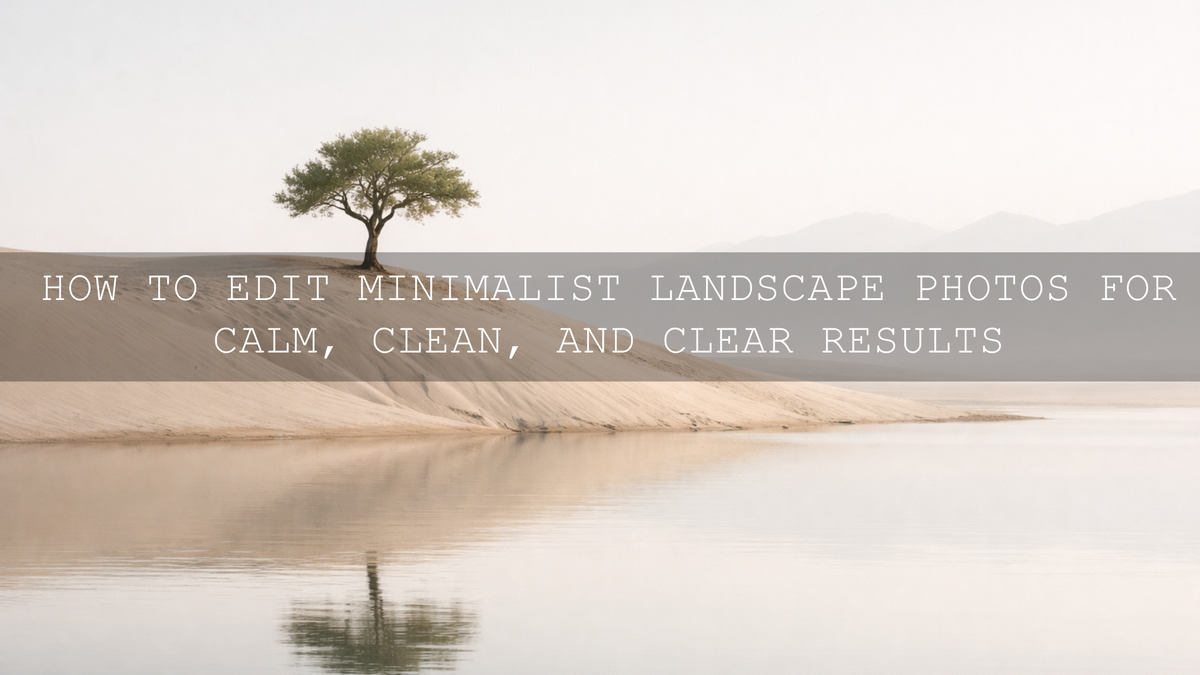
How to Edit Minimalist Landscape Photos for Calm, Clean, and Clear Results
Minimalist landscape editing works best when you remove distractions instead of adding more style. The goal is to make minimal landscape photography feel calm, intentional, and visually clean while still keeping the scene believable. In practice, that usually means softer contrast, simpler color, better subject separation, and more control over empty space. When I edit minimalist landscapes, I usually get the best results by fixing exposure first, then refining color and local detail in small steps rather than pushing every slider at once.
If you want a faster starting point, try the Bright and Minimal Lightroom Presets or browse the Professional Lightroom Presets for Landscape Photography collection. That gives you a clean base for minimalist landscape editing while still leaving room to personalize the final look, and it fits naturally with the brand offer: Buy 3, Get 9 FREE.
The reason this editing style matters even more in 2026 is simple: people are surrounded by visual noise. A peaceful landscape with clean tones, soft transitions, and one strong focal point feels refreshing. It gives the viewer a place to slow down. That is why minimalist landscape photography continues to work so well for websites, portfolios, fine art prints, travel content, and calm social feeds.
What Makes a Landscape Feel Minimal
A minimal landscape image is not just a normal landscape with lower saturation. It usually depends on a few deeper choices working together:
- One clear subject, such as a tree, dune, peak, road, or rock
- Plenty of negative space that supports the subject instead of competing with it
- A restrained color palette
- Soft, controlled contrast
- Very little visual clutter near the edges of the frame
Here is why this matters: when the composition is already simple, your editing should protect that simplicity. If you add too much clarity, heavy contrast, or dramatic color shifts, the image stops feeling quiet. Minimalist landscape editing is often more about restraint than intensity.
I have tested this approach on foggy ridgelines, empty beaches, pale winter fields, and flat overcast scenes where the raw file looked dull at first. In many of those images, the best edit was not the boldest one. It was the version that kept the visual breathing room intact and let the subject stay subtle but strong.
Start with Exposure and Tonal Balance
The first step in landscape photo editing is getting the base tones right. A minimal image usually feels strongest when highlights stay clean, shadows keep a little detail, and midtones do most of the storytelling.
- Set exposure for the feeling of the scene. A minimal photo often looks better slightly bright or gently balanced rather than dark and dramatic.
- Lower highlights carefully. This helps protect skies, mist, water reflections, or snow without making them dull.
- Lift shadows only if needed. Too much shadow recovery can flatten the frame and remove the quiet mood.
- Use whites and blacks with restraint. You want definition, not harsh clipping.
- Refine the Tone Curve slowly. Small curve adjustments often look more natural than aggressive Basic panel changes.
If you want a solid technical reference for global tonal control, Adobe’s guide to tone and color adjustments in Lightroom Classic is worth reviewing. For minimal edits, I usually avoid deep black points unless the scene genuinely needs more structure.
Use Color to Create Peace, Not Pressure
Color is one of the strongest tools in minimalist landscape editing because color can either calm a frame or make it feel busy. In most minimal landscapes, softer color works better than louder color. That does not mean the image has to look flat. It means every color should feel intentional.
A good starting approach is to reduce saturation slightly, then rebuild balance with targeted color adjustments. Greens often need the most attention because they can turn neon very quickly. Blues can also become too electric in open skies or coastal scenes.
To keep the palette clean:
- Cool the white balance a little for distance and clarity, or warm it slightly for softness and calm
- Reduce the most distracting color channel rather than dropping all saturation globally
- Use HSL or Color Mixer tools to soften greens, aquas, and yellows
- Keep whites neutral so clouds, mist, sand, or architecture feel crisp
- Add subtle color grading only when it supports the mood
If you want help building harmonious palettes, Adobe’s Color Wheel and harmony tools are useful for seeing how muted, analogous, or complementary color families behave together. That matters when you are trying to make a landscape feel unified instead of noisy.
Local Adjustments Make Minimalist Edits Look More Professional
Minimal editing does not mean global-only editing. In fact, some of the cleanest landscape results come from very gentle local corrections. You may need to brighten a subject, soften a sky, reduce distraction in the corners, or control one patch of bright grass without changing the whole frame.
This is where masking becomes powerful. Adobe’s Lightroom masking guide is especially helpful if you want to refine sky, land, or subject areas without breaking the natural look of the scene.
Here are a few local adjustments I use often in minimalist landscape photography:
- A soft sky mask to reduce highlight pressure and create smoother gradients
- A subtle radial adjustment on the main subject to guide the eye
- A brush or linear gradient to darken distracting edges
- A gentle texture reduction in noisy background areas
- A luminance or color-based correction to calm one overly bright area
On simple scenes, these small moves often make more difference than a heavy preset ever could.
Presets vs Manual Editing for Minimalist Landscapes
Both approaches work. The best option depends on how fast you need to work and how consistent you want your portfolio to feel.
When presets help most
Presets are great when you want a reliable starting point, especially across a set of images from the same trip or lighting conditions. They save time, help maintain consistency, and reduce decision fatigue. For minimal landscape editing, the right preset can immediately soften contrast, clean whites, and simplify color.
When manual editing matters most
Manual editing becomes more important when the scene has mixed light, complex weather, unusual color casts, or a very specific mood. Even with a preset, I almost always fine-tune exposure, white balance, and masking. Presets should support the image, not overpower it.
If you like a brighter and cleaner look for still photos, the Bright and Airy minimalist Lightroom Presets are a strong option. If you want a slightly softer modern finish, the Bright and Minimal Lightroom Presets are a natural fit. And if you prefer warmer softness with a more cinematic finish, the Cinematic Creamy Minimal Lightroom Presets can work beautifully on quiet sunrise, fog, or overcast landscapes.
A Simple Step-by-Step Minimalist Landscape Editing Workflow
Let’s break it down into a practical workflow you can repeat.
- Choose the right frame first. Pick the photo with the clearest subject and the least clutter. Editing cannot fully rescue a confused composition.
- Correct the base exposure. Make the image feel open and readable without losing atmosphere.
- Clean the white balance. Neutral whites and controlled temperature shifts help the whole image feel more refined.
- Simplify color. Lower only the distracting channels and keep the palette cohesive.
- Reduce contrast pressure. Minimal landscapes usually benefit from smoother transitions, not aggressive punch.
- Apply local masks. Guide attention to the subject and reduce distractions in sky, land, or edges.
- Sharpen selectively. Add enough detail for clarity, but do not let the image feel crispy or noisy.
- Check the frame at full screen and zoomed out. If your eye lands on the subject quickly and the image feels quiet, you are close.
One pro tip: after finishing the edit, leave it for a minute and come back. If the first thing you notice is the effect instead of the scene, the image is probably over-edited.
How LUTs Can Help Minimal Landscape Video Feel Consistent
If you also create reels, travel films, or calm landscape clips, LUTs can speed up your workflow in the same way presets help still photography. The main advantage is consistency. A good minimalist LUT can keep highlights clean, contrast controlled, and color elegant across multiple shots.
For a clearer, modern video look, the Clean Minimal LUTs for Video Editing are a relevant option. If your footage leans warmer and more neutral, the Cinematic Minimal Beige Aesthetic LUTs Pack can help create a soft, understated finish without making the video look washed out.
If you edit both desktop and mobile images regularly, it also helps to browse the wider Lightroom Presets for Lightroom Mobile & Desktop collection so your photo workflow stays consistent across devices.
Common Mistakes That Break the Minimal Look
Minimalist landscape photography looks simple, but it is easy to break the mood during editing. These are the mistakes I see most often:
- Too much clarity or texture: This makes peaceful scenes feel hard and over-processed.
- Over-saturated blues and greens: A common problem in sky, forest, and coastal images.
- Heavy dehaze everywhere: It can destroy softness and make gradients look unnatural.
- Over-lifted shadows: This removes depth and makes the frame feel flat.
- Sharpening noise instead of detail: Fine edges matter, but noisy skies and mist do not need aggressive sharpening.
For a more technical reminder on sharpening and noise control, Adobe also has a practical overview on clarity, dehaze, sharpening, and noise reduction in Lightroom. In minimal landscape editing, subtle sharpening nearly always looks more premium than aggressive detail enhancement.
Related Reading
- Top 10 Lightroom Presets for Travel Photography in 2026
- Cinematic Lightroom Mobile Presets: Bringing Movie Magic to Photos in 2026
- How to Create a Signature Editing Style for Personal Brands in 2026
- Trending Lightroom Presets: A Deep Dive Into Photo Editing Styles
- Earthy and Rustic Lightroom Presets for Breathtaking Landscapes
Creating a Portfolio That Feels Consistent and Calm
One strong minimal landscape photo is great, but a full set of images with the same calm visual language feels much more professional. That is where consistency matters. Try to keep your white balance behavior, contrast style, color restraint, and subject emphasis similar across a gallery. This is especially useful for portfolio pages, blog headers, print collections, and social feeds built around nature and travel.
If you want a faster route to that polished look, start with the Bright and Minimal Lightroom Presets for stills or the Clean Minimal LUTs for Video Editing for motion work, then explore the Professional Lightroom Presets for Landscape Photography collection for more scene-specific options. It is an easy way to build a cleaner editing workflow while taking advantage of the Buy 3, Get 9 FREE offer.
FAQ
What is minimalist landscape editing?
Minimalist landscape editing is a style of landscape photo editing that removes distractions, simplifies color, and creates a calm, uncluttered image with one clear focal point.
Are presets enough for minimalist landscape photography?
Presets are a strong starting point, but the best results usually come from combining them with manual adjustments to exposure, white balance, and masking.
Should minimalist landscapes be low contrast?
Usually yes, but not flat. The goal is controlled contrast with smooth transitions so the image feels peaceful and refined instead of harsh.
How do I keep greens from looking too bright in landscape photos?
Use targeted color controls to reduce green saturation, shift green hue slightly away from yellow, and lower luminance if foliage is pulling too much attention.
Can LUTs help with minimalist landscape videos?
Yes. A good minimalist LUT can create cleaner highlights, softer contrast, and more consistent color across clips, which is especially useful for travel and nature video workflows.
Written by Asanka — creator of AAAPresets (10,000+ customers).

Leave a comment
This site is protected by hCaptcha and the hCaptcha Privacy Policy and Terms of Service apply.