
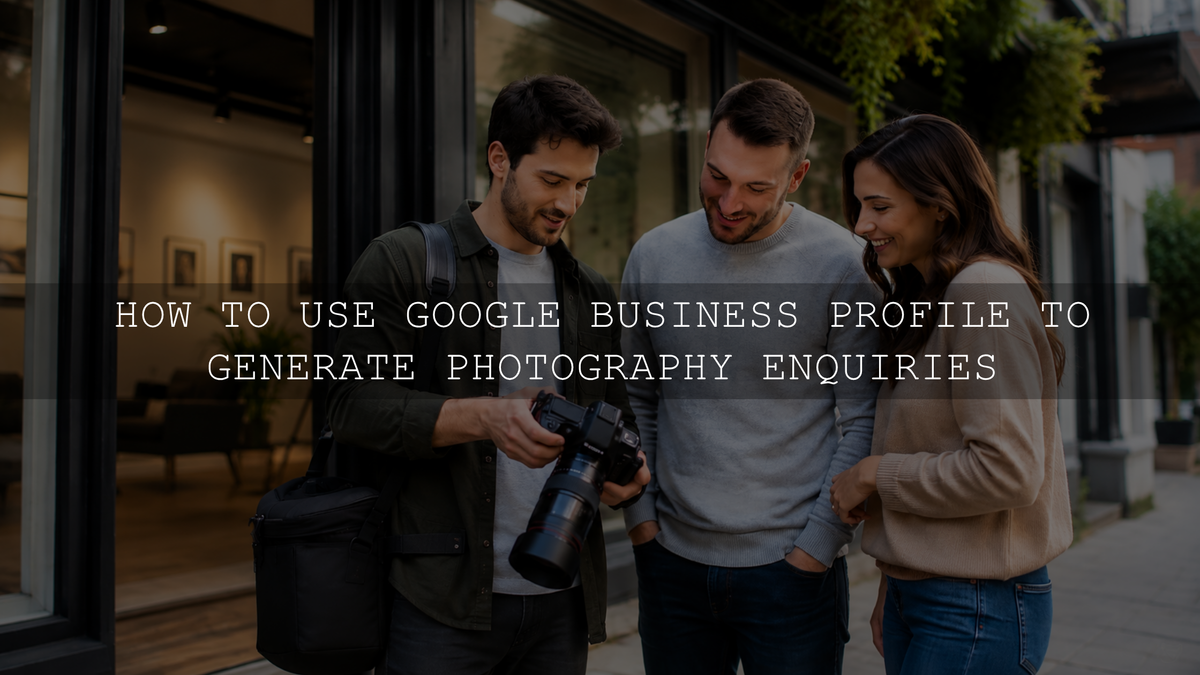
A Google Business Profile can help an eligible photography business manage how it appears on Google Search and Google Maps. The most useful setup is not the profile with the most keywords, service areas or uploads. It is the one that accurately explains what you photograph, how you work with clients, where you operate and how someone can contact or book you.
A complete profile can support local discovery and give prospective clients another place to assess your work, but it cannot guarantee a position in local results. This guide explains how to set up and optimize a Google Business Profile for photographers without relying on keyword stuffing, review incentives, arbitrary photo quotas or other unsupported tactics. For the wider strategy around your website and local visibility, see the AAAPresets guide to local SEO for photographers.
Check Whether Your Photography Business Is Eligible
Before creating a profile, confirm that your business qualifies. Under Google's Business Profile eligibility guidance, a business generally needs to make in-person contact with customers during its stated hours.
- Studio or storefront photographer: Clients visit a genuine customer-facing location operated by your business, staffed during the stated hours and, when the address is displayed, marked with permanent business signage.
- Service-area photographer: You travel to weddings, homes, venues, properties, offices or other client locations and do not receive customers at your business address.
- Hybrid photographer: You receive clients at an eligible staffed location and also travel to customers.
- Online-only business: A photography business with no in-person customer contact is generally not eligible.
A home address should not be displayed merely because it was used to register the business. When clients do not visit that address, use a service-area profile and hide the address from the public.
How to Set Up a Google Business Profile for a Photography Business
Google's business representation guidelines provide the foundation for the business name, address, service area, categories and number of profiles. Build the listing around the business that actually exists rather than the search terms you hope to rank for.
- Search for an existing profile. Search Google Search and Google Maps for your exact business name and location before adding a new listing. Claim the existing profile when it represents your business rather than creating a duplicate.
- Use the real-world business name. Enter the name used consistently on your website, branding, invoices and other customer-facing materials. Do not append phrases such as “best wedding photographer” or a list of cities unless they are genuinely part of the business name.
- Select the most accurate primary category. Choose the most specific category currently available that describes the core business. Add only a small number of additional categories that represent genuine parts of the business; categories should describe what the business is, not every service it has.
- Choose the correct location model. Select storefront, service-area or hybrid according to how clients actually interact with the business. Do not use a virtual office, remote mailbox or another address where your business does not operate.
- Add accurate contact and service information. Check the phone number, website, customer-facing hours, services and business description. Send website visitors to a page that clearly explains the relevant photography service and inquiry process rather than an unrelated page.
- Complete the verification Google offers. Google's verification guidance explains that available methods are selected automatically and may include phone or text, email, video recording, live video or mail. Some businesses may need more than one method.
- Review the public profile. After verification, inspect the listing on both mobile and desktop. Confirm that the location, hours, phone number, website, categories and visible images match the real business.
If mail verification is offered, avoid changing the business name, address or category while the code is in transit because those changes can invalidate the code. A photographer asked to complete video verification should follow the prompts and be ready to demonstrate the business location, equipment or other evidence of management without exposing private customer information.
Set the Address and Service Area Correctly
Many wedding, event, family, real-estate and commercial photographers work on location rather than from a public studio. If customers do not visit your address, remove it from public display and define the genuine area in which you travel to clients.
Google's current service-area guidance uses cities, postal codes or other available geographic areas rather than a custom radius. It allows up to 20 service areas and advises that the overall boundary generally should not extend beyond about two hours of driving time from the business base.
Those limits are not a target. Choose areas that reflect real availability, travel costs and the work you are prepared to accept. Adding a city does not establish an office there and does not guarantee visibility there. Before expanding the list, use real market evidence; the AAAPresets guide to researching local photography demand provides a practical framework.
Do not create duplicate profiles for every city you serve. When a location deserves dedicated website content, build a useful page with real work, logistics and a clear offer rather than a thin city-name variation. See the guide to photography location pages for that distinction.
Complete the Profile Around a Client's Decision
Optimization should make the profile easier for the right client to evaluate. Complete the fields that genuinely apply to the business and keep them consistent with the website.
- Primary category: Match the main type of photography business rather than the broadest or most competitive phrase.
- Additional categories: Add only categories that describe substantial, real parts of the business.
- Services: List recognizable services such as wedding coverage, newborn sessions, corporate headshots or property photography only when you actually provide them.
- Description: Explain what you photograph, who you serve and where you normally work. Avoid links, promotional slogans, unsupported superlatives and blocks of location keywords.
- Hours: Use genuine customer-facing hours and update special hours where appropriate. If you do not maintain regular customer-facing hours, follow Google's business-hours guidance and use the no-main-hours option rather than publishing hours that imply walk-in availability.
- Website: Link to a fast, mobile-friendly page that shows relevant work, service details and a clear inquiry path.
- Booking and social links: Add available booking links and social links only when they lead to systems or accounts you actively maintain.
Your Business Profile and website have different jobs. The profile can introduce the business and help a local searcher take an initial action. A strong service page should answer the deeper buying questions about portfolio fit, process, deliverables, location, pricing factors and the next step. The AAAPresets guide to photography service pages explains how to structure those pages without creating one for every keyword variation.
Use Portfolio Photos That Work as Small Thumbnails
Photography businesses have an unusual advantage: the work itself can help a prospective client judge relevance and style. Upload current images that represent the services you want to book, but do not chase an arbitrary target such as 50 or 100 photographs. A smaller, coherent selection is more useful than a large gallery containing outdated, repetitive or unrelated work.
Google's Business Profile photo guidance recommends JPG or PNG files that are in focus, well lit and representative of reality, without significant alterations or excessive use of filters or AI. The recommended resolution is 720 by 720 pixels, with a minimum of 250 by 250 pixels.
For a photographer, “representative of reality” does not require publishing unedited files. Normal corrections and restrained stylistic editing can be appropriate, provided the result is not significantly altered and does not materially misrepresent the person, property, venue, product or environment shown.
- Lead with work from the photography categories you genuinely want to sell.
- Choose images with a clear subject and readable composition at mobile-thumbnail size.
- Include a useful range of subjects, lighting conditions and session types instead of many near-duplicates.
- Add the real studio exterior or interior only when clients actually visit that location.
- Use behind-the-scenes images selectively when they clarify the client experience or working process.
- Confirm that you have permission to publish identifiable clients, private venues and commissioned work.
- Replace work that no longer reflects your current offer rather than uploading new files merely to appear active.
Do not treat image file names, geotags or heavy metadata editing as a guaranteed local-ranking tactic. On your own website, descriptive file names, useful alt text and surrounding page context have clearer accessibility and discovery purposes. The AAAPresets image SEO guide for photographers covers that separate workflow.
Ask for Honest Reviews, Not Five-Star Reviews
Ask genuine clients for an honest review after a natural milestone, such as final gallery delivery or completion of a commercial project. Google's review-link and QR-code guidance lets an eligible business create a direct route to its review form.
Google's review guidance prohibits offering discounts, free products, extra photographs or other incentives in exchange for a review. Its Maps content policy also prohibits selectively soliciting positive reviews and requesting specific review content. Ask for honest and balanced feedback rather than a particular rating or keyword-heavy wording.
Reply to reviews in a professional, individual way. Thank the client, respond to a meaningful detail when appropriate and address legitimate concerns without publishing private project information. There is no need to force city names or service keywords into every reply. For a complete request and response workflow, use the AAAPresets guide to Google reviews for photography businesses.
Use Posts for Timely Information, Not as a Ranking Trick
Business Profile posts can communicate genuine updates, offers and events. Useful photography examples include confirmed mini-session dates, a studio opening, holiday hours, a new service, an exhibition or a seasonal booking update. Google's post guidance allows media and action buttons that can direct users to an appropriate booking or information page.
Publish when you have information that helps a prospective client. Google's post guidance presents posts as customer updates; it does not establish a required SEO posting frequency or promise ranking gains from a fixed schedule. Keep dates, availability and destination pages accurate, and remove or update material that is no longer useful.
Use Current Contact Options and Ignore Outdated Messaging Advice
Older tutorials may tell you to enable the former native Business Profile chat. Google's notice about changes to Business Profile chat and call history confirms that those features ended on July 31, 2024. Current Business Profile chat guidance says claimed and verified profiles in select regions may instead add WhatsApp or text messaging to their contact information.
Use those options only when they appear on your profile and you can monitor them reliably. Otherwise, keep the phone number, website inquiry form and any available booking link accurate. A contact feature creates value only when the client receives a clear and timely response.
Track Actions That Can Become Photography Bookings
Verified profile owners and managers can review Business Profile performance data. Available metrics vary by business but may include searches, views, calls, website clicks, directions, messages or bookings.
Profile activity is not the same as revenue. Use a simple measurement path:
- Did relevant searchers discover the profile?
- Did they call, visit the website, request directions or take another meaningful action?
- Did those actions become qualified photography inquiries?
- Did qualified inquiries become consultations, deposits or confirmed bookings?
The last two stages usually need to be tracked through your website form, booking platform, email process or client records. Review trends over a useful period and account for seasonality, promotions and changes in demand. Do not assume that one category, post or photo caused every movement in the report.
Common Google Business Profile Mistakes Photographers Should Avoid
- Adding services or city names to the business name when they are not part of the real-world name.
- Displaying a home address even though clients are not served there.
- Using a virtual office, remote mailbox or unstaffed coworking address.
- Creating a separate profile for every service-area city.
- Selecting unrelated categories to appear for more searches.
- Listing services, opening hours or travel areas that the business cannot reliably fulfil.
- Uploading unrelated, repetitive or materially misleading portfolio images.
- Paying for reviews, offering incentives or selectively requesting only positive reviews.
- Treating posts, photo volume or keyworded review replies as guaranteed ranking tactics.
- Following outdated instructions for the discontinued native chat feature.
- Counting profile views as bookings without tracking the inquiry and sales stages.
- Relying on the profile while the website, portfolio or contact process remains unclear.
What a Google Business Profile Can and Cannot Do
A Google Business Profile can give an eligible photographer a clearer presence on Google Search and Google Maps. It can present business details, service information, portfolio media, reviews and ways for potential clients to contact the business or continue to its website.
It cannot guarantee placement in local results, remove the effect of searcher distance, create a genuine reputation by itself or replace a useful website. Google's local-ranking guidance explains that local results are mainly based on relevance, distance and how well known the business is, and that a business cannot request or pay Google for a better local ranking.
Start with accuracy rather than aggressive optimization. Represent the real business, choose the correct location model, protect a private address when appropriate, select relevant categories, publish representative work, request genuine reviews and measure whether profile activity is producing qualified inquiries. That creates a more useful foundation for clients even when ranking positions change.
Written by Asanka — creator of AAAPresets, serving more than 10,000 customers.



Leave a comment
This site is protected by hCaptcha and the hCaptcha Privacy Policy and Terms of Service apply.