
How to Edit Window Light Photos Without Blowing Out the View
Window light photo editing looks simple until you open the file and realize the room feels too dark, the view outside is nearly white, and the whole image has lost the balance you saw in real life. This is one of the most common indoor photography problems for portraits, weddings, lifestyle shoots, and real estate work. The good news is that you do not need to choose between a bright interior and a clean window view. With the right capture habits, a smart Lightroom workflow, and a few targeted adjustments, you can keep both.
If you want a faster starting point, try the AI-Optimized Soft Window Light Lightroom Presets for everyday indoor work or the AI-Optimized Bridal Window Glow Lightroom Presets for soft, elegant wedding edits. You can also browse the Lightroom Presets for Lightroom Mobile & Desktop collection to find a look that fits your style. That is an easy way to speed up your workflow while still keeping the flexibility to fine-tune the window highlights. Try these presets today and take advantage of Buy 3, Get 9 FREE.
Here’s why this matters: when window highlights blow out, the image starts to feel less premium right away. In bridal prep photos, you lose dress texture and the mood outside the room. In lifestyle portraits, skin may look fine but the window turns into a distracting white block. In interiors and real estate, the room can feel fake because buyers want to believe the light and the space. Clean window light editing helps the photo feel polished, believable, and intentional.
Why Window Light Is So Difficult to Edit
A window scene usually contains two very different exposures in one frame. Outside the window is often much brighter than the subject or the room. Your camera can only hold so much dynamic range, so one part of the image tends to suffer unless you work carefully. Most of the time, that means either the interior goes too dark or the view outside gets clipped.
The safest rule is simple: protect the highlights first. You can often recover shadows far more easily than you can recover blown highlights. Adobe’s own Lightroom guidance on tone controls explains that Highlights, Whites, Shadows, and Blacks each affect different parts of tonal range, which is exactly why window-light editing works best when you adjust tones with intention instead of dragging exposure randomly. For a deeper look at those controls, Adobe has useful references on tone control adjustment in Lightroom Classic and adjusting photo lighting and color in Lightroom.
When a window is bright, edit for detail retention first and atmosphere second. That one habit will save more images than almost any preset.
Start in Camera: Better Capture Makes Editing Easier
Editing gets much easier when the file is captured with recovery in mind. If you are shooting near a window, check your histogram and watch the brightest tones. Slight underexposure is usually safer than letting whites clip.
- Shoot RAW when possible: RAW files usually hold more highlight and shadow information than JPEGs.
- Use spot awareness: Look at the dress, curtains, walls, and the sky outside the window. Those are the first areas that usually clip.
- Do not trust the LCD alone: A bright preview can make a bad exposure look fine. The histogram gives better feedback.
- Adjust your subject position: Turning the face slightly toward the window often reduces the amount of shadow lifting needed later.
- Bracket when the scene is extreme: This is especially helpful for real estate, architecture, or very bright midday windows.
I have tested this kind of workflow on bridal prep rooms, hotel interiors, and indoor portraits shot beside harsh afternoon windows. The images that edited fastest were not always the brightest ones in camera. They were the files where the highlights stayed intact and the subject was placed carefully in the light.
A Step-by-Step Lightroom Workflow for Window Light Photo Editing
Let’s break it down into a repeatable editing sequence. This works well for portraits, wedding details, product shots, and interior scenes.
- Set white balance first. Mixed indoor light can shift skin and walls toward orange, green, or magenta. Neutralizing color first helps every later decision make more sense.
- Lower highlights before raising exposure. This is one of the biggest mistakes beginners make. Pull highlights down and check the window, white fabrics, and reflective surfaces.
- Adjust overall exposure carefully. Once highlight recovery is in a better place, nudge the overall exposure only as much as needed.
- Lift shadows with restraint. Open the room, but do not flatten it. A little shadow depth helps the image feel real.
- Set whites and blacks intentionally. This is where you define how airy or dramatic the image feels.
- Use masking for local control. Separate the window area from the subject or interior. Adobe’s Lightroom masking guide is especially helpful here because it shows how to isolate areas for precise adjustment.
- Refine color and skin tones. After the tonal balance is stable, then you can stylize with subtle warmth, cleaner whites, or a softer contrast curve.
- Finish with small texture and clarity adjustments. Use restraint. Too much texture can make skin harsh and window frames unnaturally crunchy.
If the subject is well lit but the window is still too hot, use a mask on the window area only and reduce exposure, highlights, or whites locally. If the room still feels dull, use a separate mask on the interior and raise exposure or shadows there. That is usually better than trying to fix the whole frame globally.
How Presets Help and Where Manual Editing Still Wins
Presets vs manual editing is not really an either-or choice. Good presets give you speed, consistency, and a strong starting point. Manual editing gives you precision. The best workflow uses both.
A preset can quickly move your image toward the look you want: softer contrast, cleaner whites, better tone separation, or a more premium indoor feel. But because every window scene is different, you still need to refine the exposure and local masks after the preset is applied.
- Use presets when: you want faster editing, consistent galleries, cleaner starting points, and a repeatable look across similar lighting.
- Use more manual control when: the scene has extreme dynamic range, the window view matters a lot, or the room has mixed light sources.
- Best approach: apply the preset first, then fine-tune highlights, shadows, white balance, and masks.
If you want help adapting presets to different light situations, this internal guide on adapting Lightroom Mobile presets to any lighting is worth reading. It pairs well with the more specific indoor advice in this guide to mixed indoor and window lighting.
Best Presets for Bridal, Portrait, and Interior Window Light
Different window-light scenarios benefit from slightly different editing priorities, so it helps to choose a preset pack that matches the job.
For bridal portraits and wedding details
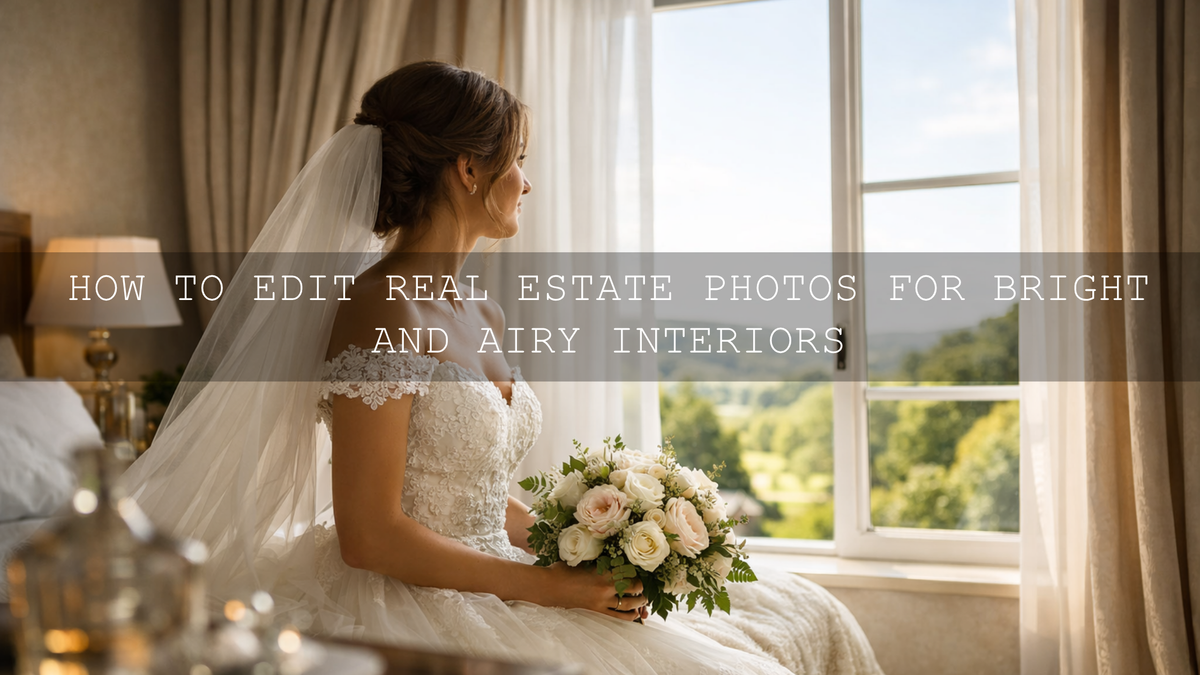
The AI-Optimized Bridal Window Glow Lightroom Presets are designed for soft glow, clean whites, and natural skin tones. They work especially well for getting-ready moments, dresses, veils, bouquets, and close indoor portraits where the light needs to stay elegant rather than harsh.
For portraits, lifestyle, and everyday indoor photos
The AI-Optimized Soft Window Light Lightroom Presets are a strong choice when you want gentle, airy light without heavy styling. They are useful for lifestyle portraits, self-portraits, home sessions, and product photos near a window.
For real estate, architecture, and interior design
The AI-Optimized Interior Design & Real Estate Lightroom Presets are built for bright, clean property images. They help keep spaces open and inviting while protecting the highlights that matter around windows and reflective surfaces. If that is your niche, you may also want to browse the Lightroom Presets for Lightroom Mobile & Desktop collection and read this guide to real estate photography presets.
Use Masking to Keep the View and Brighten the Room
Masking is where window light editing becomes much more professional. Instead of forcing one exposure balance across the entire image, you separate the window, the subject, and the darker parts of the room.
A simple workflow looks like this:
- Create a mask for the window or bright outside area.
- Reduce highlights, whites, or exposure until detail feels believable.
- Create another mask for the subject or interior.
- Lift exposure or shadows slightly to restore balance.
- Refine color temperature if the inside and outside tones clash.
This is especially helpful in wedding rooms where skin should stay soft but the view outside still matters, or in real estate images where the window must not overpower the room. Adobe also explains local masking in Lightroom across desktop and mobile, including sky and background selections, which can be helpful when your window scene includes a bright exterior landscape.
One of the fastest improvements I see in real edits is when photographers stop using only the global sliders and start separating the window from the room. That single change often makes the photo look more expensive.
Video Workflow: Matching the Same Look in Motion
If you shoot both photo and video, consistency matters. A bridal gallery may look clean and airy in Lightroom, but if the film is graded too warm or too contrasty, the whole project feels disconnected. The same issue shows up in real estate marketing when listing photos and walkthrough videos do not match.
For wedding footage, the Bridal Window Glow LUTs Pack gives a soft indoor glow that works well for prep footage, details, and romantic highlight films.
For interiors and property showcases, the Real Estate LUTs Pack helps keep brightness, clarity, and clean color in walkthroughs and promotional clips.
When applying LUTs in video, make sure your base correction is clean first. Adobe’s guide to applying Lumetri looks in Adobe Premiere is useful if you want to understand how looks and LUT-style grading fit into a more controlled workflow. If you need an internal walkthrough too, see how to install and use LUTs in Premiere Pro, DaVinci Resolve, and Final Cut Pro.
Common Mistakes That Ruin Window Light Edits
- Raising exposure too early: this usually makes the window worse before the file is balanced.
- Lifting shadows too far: the room gets flat, noisy, and unnatural.
- Ignoring white balance: bright indoor edits fall apart fast when whites turn yellow, green, or magenta.
- Adding too much clarity: skin, curtains, and highlights start to look harsh.
- Using the same preset with no adjustment: presets are powerful, but window scenes still need tuning.
- Over-editing the view outside: if the outdoor scene looks darker than real life, the image starts to feel fake in the opposite direction.
Related Reading
- Master presets for mixed indoor and window lighting
- How to adapt Lightroom Mobile presets to any lighting
- Presets for real estate photography: bright, clean, professional
- How to install Lightroom presets quickly and easily
The Fastest Way to Get Better Results
If you regularly edit indoor portraits, bridal prep, lifestyle sessions, or bright interiors, it is worth building a workflow around tools that already understand this light. Start with the AI-Optimized Soft Window Light Lightroom Presets, the AI-Optimized Bridal Window Glow Lightroom Presets, or the AI-Optimized Interior Design & Real Estate Lightroom Presets, then browse the Wedding Lightroom Presets for Wedding Photography and Lightroom Presets for Lightroom Mobile & Desktop collections for more looks that fit your work. When you pair a strong starting preset with careful highlight recovery and masking, the entire edit becomes faster and more consistent. And yes, you can still keep it flexible while enjoying Buy 3, Get 9 FREE.
How do I stop a window from blowing out in Lightroom?
Start by lowering highlights before raising overall exposure. Then use a local mask on the window area to reduce exposure, whites, or highlights without darkening the rest of the image.
Is it better to expose for the window or the subject?
In most cases, expose slightly toward the highlights so the window and bright whites keep detail. You can usually lift the subject and the interior later more safely than recovering clipped highlights.
Are presets enough for window light editing?
Presets are excellent starting points, but they work best when followed by manual adjustments. Window scenes often need custom white balance, highlight recovery, and local masking.
Which preset pack is best for bridal window light photos?
The AI-Optimized Bridal Window Glow Lightroom Presets are the strongest fit for wedding prep, dresses, veils, and soft indoor portraits because they focus on clean whites, soft glow, and natural skin tones.
Can I match my photo edits and video grades for the same indoor scene?
Yes. Use a window-light preset for the photos and a matching LUT-style workflow for the video, then fine-tune exposure and white balance so both mediums feel consistent.
Written by Asanka — creator of AAAPresets (10,000+ customers).

Leave a comment
This site is protected by hCaptcha and the hCaptcha Privacy Policy and Terms of Service apply.