
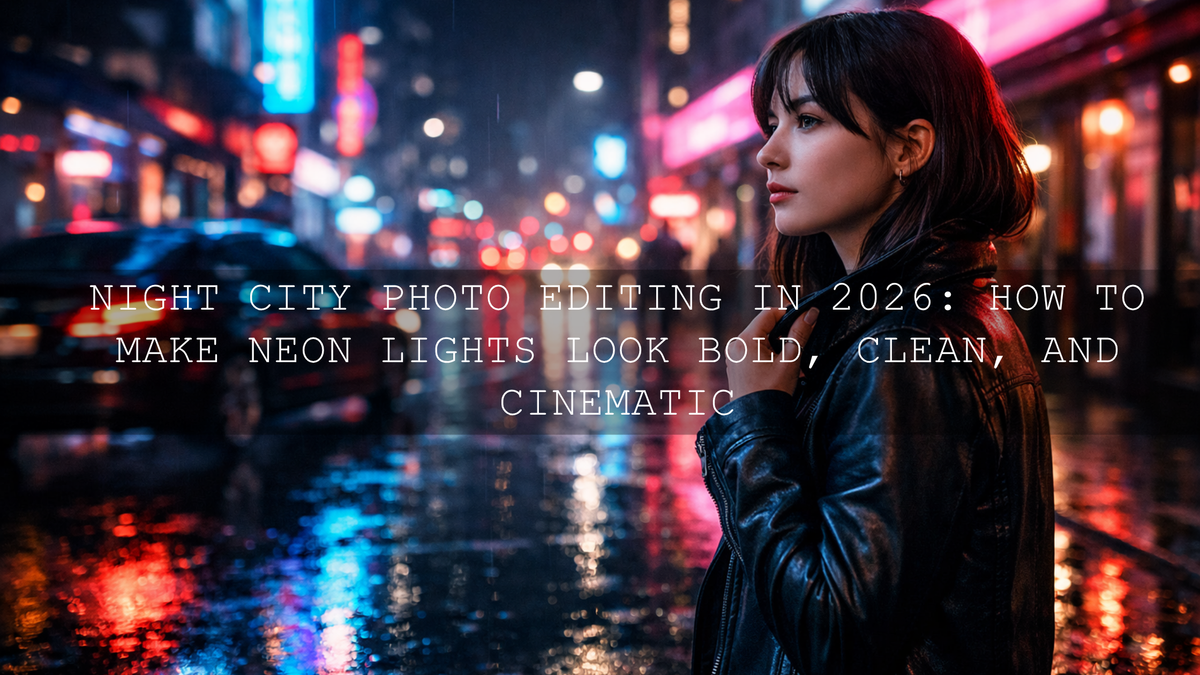
Night City Photo Editing in 2026: How to Make Neon Lights Look Bold, Clean, and Cinematic
Night city photo editing is all about control. In city night photography, the scene can look incredible in real life, but the raw file often tells a different story: muddy shadows, blown neon signs, flat color, and too much noise. The good news is that neon light photo editing does not have to become a long technical process. With the right Lightroom workflow, strong local adjustments, and the right AI-Optimized Neon Street Lightroom Presets, you can turn dark urban files into vibrant, polished frames that still feel believable.
If you want a faster starting point, try the AI-Optimized Neon Street Lightroom Presets and explore the Street Photography Lightroom Presets collection for more urban looks. It is one of the easiest ways to build a consistent night editing style, and you can still fine-tune every image around your own taste with Buy 3, Get 9 FREE.
Here’s why this matters: night photos are full of extremes. You are balancing deep black streets with electric signs, reflective puddles, moving headlights, tinted windows, and skin tones under mixed lighting. That is why strong night city photo editing is not just about making a file brighter. It is about protecting highlights, shaping contrast, controlling color casts, and deciding what the eye should notice first.
Why Night City Photos Often Look Worse Than the Scene Felt
When you photograph a city after dark, your camera is handling a complicated mix of bright and dim areas at the same time. That usually creates a few predictable problems.
- Highlights clip fast. Neon signs, LED billboards, car lights, and reflections can lose texture in seconds.
- Shadows get muddy. Alleys, jackets, hair, and dark architecture can collapse into flat black areas.
- Noise becomes obvious. Higher ISO and underexposure make grain and color speckling more visible.
- Mixed lighting shifts color. Tungsten, LED, storefronts, and neon can pull the file in several directions at once.
- The frame loses mood. Without careful editing, city night photography can look dull instead of cinematic.
I have tested neon-style presets on rainy street files, handheld city portraits, and wide urban night scenes, and the same pattern shows up every time: the best results come from a strong preset foundation followed by a few targeted corrections, not from pushing every slider hard.
What Makes a Great Preset for Neon Light Photo Editing
The best Lightroom presets for night photos do not just brighten the image. They manage contrast in a controlled way, hold onto color separation, and keep the file from turning crunchy or oversaturated.
For neon-heavy scenes, the most useful preset characteristics are:
- Cleaner magenta, teal, blue, and purple response so signs feel electric without looking fake.
- Controlled highlight roll-off so bright elements glow instead of turning into blank patches.
- Better black depth so the image feels cinematic rather than washed out.
- Balanced skin tone handling for portraits under colored signage.
- Noise-friendly tonal shaping so the edit does not make grain more distracting.
Best preset options for night city editing
If your main goal is bold neon glow, start with the AI-Optimized Neon Street Lightroom Presets. They are ideal for neon signs, wet roads, club streets, storefront reflections, and cyberpunk-style city frames.
If you want a more flexible all-rounder for city night photography, skyline shots, urban travel, and low-light street scenes, the AI-Optimized Night Photography Lightroom Presets are a strong option.
If you prefer a cleaner and moodier finish with less aggressive color punch, use Lightroom Presets for Night Photos. And if you want a bold, graphic look with deep blacks and stronger neon separation, the Night City Neon Light Presets are built for exactly that style.
Presets vs Manual Editing for Night City Photos
Both approaches work. The difference is speed, consistency, and how much technical correction you want to do from scratch.
- Presets are better when you want speed. You get a polished starting point in one click and then refine from there.
- Manual editing is better when the file is unusual. For example, a frame with extreme mixed lighting or a very specific commercial look.
- The strongest workflow is usually both. Apply a preset first, then correct exposure, white balance, highlights, shadows, and local areas manually.
In real editing sessions, this hybrid method usually wins. I have found that starting with a night-focused preset helps me protect the mood faster, while manual adjustments help me avoid overdone blues, neon skin tones, or crushed blacks.
A Simple Workflow for Better Night City Photo Editing
Let’s break it down into a practical process you can repeat on almost any city night file.
1. Start with the cleanest file you can
Shoot RAW if possible. It gives you more room to recover highlights, open shadows, and correct white balance. If your file is slightly underexposed but the neon signs still have detail, that is usually easier to fix than a frame with fully blown highlights.
2. Apply the preset first
Choose the preset that matches the scene:
- Use AI-Optimized Neon Street Lightroom Presets for colorful signage and nightlife energy.
- Use AI-Optimized Night Photography Lightroom Presets for a broader low-light city workflow.
- Use Lightroom Presets for Night Photos for a cleaner, moodier finish.
At this stage, do not judge the result too quickly. A preset should give you the direction, not always the final export.
3. Fix exposure before anything else
After the preset, adjust overall exposure until the scene feels readable but still like night. One common mistake is brightening too much and killing the atmosphere. Night city photography should still feel like night.
- Raise exposure only enough to reveal key detail.
- Pull highlights down to protect signs, windows, and headlights.
- Lift shadows carefully to recover detail without flattening the frame.
- Set whites and blacks so the photo still has depth.
For a deeper breakdown of these controls, Adobe’s guide to adjusting photo lighting and color in Lightroom is a useful reference.
4. Correct the color cast
This is where many neon edits either become beautiful or fall apart. If the whole image leans too green, too magenta, or too yellow, use white balance before you touch saturation. A small Temp or Tint shift often solves more than people expect.
In practice, I usually cool overly warm streetlight files slightly, then reduce green or magenta contamination until the image feels intentional. You can also use Adobe’s white balance controls in Lightroom when a scene feels too gold, too blue, or uneven across the frame.
5. Use masking for local fixes
Night scenes often need different treatment in different parts of the image. You may want darker surroundings, but a brighter face. Or you may want to reduce a sign’s intensity without touching the rest of the frame.
- Darken background distractions.
- Lift the subject slightly so they do not disappear into the street.
- Control specific bright signs or windows.
- Enhance reflections on the road without pushing the whole image too far.
This is where Lightroom gets much more powerful. Adobe’s masking guide for Lightroom is worth bookmarking if you want better control over sky, background, subjects, and local tonal adjustments.
6. Reduce noise without killing texture
Low-light files nearly always need some cleanup. The goal is not to erase every trace of grain. The goal is to stop noise from distracting the viewer. Over-smoothing is one of the fastest ways to make a strong city frame look cheap.
A good rule is this: denoise first for cleanliness, then bring back some detail and texture where it matters. Adobe’s Enhance, Denoise, and Raw Details guide is helpful when you want cleaner low-light files without losing the edges and fine detail that make night architecture and reflections feel crisp.
7. Shape color for impact, not just intensity
In neon light photo editing, more saturation is not always better. Stronger color works only when it is separated well. Instead of boosting everything, emphasize the colors that carry the mood.
- Push blues and teals if you want a futuristic city feel.
- Let magenta and purple carry nightlife energy.
- Reduce dirty yellows or greens if they make the scene feel muddy.
- Protect skin so people still look human under neon.
If you want help thinking about color relationships, Adobe Color’s wheel and harmony tool is a simple way to understand why certain neon combinations feel balanced while others feel chaotic.
Pro Tips That Make a Visible Difference
- Expose for the sign, not the street. If the signage is clipped, the image usually looks cheap no matter what else you fix.
- Do not open shadows too far. Some darkness is part of the mood.
- Use vibrance more carefully than saturation. It often keeps the edit cleaner.
- Watch the edges of faces. Neon spill can make skin go red, green, or purple fast.
- Reflections are part of the subject. Wet pavement, windows, and car panels often carry half the drama in a night city frame.
Pro tip: If a preset looks almost right but the image still feels off, check white balance and highlights before changing everything else. Those two moves fix a surprising number of night files.
How to Build a Consistent Night Street Style
Consistency matters if you post city night photography on Instagram, a portfolio, or a client gallery. The easiest way to get there is not by making every image identical. It is by repeating a few visual decisions across a set.
- Keep your black level similar from photo to photo.
- Stay consistent with how warm or cool you like your night scenes.
- Choose whether your neon style leans clean and modern or gritty and cinematic.
- Use the same base preset pack for the series, then fine-tune per image.
If you want more direction on low-light preset workflows, see Unlock the Night: Mastering Presets for Breathtaking Low-Light and Night Photography in 2026. For a more documentary urban feel, Street Photography: Editing for Real Life & Raw Moments is also useful.
When to Use Each Preset Pack
- Use AI-Optimized Neon Street Lightroom Presets when the neon itself is the hero of the frame.
- Use AI-Optimized Night Photography Lightroom Presets when the scene is darker, broader, or less color-driven.
- Use Lightroom Presets for Night Photos when you want subtle mood, cleaner shadows, and polished contrast.
- Use Night City Neon Light Presets when you want a bolder, high-impact urban look.
If you want to browse beyond one pack, the Lightroom Presets for Moody Photography collection and the Street Photography Lightroom Presets collection are both strong next steps for dark, cinematic city work.
Related Reading
- Low-light and night photography preset workflow guide
- Street photography editing for raw, real moments
- How shadows shape mood and visual storytelling
- Street Lightroom presets for stronger cityscape edits
The Final Look Should Feel Like the Night You Remember
The best night city photo editing does not just make neon brighter. It makes the frame feel alive. You want clean shadows, controlled signs, believable skin, and color that carries the energy of the street without turning artificial. That is what makes city night photography feel premium instead of over-processed.
If you are ready to speed up your workflow, start with the AI-Optimized Neon Street Lightroom Presets, add the AI-Optimized Night Photography Lightroom Presets for more flexibility, and keep browsing the Street Photography Lightroom Presets collection for more urban looks. If you are not sure which pack fits your style, you can always contact AAA Presets for help choosing the right one.
What is the best way to edit neon lights without blowing them out?
Start by lowering highlights and whites before raising overall exposure. In most night files, protecting the brightest signs first gives you a cleaner and more cinematic result.
Are presets enough for night city photography?
Presets are the best starting point, but most strong edits still need a few manual adjustments. Exposure, white balance, masking, and noise control usually make the biggest difference after the preset is applied.
How do I keep skin tones natural under neon signs?
Correct white balance first, then reduce aggressive magenta or green contamination with selective color adjustments or masks. Avoid boosting global saturation too much.
What kind of preset is best for rainy neon streets?
A preset with strong contrast, controlled highlights, and clean blue-magenta handling usually works best. AI-Optimized Neon Street Lightroom Presets and Night City Neon Light Presets are especially good for this look.
Should night photos be bright or dark?
They should be readable, but they should still feel like night. The goal is not maximum brightness. The goal is mood, detail, and clean contrast.
Written by Asanka — creator of AAAPresets (10,000+ customers).


Leave a comment
This site is protected by hCaptcha and the hCaptcha Privacy Policy and Terms of Service apply.