
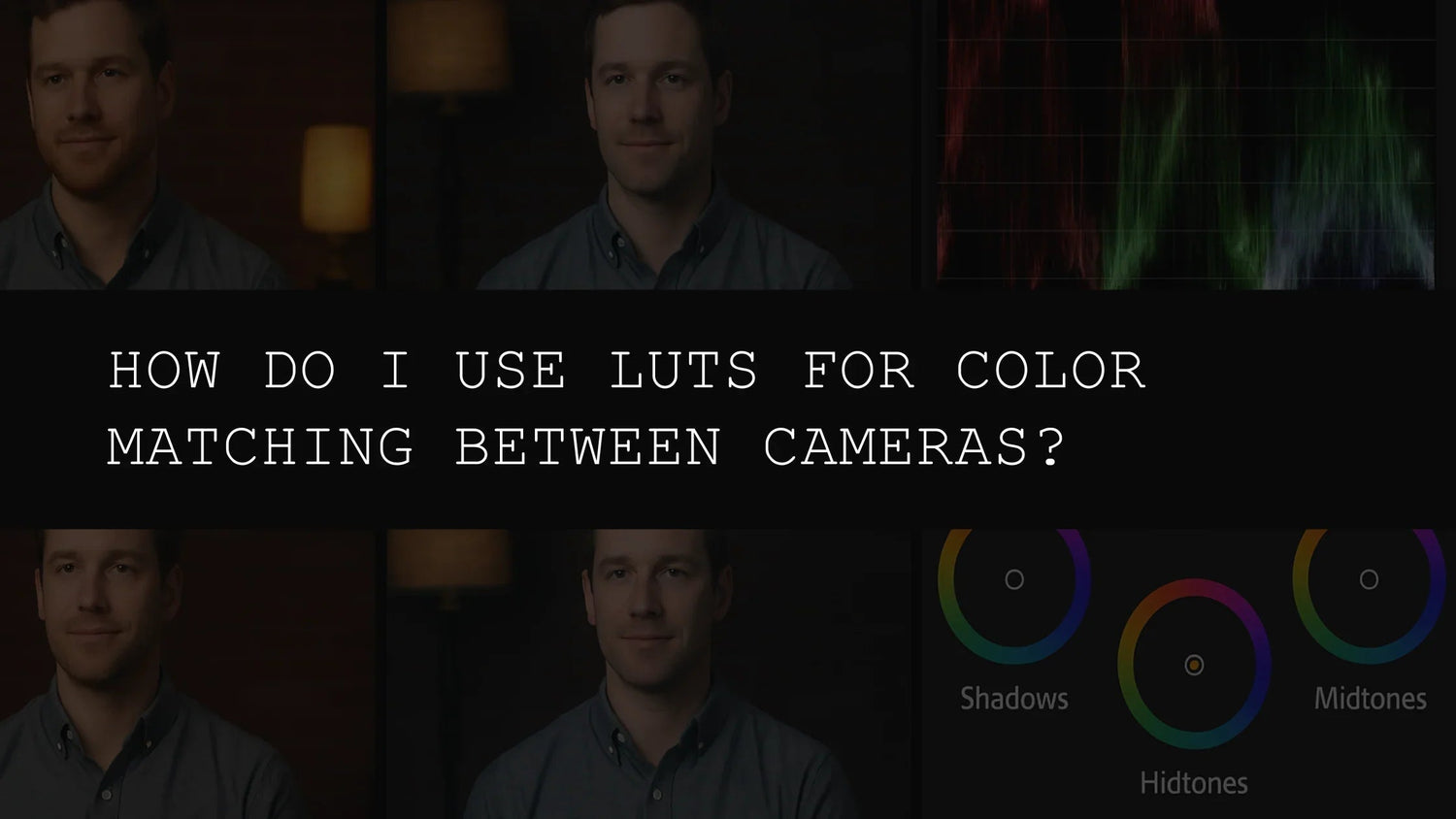
Mastering the Art of Color Matching with LUTs: A Comprehensive Guide for 2026
In the dynamic world of filmmaking and video production in 2026, shooting with multiple cameras has become increasingly common. Whether you're combining professional cinema cameras with DSLRs, or even using different models of the same brand, achieving consistent color grading across all your footage can be a significant challenge. This is where the power of LUTs (Lookup Tables) comes into play. LUTs are essentially pre-designed color profiles that you apply to your footage, offering a rapid and efficient solution for color matching, stylization, and overall aesthetic consistency. This comprehensive guide will delve into the intricacies of LUTs, exploring their applications, benefits, and the various ways they can elevate your video production workflow.
Why Use LUTs for Color Matching? The Power of Efficiency and Consistency
Let's face it: manually color grading each camera's footage to achieve a unified look is incredibly time-consuming and requires a high level of expertise. Even seasoned professionals may struggle to create seamless matches across multiple cameras. LUTs dramatically change this. They offer a streamlined approach to color correction and grading, saving you hours, if not days, of tedious work in post-production. This time saved can be channeled into other aspects of your project, such as refining the narrative, enhancing visual effects, or improving the overall storytelling. Moreover, using LUTs contributes to a polished, professional aesthetic that elevates your final product. Imagine the possibilities: more time for creative decision-making, less time staring at color wheels!
Choosing the Right LUTs for Your Project: A Style Guide for Every Vision
The optimal choice of LUTs heavily depends on the specific creative vision and the desired aesthetic for your project. Different LUTs are designed to achieve various looks and styles. For instance, if you're aiming for the rich, cinematic feel of a Hollywood blockbuster, the 120+ Cinematic Blockbuster Movie Look LUTs Pack provides a comprehensive collection of professional-grade LUTs to transform your footage. This pack offers a diverse range of cinematic styles, ensuring that you'll find the perfect match for your action sequences, thrillers, dramas, and epic landscape shots.
On the other hand, if you're focusing on wedding videography, where capturing emotional moments is paramount, the 150+ Wedding LUTs for Final Cut, Premiere Pro & Resolve pack offers a curated selection of cinematic LUTs specifically designed to enhance the romantic and emotional aspects of wedding videos. These LUTs are meticulously crafted to subtly enhance skin tones, create a warm and inviting atmosphere, and generally improve the overall visual appeal of wedding footage, ensuring consistent quality across all your shots, regardless of lighting conditions or camera used.
For music videos, where vibrant and dynamic colors are key to conveying the energy and mood of the music, the 300+ Music Video Color Grading LUTs Pack provides an expansive library of artistic LUTs to create eye-catching and unique visual styles. Each LUT is carefully crafted to enhance the energy and mood of the music video, ensuring a cohesive look despite different camera sources. The sheer variety allows for endless creative exploration, from bold and saturated looks to more subtle and nuanced grades.
If your project involves capturing stunning aerial footage with drones, you can elevate your visuals using the 70+ Cinematic Drone Video Luts Pack. This collection is specifically tailored to enhance the unique qualities of drone footage, creating captivating cinematic scenes regardless of the drone brand. These LUTs are perfect for emphasizing the scale and grandeur of aerial shots, while also correcting for common issues such as color casts and inconsistent exposure.
And for a truly comprehensive collection covering diverse styles and needs, consider the 700+ Cinematic Video LUTs For Your Next Project. This massive library offers an extensive array of LUTs, providing unparalleled flexibility and creative control. Whether you're working on a feature film, a commercial, or a short documentary, this pack has something for everyone, making it a highly versatile addition to your post-production toolkit.
Applying LUTs: A Step-by-Step Guide for Various Software
The precise method for applying LUTs varies depending on your preferred video editing software (such as Adobe Premiere Pro, Final Cut Pro, or DaVinci Resolve). However, the general workflow remains consistent across various platforms. Most software packages allow for a simple drag-and-drop functionality, enabling you to apply the LUT directly to your footage. In many cases, you can also apply them as a color correction effect within the editing timeline. For Premiere Pro, for example, you might find the LUTs section within the 'Effects Panel'. In Final Cut Pro X, the process involves importing the LUTs into the color grading tools. DaVinci Resolve's workflow usually involves importing and applying LUTs within the color nodes of the editing timeline. For detailed instructions, consult your editing software's official documentation or user manual. YouTube tutorials are also an excellent resource.
Fine-Tuning and Refinement: Achieving the Perfect Aesthetic
While LUTs offer an outstanding starting point for color matching and grading, they are not a one-size-fits-all solution. You'll often need to perform minor adjustments to fine-tune the results after applying the LUT. This might involve subtle modifications to exposure, contrast, saturation, highlights, shadows, and other color parameters. This final step ensures that your footage achieves the precise look and feel you desire, even after applying pre-designed LUTs. This stage allows for personalization and ensures the LUT complements your artistic vision, rather than dictating it.
Advanced Techniques and Creative Exploration: Pushing the Boundaries
Once you've become comfortable with the basics of applying and adjusting LUTs, you can explore more advanced techniques to enhance your workflow and creative process. Experiment with combining multiple LUTs for layered effects, blend them subtly for nuanced color changes, or even create your own custom LUTs based on specific preferences or project needs. The possibilities are vast, and the only limit is your imagination. Consider using LUTs not just for color correction, but also for stylistic choices - a slight desaturation, a boost in contrast, or a specific color tint. Mastering these advanced techniques will elevate your post-production workflow and allow for greater creative freedom.
Troubleshooting Common Issues: Addressing Potential Challenges
Occasionally, you may encounter unexpected results when applying LUTs. Here are some common issues and their solutions:
- Color Casts: An unexpected color tint might result from incorrect white balance in the source footage. Correct the white balance before applying LUTs for the best results. Tools within your video editing software can usually help with this.
- Inconsistent Results: Ensure you're using the same LUT version across all your clips. Check file names, compatibility, and update software to current versions. Inconsistencies can also be caused by slight differences in the footage itself, so keep an eye on the source material.
- LUT Compatibility: Make sure the LUTs you're using are compatible with your video editing software. Cube files (.cube) are the most commonly used format. If you're encountering issues, ensure your software supports the file format of your LUTs.
- Unexpected Color Shifts: Sometimes, applying a LUT may result in colors appearing more muted or saturated than intended. This often happens due to the differences in dynamic range between cameras and the LUT's creation parameters. Fine-tuning adjustments after LUT application will solve this problem.
Tips for Seamless Color Matching: Best Practices for Professional Results
- Consistent Lighting: Maintain consistent lighting conditions on set to reduce color variations between camera shots. This is a fundamental aspect of good filmmaking and can significantly simplify the post-production process.
- Color Charts: Use color charts or targets as a reference throughout the filming process to assist in color calibration. This provides a consistent benchmark for color adjustments in post.
- Test Shots: Capture some test shots to verify proper color settings and assess the suitability of LUTs before committing to full production. Test shots allow for early identification of potential issues and save significant time and effort in post-production.
- Non-Destructive Editing: Always work non-destructively to preserve the original footage and allow for flexibility in post-production adjustments. Working non-destructively is a crucial aspect of professional video editing.
- Camera Profiles: Understanding your camera's native color profiles and using them as a reference point for LUT selection can improve the final result significantly. Camera manufacturers often provide detailed information on their color science.
- Color Grading Monitors: Investing in a color-calibrated monitor is essential for ensuring accurate color representation throughout the editing process. A properly calibrated monitor guarantees consistency between your editing session and the final output.
Conclusion: Embrace the Power of LUTs for Streamlined and Creative Workflow
In the rapidly evolving landscape of video production, LUTs have become an indispensable tool for achieving professional-grade color matching and grading. By mastering the art of applying and fine-tuning LUTs, you can streamline your workflow, improve efficiency, and elevate the overall visual quality of your projects. Experiment with various LUTs, explore creative combinations, and discover the boundless potential these tools offer. In 2026, embracing LUTs is no longer a luxury but a necessity for any serious filmmaker or video editor aiming for outstanding results. From the cinematic grandeur of Hollywood blockbusters to the intimate beauty of wedding videos, and the vibrant energy of music videos, LUTs provide a versatile and efficient way to achieve consistent color and a professional aesthetic.

Leave a comment
This site is protected by hCaptcha and the hCaptcha Privacy Policy and Terms of Service apply.