
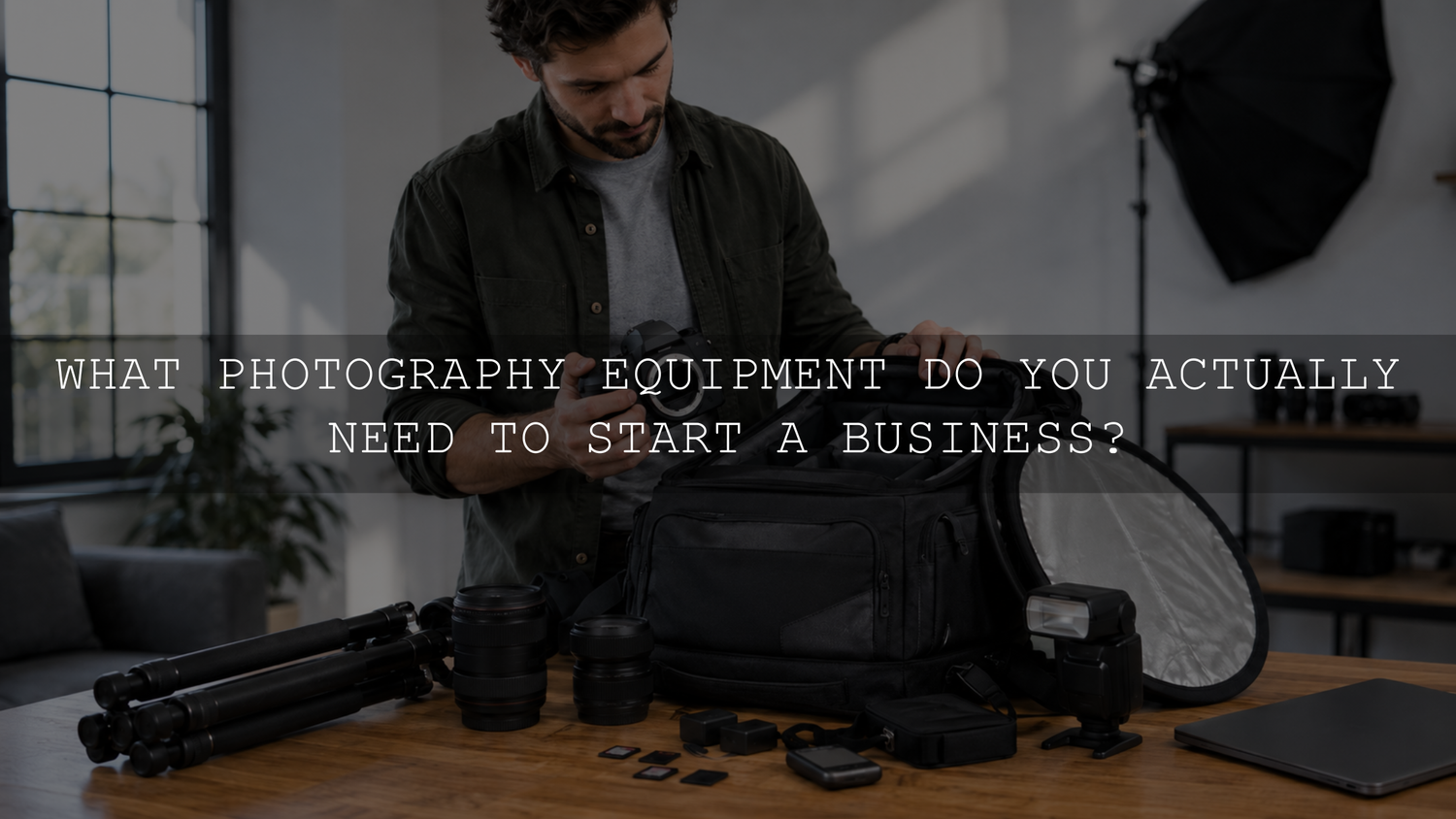
You do not need a flagship camera or a room full of lenses to start a photography business. A reliable starter kit normally consists of one camera you can operate confidently, one or two lenses suited to the service you sell, spare power and memory cards, simple lighting, a tested file-backup system, and tools for editing, delivery, contracts and payment.
The right kit is not the most expensive setup you can afford. It is the smallest setup that allows you to complete a paid assignment safely, consistently and according to the client’s expectations.
Before buying anything, decide what kind of photography you plan to offer. A product photographer, portrait photographer, real-estate photographer and wedding photographer face different problems and should not begin with identical equipment lists.
Photography Business Equipment Checklist at a Glance
A practical starter setup may include:
- A reliable primary camera suitable for your chosen service
- One or two lenses that cover the photographs you promise to deliver
- Tested memory cards and a separate card reader
- At least one spare camera battery
- A backup-camera plan for assignments that cannot be repeated
- A reflector, flash or another simple lighting solution when required
- A tripod for work that depends on consistent framing or slower shutter speeds
- A protective camera bag, cleaning tools and basic weather protection
- Working storage, a separate backup and an offsite copy
- A computer and editing software capable of handling your files
- A secure client-gallery or file-delivery system
- Contracts, invoicing and payment tools
- Appropriate insurance, licenses and releases where required
Not every item must be purchased immediately. Some equipment can be rented, borrowed or added after paid work begins.
Choose the Photography Service Before Choosing the Gear
Your niche determines which equipment protects the job and which purchases are optional.
Portrait photography
A portrait photographer may begin with one dependable camera, a standard zoom or portrait prime, a reflector and a portable flash. A comfortable camera strap, spare batteries and clear client-direction skills may improve the session more than an additional specialist lens.
Wedding and event photography
Weddings and live events contain moments that cannot be recreated. Reliable autofocus, strong battery life, sufficient memory-card capacity, low-light performance and a backup camera plan therefore become higher priorities. Dual card slots that support simultaneous recording are also valuable for reducing the risk created by a single card failure.
Product photography
Product work normally benefits from controlled lighting, consistent camera position, a tripod, backgrounds, reflectors, cleaning supplies and a lens that can focus closely enough for the required details. The camera body may be less important than repeatable lighting and accurate product preparation.
The complete product-photography workflow for online stores explains how to document a setup so later catalog images match the original session.
Real-estate and interior photography
A real-estate kit may require a suitably wide lens, a sturdy tripod, a remote release or timer and a method for controlling bright windows and dark interiors. Extremely wide focal lengths can create distracting distortion, so choose a lens that covers the room without making the space look unnatural.
Social-media and brand-content photography
A lightweight camera, versatile lens, fast file-transfer method and portable lighting may be more useful than a large studio setup. When the service includes video, audio, stabilization and vertical framing may also affect the equipment decision.
Camera Body: Prioritize Reliability Over Status
A recent entry-level or mid-range mirrorless camera or DSLR can produce professional client files when it suits the assignment and is used competently. Full-frame is not automatically required. Sensor size is only one part of image quality, and lighting, focus, lens choice, exposure and editing also influence the result.
Evaluate a working camera according to practical criteria:
- Autofocus performance for the subjects you photograph
- Low-light performance for the environments in which you work
- Battery life and the availability of spare batteries
- Comfortable controls that can be used quickly
- File size and whether your computer can process it efficiently
- Lens availability within your budget
- Weather protection when outdoor assignments require it
- Service, repair and rental availability in your region
Are dual card slots essential?
Dual card slots should not be treated as an absolute requirement for every beginner, but they are a strong priority for weddings, ceremonies, live events and other assignments that cannot be repeated. When supported, configure the camera to write a duplicate file to both cards rather than using the second card only after the first is full.
A single-slot camera may still be workable for repeatable portraits, products or controlled studio sessions. Reduce the risk by using tested cards, transferring files promptly, avoiding one enormous card as the only copy of an entire project and maintaining a backup-camera plan.
Dual cards reduce one point of failure during capture. They do not protect files from accidental deletion, theft, damage to the camera bag or drive failure after the shoot.
Do you need a second camera body?
You should have access to a backup camera before accepting an assignment that cannot be rescheduled. That does not always mean buying one immediately. You may be able to rent a second body, borrow a compatible camera or arrange a reliable emergency replacement.
Owning a backup becomes easier to justify when unrepeatable assignments are a regular source of income. A backup body that uses the same lenses, batteries and controls can simplify the transition if the primary camera fails.
Lenses: Buy for the Deliverables, Not the Collection
A focused lens kit is normally more useful than several lenses with overlapping purposes. Begin with the photographs listed in your offer and identify the focal lengths needed to create them.
- General portraits: A standard prime, short telephoto prime or standard zoom can cover individual portraits and small groups.
- Events: A standard zoom provides flexibility when the photographer cannot move freely. A second lens can provide wider coverage or additional reach.
- Products: A normal lens with suitable close-focusing ability may cover many products. Small details, jewelry and tiny objects may require a macro lens.
- Real estate: A wide-angle lens can capture confined interiors, but it should be checked for edge stretching and distortion.
- Sports and wildlife: Reach, autofocus performance and handling may matter more than an extremely wide aperture.
Remember that the visible field of view changes with sensor size. A focal length recommended for a full-frame camera may appear tighter on a crop-sensor camera.
Fast lenses can help in low light and can create shallow depth of field, but the widest aperture is not always the best working aperture. Group portraits, products and subjects that must remain fully sharp may require greater depth of field.
Lighting: Learn One Repeatable Setup First
Natural light is useful, but it is not automatically consistent. Clouds move, window direction changes and mixed indoor lighting can introduce different color casts. Learn how to recognize open shade, direct sun, window light, reflected light and mixed light before purchasing a large collection of modifiers.
A simple portable lighting kit may contain:
- A collapsible white and silver reflector
- One dependable speedlight or compact flash
- A compatible wireless trigger
- An umbrella or small softbox
- A stable light stand
- A weight or sandbag for the stand
- Spare flash batteries
- A small gray card or neutral reference when color consistency matters
Master one-light placement before adding more lights. Learn how distance, angle, modifier size and nearby walls affect the subject. A single controlled light and reflector can be more repeatable than several lights positioned without a clear purpose.
Always stabilize stands and keep cables away from areas where clients or guests walk. Outdoor modifiers can catch wind quickly, even when the weather appears calm.
Small Accessories That Prevent Expensive Problems
The least exciting items in the bag often prevent the most disruption. Before buying another lens, check whether the following basics are covered:
- Spare charged batteries
- Several tested memory cards
- A reliable memory-card reader
- Lens cloths and an appropriate cleaning kit
- A rain cover or protective bag
- Gaffer tape and reusable cable ties
- An extension cable where mains-powered lights are used
- A phone charger or power bank
- A small flashlight for dark venues
- A printed or offline copy of the schedule and client contact details
Test new batteries, cards, cables, triggers and adapters before taking them to a paid assignment. An unopened accessory is not yet a verified backup.
Storage and Backup Are Part of the Photography Kit
Client files should not exist in only one place after a shoot. A practical file workflow is:
- Keep the original memory cards unchanged until the photographs have been copied and verified.
- Copy the project to a clearly named working folder.
- Create a second copy on a separate physical drive or backup system.
- Maintain another protected copy offsite or with a vetted cloud provider.
- Open a selection of files from the copied location to confirm that they can be read.
- Test the restore process periodically instead of assuming the backup will work.
This follows the principle behind CISA’s 3-2-1 backup guidance: keep three copies of important data, use two types of storage and maintain one copy away from the primary location.
A mirrored drive or RAID system may improve availability when one drive fails, but it should not be the only backup. Deleting or corrupting a file can affect the mirrored copy as well.
Lightroom Classic users should also distinguish between the catalog and the photographs. According to Adobe’s Lightroom Classic catalog-backup guide, Lightroom’s scheduled catalog backup includes the catalog file only. Original photographs, edited image files and exports must be backed up separately.
Computer, Editing and Client-Delivery Tools
Your computer does not need to be the most powerful model available, but it should process your normal RAW files without making every project impractical. Consider available memory, processor performance, storage capacity, display quality, ports and the cost of expanding storage.
Your post-production system may include:
- RAW-processing and photo-editing software
- A consistent display or calibrated monitor when color accuracy is critical
- A repeatable folder and file-naming structure
- Culling and rating tools
- A secure client-gallery or delivery platform
- Export presets for print, web and social-media uses
- A method for archiving completed assignments
Presets can provide a repeatable creative foundation, but they should remain adjustable. Exposure, white balance, contrast, skin tones and local corrections may still need to be refined for each lighting group. The Lightroom editing checklist for beginners provides a practical sequence for correcting the image before export.
Photographers developing a consistent editing style can also browse the Lightroom presets for mobile and desktop. Choose presets that suit the service you sell, test them on representative files and refine the settings rather than expecting one adjustment to suit every camera, exposure and lighting condition.
Business Protection May Matter More Than Another Lens
A camera kit does not create a complete client process. Before accepting paid work, prepare the systems that explain what you will provide and what happens when plans change.
- A written contract defining the service, payment, delivery and cancellation terms
- An invoicing and payment method
- A clear delivery schedule
- Model or property releases when appropriate
- Equipment and liability insurance suited to the work
- A privacy process for client contact details and photographs
- An equipment inventory with serial numbers and purchase records
- A plan for illness, equipment failure, severe weather or venue restrictions
Legal, tax, insurance and licensing requirements vary by country and region. Use qualified local advice instead of copying another photographer’s documents without checking whether they apply to your business.
Decide What to Buy, Rent or Delay
Buy now
Purchase items that will be used repeatedly, protect every assignment or solve an immediate limitation. This often includes memory cards, batteries, storage, a suitable primary lens and basic lighting control.
Rent or borrow first
Rent expensive specialist equipment when you are not yet sure it will become part of your regular service. Possible rental items include macro lenses, long telephoto lenses, tilt-shift lenses, high-powered studio lighting and a second camera for an occasional event.
Renting also allows you to test the weight, controls, autofocus and image files before making a permanent purchase.
Delay
Delay equipment that mainly duplicates something you already own or serves a type of work you have not booked. A flagship camera, several similar prime lenses, a large studio system or features intended for advanced video production may not improve the service currently generating revenue.
Before buying an upgrade, ask:
- Is my current equipment preventing me from delivering a promised result?
- Will this purchase reduce a meaningful risk?
- Will I use it on several confirmed or likely paid assignments?
- Can I test or rent it first?
- Can the business recover the cost without weakening essential cash reserves?
- Would training or practice solve the problem more effectively?
Prioritize Spending by Consequence
When the budget is limited, use this order:
- Prevent job failure: Batteries, memory cards, storage, backups and access to a replacement camera.
- Meet the promised deliverables: The lens, lighting and support equipment required for the chosen service.
- Maintain consistency: Editing software, display control, file organization and delivery tools.
- Improve efficiency: Faster computers, additional lighting, tethering and workflow automation.
- Add creative options: Specialist lenses, additional modifiers and higher-end camera features.
This approach directs early spending toward reliability rather than specifications that may never affect the client’s final photographs.
Pre-Shoot Equipment Check for Paid Assignments
Complete this check before leaving for a client session:
- Confirm the shot list, location, timing and client contact details.
- Charge every camera, flash and accessory battery.
- Pack verified spares separately from depleted batteries.
- Confirm that memory cards have sufficient capacity.
- Format cards only after previous files have been backed up and verified.
- Check camera date and time, especially when using multiple bodies.
- Inspect lenses, filters and the camera sensor for dust or damage.
- Test autofocus, flash triggers, lights and remote controls.
- Confirm that the required lenses, adapters, stands and cables are packed.
- Take several test frames and review focus, exposure and card recording.
- Confirm the backup-camera plan and emergency contact method.
- Check the weather, access restrictions and available electrical power.
Avoid installing major firmware or software updates immediately before an important assignment. Test changes during non-critical practice sessions first.
Frequently Asked Questions
Do I need a full-frame camera to start a photography business?
No. A crop-sensor, Micro Four Thirds or other capable camera can be suitable when it provides the required image quality, autofocus, lens options and reliability. Choose the system according to the service and final deliverables rather than the sensor label alone.
Can I start with one lens?
Yes, particularly when you offer one focused service. A suitable prime or versatile zoom may cover an initial portrait, product or personal-brand package. Add another lens when a real assignment repeatedly requires a focal length or capability the first lens cannot provide.
Should a beginner buy used photography equipment?
Used equipment can reduce startup costs when it is purchased from a reputable seller and tested carefully. Check physical condition, autofocus, controls, card slots, battery contacts, lens movement and return or warranty terms. Inspect the resulting files instead of judging the item only by its exterior appearance.
When should I buy a backup camera?
Buy one when unrepeatable assignments become regular and rental costs or availability create a practical problem. Before then, arrange and test a rental, borrowed camera or other dependable replacement for any assignment that cannot be rescheduled.
Related Reading
- Complete product-photography workflow for small online stores
- From camera to Instagram: a complete content-creation workflow
Build the Smallest Kit You Can Trust
The best starter equipment is the equipment that allows you to keep your promise to the client. Begin with one clearly defined service, cover its essential focal lengths, learn one reliable lighting setup and protect every file from capture through delivery.
Upgrade when a recurring assignment reveals a genuine limitation, not simply because a newer camera has been released. A small kit that has been tested, packed carefully and used with confidence is more valuable than an expensive collection that does not support a dependable client experience.
Written by Asanka Dilshan — founder of AAAPresets.

Leave a comment
This site is protected by hCaptcha and the hCaptcha Privacy Policy and Terms of Service apply.