
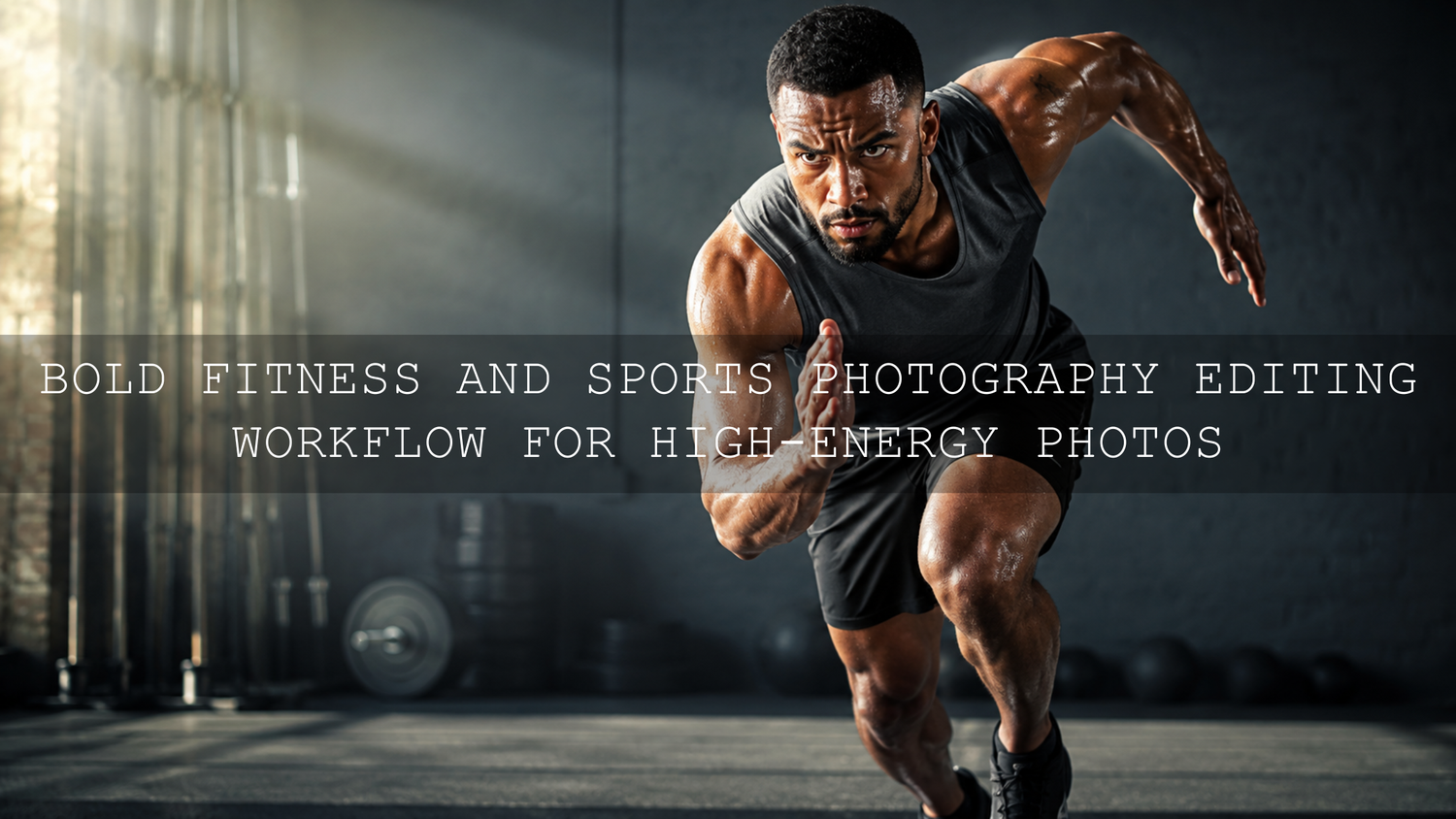
Bold Fitness and Sports Photography Editing Workflow for High-Energy Photos
A bold fitness and sports photography editing workflow helps action photos feel powerful, sharp, emotional, and professional without making them look fake. In 2026, athletes, gym brands, coaches, sports clubs, creators, and photographers need images that stop the scroll quickly. The goal is not to push every slider to the extreme. The goal is to build controlled contrast, strong detail, clean skin tones, punchy color, and a clear focal point that makes the viewer feel the energy of the moment.
Here’s why this matters: sports and fitness photos are usually full of motion, sweat, shadows, bright lights, textured clothing, gym equipment, grass, courts, stadium lights, or outdoor sunlight. A flat edit can make the moment feel weak, even if the photo itself is strong. A bold edit can turn a simple workout shot, soccer action frame, gym portrait, or running photo into a dramatic visual story.
For a faster starting point, try AI-Optimized Gym Cinematic Lightroom Presets for bold contrast, athletic mood, and cinematic gym color, or browse the full Lightroom Presets for Lightroom Mobile and Desktop collection. Try these presets today — Buy 3, Get 9 FREE when you add 12 presets to your cart and pay for only 3.
What Makes a Fitness or Sports Edit Look Bold?
A bold sports edit is not simply darker, sharper, or more saturated. It is a controlled visual style where every adjustment supports the story. The athlete should feel present. The background should support the action, not fight for attention. The color should feel energetic, but still believable.
A good bold fitness photo usually includes:
- Clean contrast: Strong shadows and bright highlights without losing important detail.
- Sharp subject focus: Eyes, movement, clothing texture, gear, or the main point of action should feel clear.
- Controlled color: Jerseys, gym lights, turf, skin tones, and backgrounds should look vivid but not neon.
- Directional light: The viewer’s eye should naturally move toward the athlete or action.
- Consistent style: A full gym set, match gallery, or social media campaign should feel visually connected.
I tested this type of workflow on a high-contrast gym portrait where the original RAW file looked flat and slightly yellow under indoor lighting. After correcting white balance, applying a cinematic preset, lowering distracting background tones, and adding local light to the subject, the final image felt stronger without making the athlete look over-edited.
Start With a Strong RAW File Before Editing
The best bold sports photography edits begin before Lightroom. If the original photo is too blurry, badly exposed, or captured at the wrong moment, editing can only help so much. Start by choosing photos with strong timing, clean focus, and a clear subject.
Before editing, look for:
- A sharp face, eyes, body movement, ball, bike, shoe, glove, or main action point.
- Good separation between the athlete and background.
- A moment that shows effort, speed, focus, celebration, or discipline.
- Enough highlight and shadow detail to recover during editing.
- A composition that can be cropped for Instagram, websites, ads, or banners.
Shoot in RAW whenever possible because RAW files give you more room to recover highlights, adjust white balance, and shape color. This is especially important for gyms with mixed lighting, stadiums with strong floodlights, and outdoor sports with harsh sun.
Step-by-Step Bold Sports Photo Editing Workflow
1. Cull the Best Action Frames First
Do not edit every photo from the shoot. Start by removing blurry, awkward, repeated, or low-impact frames. A bold editing workflow works best when the image already has energy.
For sports, choose peak action: a jump, sprint, kick, lift, turn, punch, stretch, or focused expression. For fitness portraits, choose photos where posture, light direction, and mood feel strong. For gym brand content, choose images that show the product, trainer, athlete, or location clearly.
2. Correct White Balance Before Adding Style
White balance is one of the most important steps in fitness and sports photo editing. Indoor gyms often have yellow, green, or mixed lighting. Stadiums may have cool artificial light. Outdoor sports can shift from warm sunlight to blue shadows quickly.
Fix the color temperature first, then add creative color. If white balance is wrong, every preset, HSL adjustment, and color grade will become harder to control. Adobe’s official Lightroom guide to image tone and color is a helpful reference for understanding how tonal and color adjustments work together inside Lightroom Classic.
3. Set Exposure, Highlights, Shadows, Whites, and Blacks
After white balance, build your tonal base. A bold sports edit usually needs deeper blacks, controlled highlights, and strong midtone presence. The key is balance. If you crush the shadows too hard, gym equipment, clothing, and background detail can disappear. If you push whites too far, sweat highlights, bright jerseys, or stadium lights can look harsh.
A simple starting point:
- Adjust exposure until the subject feels naturally visible.
- Reduce highlights if bright areas look too strong.
- Lift shadows slightly if important details are hidden.
- Set whites for clean brightness.
- Set blacks for depth and drama.
Here’s why this matters: bold editing should feel powerful, not messy. Good tonal control gives you a strong foundation before you add contrast, color, clarity, or presets.
4. Use Presets as a Starting Point, Not the Final Edit
Lightroom presets are most useful when they give you a professional base quickly. For example, Fitness Workout Lightroom Presets can help build a punchy workout look, while AI-Optimized Soccer Sports Lightroom Presets are a strong match for field sports, team content, and action photos.
The important part is adjustment. Apply the preset, then fine-tune exposure, contrast, white balance, skin tones, and sharpness for each image. A gym photo with dark walls needs different settings from an outdoor running photo at sunset. A preset should speed up the workflow, not replace your eye.
If you want to understand how presets can be layered creatively, read how to stack Lightroom presets for unique results. For a wider editing system, the step-by-step Lightroom workflow guide can help you build a repeatable editing routine.
Presets vs Manual Editing for Fitness and Sports Photos
Presets and manual editing both have a place in a professional fitness and sports photography editing workflow. The best results usually come from using both together.
- Presets are best for speed and consistency: They help you apply a strong base look across a full gallery, gym campaign, or sports event quickly.
- Manual editing is best for precision: It helps you correct exposure, skin tones, background distractions, lighting problems, and image-specific details.
- Together, they save time: Apply a preset first, then refine each photo with targeted adjustments.
For example, a soccer gallery might need a preset for consistent field color and contrast, then manual HSL adjustments to stop the grass from becoming too bright. A gym portrait might need a cinematic preset, then a radial mask to brighten the face and darken a distracting wall.
Build Drama With Tone Curve and Contrast
The Tone Curve is one of the best tools for bold sports photo editing. It gives you more control than the basic Contrast slider because you can shape shadows, midtones, and highlights separately.
For a bold look, start with a gentle S-curve. Pull the shadow area slightly down and lift the highlight area slightly up. This creates stronger depth and energy. Keep it controlled, especially on skin and clothing. Too much curve can make the photo look crunchy or artificial.
For gritty gym photos, a stronger shadow curve can work well. For outdoor sports, keep highlight detail safe so bright sky, white uniforms, or reflective surfaces do not become distracting. If you are editing sports video too, the related guide on POV, sports, and adventure LUTs can help you match the same energetic style across motion content.
Use Masking to Guide the Viewer’s Eye
Global edits affect the whole photo, but bold sports images often need local control. Masking lets you brighten the athlete, darken the background, enhance the face, add contrast to clothing, or control bright light in one area only. Adobe’s official Lightroom Classic masking guide explains how local corrections can be used for targeted color and tone adjustments.
Useful masking ideas for fitness and sports photos:
- Subject mask: Add small exposure, contrast, or texture to the main athlete.
- Radial mask: Create a subtle spotlight around the face or action point.
- Linear gradient: Darken the top, bottom, or side of the frame to reduce distractions.
- Luminance range: Control bright gym lights, white jerseys, or shiny equipment.
- Color range: Adjust grass, jerseys, mats, or background lights without changing everything else.
Pro tip: keep local adjustments subtle. If the viewer notices the mask before they notice the athlete, the edit is too strong.
Make Color Bold Without Looking Fake
Color is where many bold sports edits go wrong. It is tempting to raise Saturation heavily, but that can make skin tones, jerseys, grass, and gym lights look unnatural. Start with Vibrance, then use HSL or Color Mixer for targeted control.
For example, you can:
- Lower green luminance slightly to make a field look deeper and less distracting.
- Increase orange luminance carefully to keep skin looking clean.
- Reduce yellow saturation if gym lights make the image look muddy.
- Push blues slightly deeper for a cooler, cinematic background.
- Keep reds controlled so jerseys and skin do not look too intense.
If you want planned color harmony instead of random color edits, use the Adobe Color wheel for color harmony to explore complementary, analogous, or split-complementary palettes. This can help when building a consistent visual style for a gym brand, sports team, personal trainer, or fitness influencer.
Clarity, Texture, Dehaze, and Sharpening: Use With Control
Bold fitness edits often need detail, but detail should not destroy the photo. Clarity increases midtone contrast. Texture enhances fine detail. Dehaze adds depth and punch. Sharpening improves edge definition. All of these tools are powerful, but they can quickly become too much.
For gym photos, add Texture or Clarity lightly to clothing, equipment, ropes, gloves, weights, or background surfaces. For portraits, be careful with skin. Too much clarity can create a rough, unnatural look. For outdoor sports, Dehaze can help with flat light, haze, or low-contrast scenes, but use it carefully because it can also increase saturation and darken shadows.
A good practical approach is to apply detail globally at a low amount, then use masks for extra detail only where needed. For example, sharpen the subject and keep the background softer. This creates depth and makes the action feel more professional.
Before and After Example: Flat Gym Photo to Cinematic Fitness Edit
Imagine a RAW gym photo captured under mixed lighting. The original image has a yellow cast, flat contrast, and a busy background. The athlete is sharp, but the scene does not feel dramatic yet.
A strong edit could look like this:
- Correct white balance to remove the yellow-green cast.
- Apply Gym Fitness Lightroom Presets as a starting look.
- Lower highlights to protect bright gym lights.
- Deepen blacks slightly for stronger atmosphere.
- Use a subject mask to add small exposure and texture.
- Use a radial mask to guide attention toward the face and upper body.
- Reduce yellow saturation and fine-tune orange tones for natural skin.
- Add light sharpening with masking so smooth areas stay clean.
The final photo should feel more intense, but still believable. The viewer should notice the energy, not the editing.
Editing Outdoor Sports Photos Differently From Gym Photos
Outdoor sports photography usually needs a different balance than indoor fitness photography. Sunlight, grass, sky, uniforms, and fast movement can create strong color and exposure challenges.
For outdoor sports:
- Protect highlights on white uniforms, faces, and bright sky.
- Use HSL to control grass so it does not overpower the subject.
- Keep shadows open enough to show action detail.
- Add contrast with the Tone Curve instead of only using the Contrast slider.
- Crop tightly when the background has too many distractions.
For action camera and sports video creators, you may also like the GoPro Flat and Log sports grading guide, especially if you want your still photos and video highlights to share a similar bold visual style.
Common Mistakes That Make Sports Edits Look Overdone
A bold edit should feel intentional. Avoid these common mistakes:
- Too much saturation: This makes skin, jerseys, and grass look unrealistic.
- Over-sharpening: This creates harsh edges and noisy backgrounds.
- Crushed shadows: This removes important detail from clothing, equipment, and the scene.
- Heavy vignettes: This can make the image look dated or obvious.
- Ignoring skin tones: Even in bold edits, people should still look natural.
- Using one preset without adjustments: Every lighting situation needs small refinements.
If your presets look different from one photo to another, read why Lightroom presets look different on every photo and how to fix it. This is especially useful for sports sessions with mixed lighting or changing locations.
Pro Tips for a Consistent Sports and Fitness Editing Style
- Create one hero edit first: Edit your strongest photo until the look feels right, then sync the base settings across similar images.
- Use batch editing carefully: Sync presets, tone, and color, but check exposure and masks individually.
- Keep skin tones believable: Bold does not mean orange, red, or overly smooth.
- Match the mood to the sport: Boxing, gym, football, yoga, running, and team portraits all need different intensity levels.
- Export for the platform: A website banner, Instagram carousel, ad creative, and print image may need different crops and sharpness.
For mobile creators who edit workout photos on the go, Lightroom Mobile editing for professional phone edits is a helpful next read. You can also explore Moody Lightroom Presets if you want deeper shadows, dramatic atmosphere, and a stronger cinematic look.
Recommended Presets for Bold Fitness and Sports Photography
The right preset depends on your lighting, sport, and final mood. For dark gym scenes, AI-Optimized Dark Black Gym Lightroom Presets can help create deeper tones and a stronger commercial look. For general workout content, Fitness Workout Lightroom Presets are a practical starting point. For field sports and team content, AI-Optimized Soccer Sports Lightroom Presets can help build clean contrast and punchy color.
If you edit different types of photography, browsing the full Lightroom Mobile and Desktop Presets collection makes it easier to build a flexible toolkit for gym, sports, portraits, travel, lifestyle, and social content. Try these presets today — Buy 3, Get 9 FREE when you add 12 presets to your cart and pay for only 3.
Related Reading
- Step-by-step Lightroom workflow for faster photo edits
- How to stack Lightroom presets for unique and bold results
- Lightroom Mobile editing for pro-level photos on your phone
- Ultimate guide to POV, sports, and adventure LUTs
- Why Lightroom presets look different and how to fix them
FAQ
What is the best editing style for fitness and sports photography?
The best style is bold, clean, and controlled. Use strong contrast, sharp subject detail, natural skin tones, and targeted color adjustments so the photo feels energetic without looking fake.
Should I use Lightroom presets for sports photos?
Yes. Lightroom presets are useful for speed and consistency, especially when editing a full gym shoot, sports event, or social campaign. Apply the preset first, then adjust exposure, color, masks, and sharpening for each image.
How do I make gym photos look more cinematic?
Start with correct white balance, deepen shadows carefully, add controlled contrast, reduce distracting background colors, and use masks to guide attention to the subject. A cinematic gym preset can give you a strong base faster.
How can I avoid over-editing sports photos?
Avoid extreme saturation, heavy clarity, crushed shadows, and obvious vignettes. Keep important detail visible and check skin tones before exporting.
Can I use the same workflow for Lightroom Mobile and Desktop?
Yes. The core workflow is similar: correct white balance, set exposure, apply a preset, adjust color, use masking when available, sharpen carefully, and export for your platform.
Written by Asanka — creator of AAAPresets (10,000+ customers).


Leave a comment
This site is protected by hCaptcha and the hCaptcha Privacy Policy and Terms of Service apply.